-1.png?width=150&height=38&name=Logo_Original_Dark%20(2)-1.png)
You can set sales commissions for sales representatives.
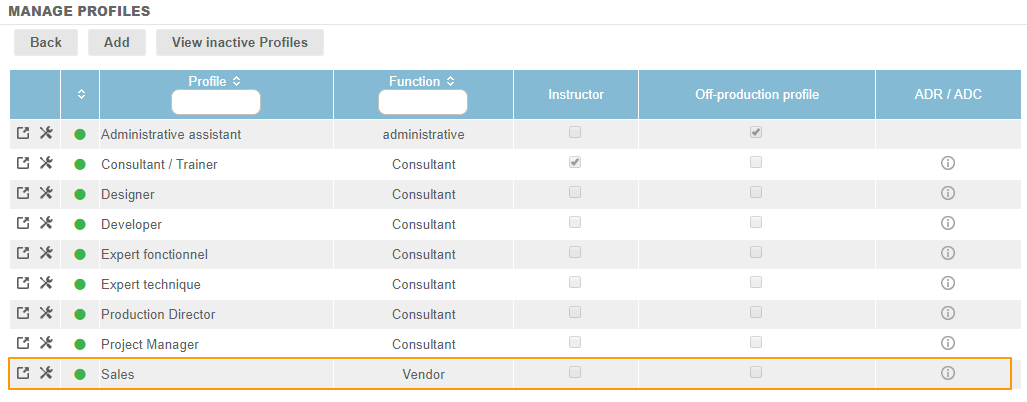
As defined in Fitnet Manager, sales representatives are employees having a profile with the “Vendor” function:
Definition of commissions in the employment contract
In order to define the terms for calculating commissions for sales representatives, you will need to create an employment contract. The section called “Vendors remuneration" allows you to fill in a a commission rate and a bonus for opening new account.
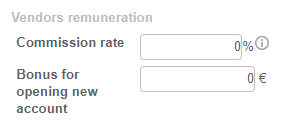
- The commission rate corresponds to a percentage which is applied to the margin of the deal to which the vendor is assigned.
- The bonus for opening new account corresponds to an amount which will be paid to the vendor when a new account is opened. The new account is not an automatically calculated action. You must fill in the total amount paid which corresponds to the opening of a contract in the “Salesmen Commissionning” Reporting.
Calculating commission according to rates
When a vendor is assigned to a contract (Actions > Assign a salesperson), they will be eligible for a commission.
Per contract, the commission will be equal to the commission rate x the gross margin.
- The gross margin is equal to prod. valued minus employee charges.
- The production is valued per the planning, i.e. according to the TJ of each employee assigned to the contract, and their time worked. Thus, the commission is calculated on the basis of the production of all employees.
- The employee charges are calculated according to the calculation mode defined in the settings.
Payment of commissions
The list of commission calculations is set up in the “Salesmen Commissionning” Reporting, where commission payments are managed.