-1.png?width=150&height=38&name=Logo_Original_Dark%20(2)-1.png)
Tip
The employee profile can be selectively managed, either in the Employees screen or in the Employment Contract.
How to use it
Settings > HR Folders > Employment contract > Employee's profile management
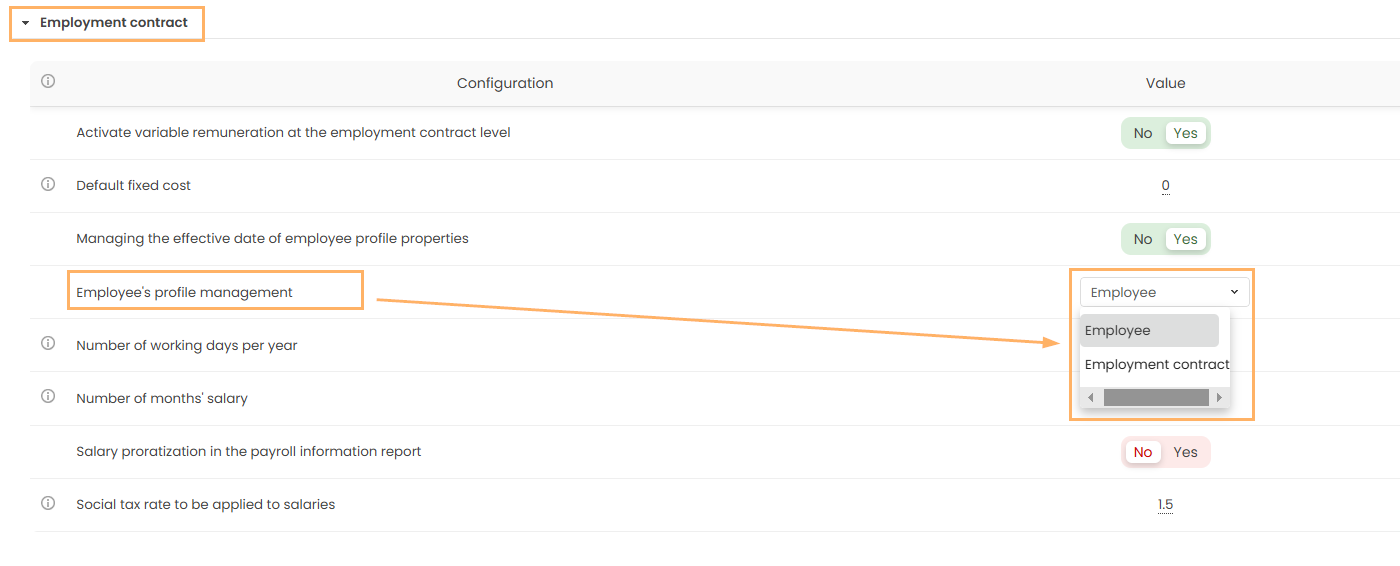
Profile management in the employee screen
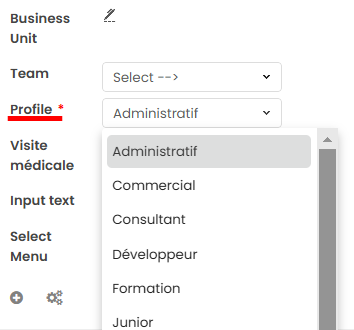
Modifying a profile in the employee screen causes you to lose rate and cost history for that employee. To avoid it, you have two options :
- Deactivate the employee and create another sheet with the new profile;
- Manage profiles in the employment contract.
Profile management in the employment contract
When an employee's profile changes, you must create a new employment contract. The contract has an effective date; each new profile has a new effective date. The profile's historical data is thus recorded.
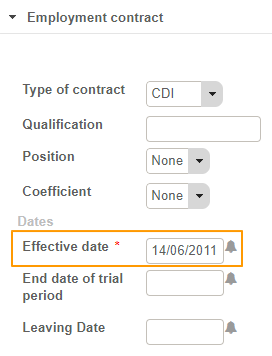
Managing effective dates for standard rates and costs
When only the average daily rates and costs change, you don't need to create a new employment contract !
In Fitnet Manager, you have the option to configure the ADR and ADC to the effective date for each employee profile.
Here are the steps to follow:
- Activate the "Manage the effective date of employee profile properties" parameter
Settings > HR Folders > Employment contract > Manage the effective date of employee profile properties
- Go to Configuration > HR Folders block > Employee profiles
- The "Evolution" block has been added for each employee profile. Click on the "+" to add new ADR and ADC:
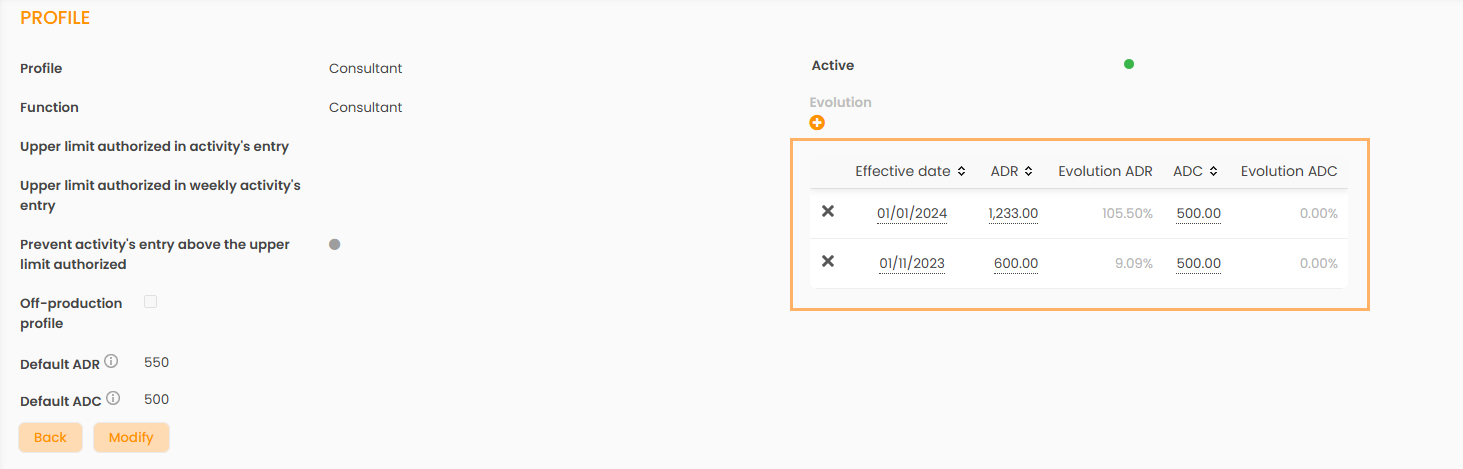
The changes will be effective immediately!
This feature allows you to specifically manage a large volume of changes without having to create a new employment contract for each employee.