-1.png?width=150&height=38&name=Logo_Original_Dark%20(2)-1.png)
DEFINITION
The deposit is a function available:
- in package invoicing mode only
- in automatic schedule mode
- Regardless of the status of the case (open / launched)
Deposits bear only on package rate invoiced cases. You can create as many deposits as desired.
A deposit invoice differs from conventional invoices in that it contains the words "Deposit Invoice".
CREATING A DEPOSIT
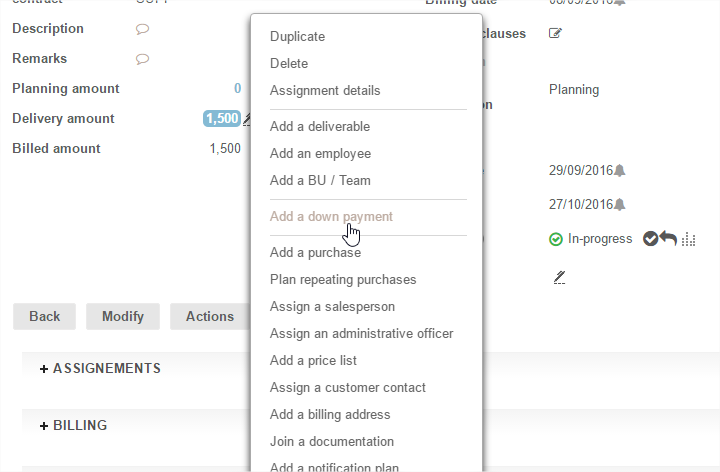
Deposits are created using the button Actions > Create a deposit.
Due dates are set up in a pop up that allows you to record them in succession.
The fields to be filled in are:
- Numbers of due dates: generated automatically - but are modifiable
- Title: optional field that enables you to name the due date
- Amount: it can be filled in with numbers or % of total amount of the case
- Due date: the date on which invoicing will take place
- Description and Special terms: optional fields with supplementary data
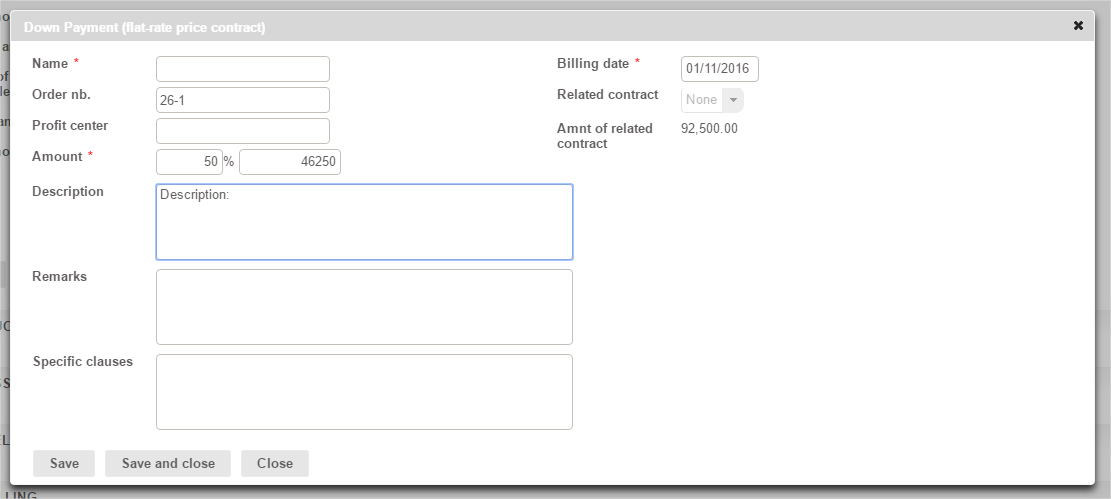
The SAVE button records the due date and empties the form to allow direct entry of another deposit.
Warning: the amount of the deposit does not intervene in the amount of the Package which remains unchanged.
The impact is at the amount invoiced: it is reduced in proportion to the amount paid on Deposit.
All deposit due dates can be found:
- at case level in the INVOICING pane "Invoicing Status"
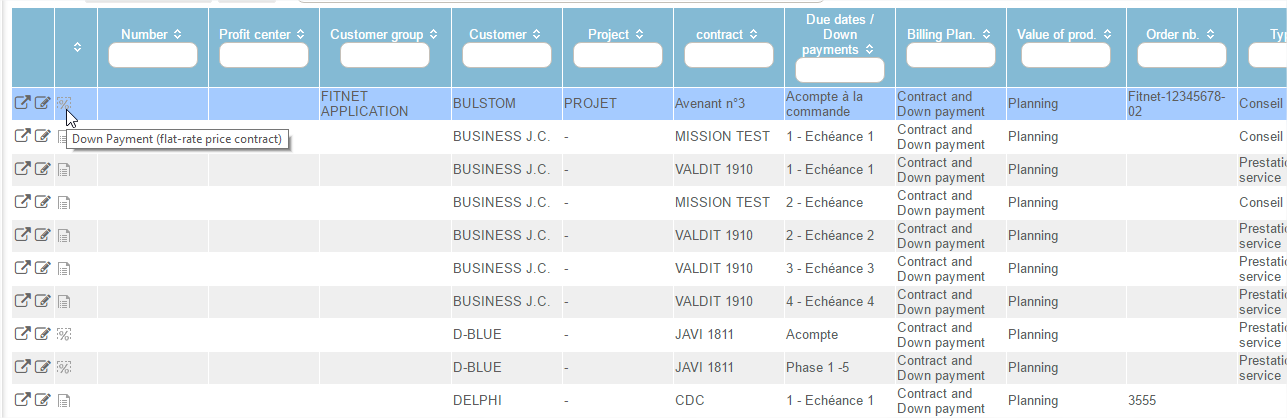
- at Invoicing module level under the menu "Due Dates and Deposits"

The deposit due date thus created automatically generates a proposal deposit invoice that we find:
- At case level: in the "Invoicing> Invoicing Status" tab
- At invoicing module level: in the pre-invoicing menu
- It is recognizable by the icon