-1.png?width=150&height=38&name=Logo_Original_Dark%20(2)-1.png)
You can create an employee from the HR Folders module > Create, or from the HR Folders module > Employees > Add.
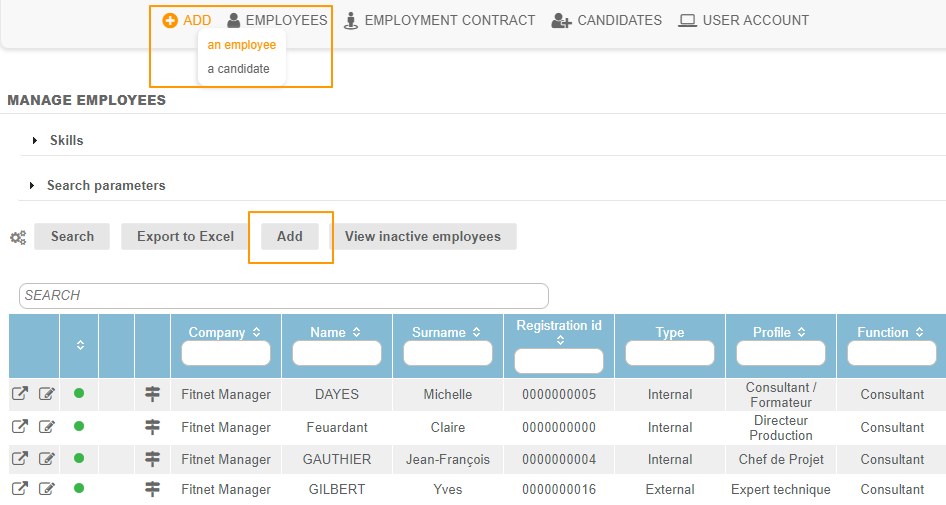
Employee ID
Surname / Name / Username
The employee is Identified in the tool by their name and surname.
Registration ID
Automatic registration of employees is available, but optional. It is mostly used when joining Fitnet Manager with a payroll solution.
Professional contact information
- Landline
- Mobile
- Email: Email addresses are used to send email notifications from the workflow.
The employee’s organizational assignment
Company
Fitnet is a multi-company solution. The employee screen determines the employee’s organizational assignment. Assignment to a company is unique and obligatory.
BU & Team
A parameter allows for activation/deactivation of Business Unit and Team entities. If the function is active, the employee screen allows you to attach it.
Settings Menu > HR Folders > Activate the Business Unit module and activate the Team module.
Attachment to a Business Unit or team is optional. Employees can be attached to no entity.
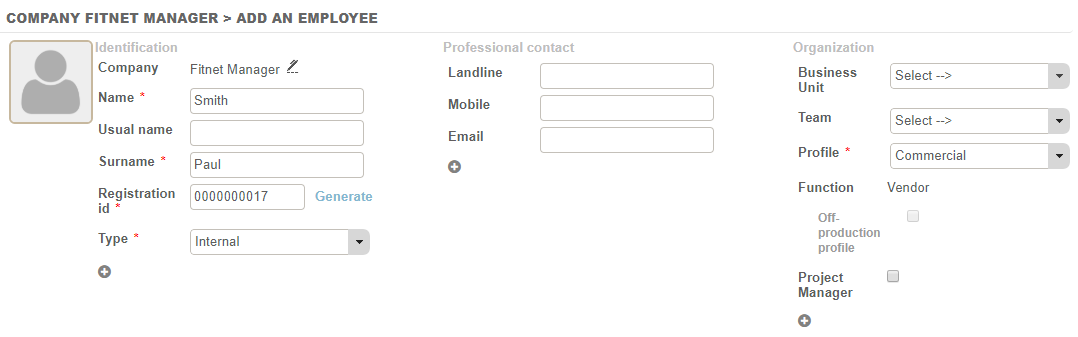
The characteristics of the employee
The Type
Employees must be either:
- Internal: allows management of their work contract
or
- External: no work contract, but their cost will be managed at each assignment.
Project Manager
If an employee is designated as Project Manager in their HR folder, there will be the ability to designate them as Project Manager on activities via a “Project Manager” checkbox during the assignment of the employee to the business.
Profile & Function
The list of profiles is a fully configurable library:
- Configuration Menu > HR Folders> Employee Profiles


3 mandatory elements characterize a Profile:
- The category description or profile name
- The average daily rate (ADR), used for estimating the quote
- The average daily cost (ADC), used for estimating the quote, and if the option of calculating sales margins is done at the standard cost (according to the profile).
Three functions make it possible to customize and refine profiles at the profile CONFIGURATION level:
- The sales function: allows you to activate the management of new account bonuses & sales commissions.
- The administrative function: this criterion allows a distinction from production profiles, especially with respect to certain reports (e.g. annual results). This criteria also makes it possible to be appointed administrative lead at the business level.
- The consultant function is defaulted if neither of the other two is selected. It does not offer any additional rights.
By default, a profile is considered "productive". At the configuration level, a checkbox option allows you to designate the profile as “off-productive".

For more information on the rights and responsibilities of employees, see the section entitled, “Rights and Authorizations”.
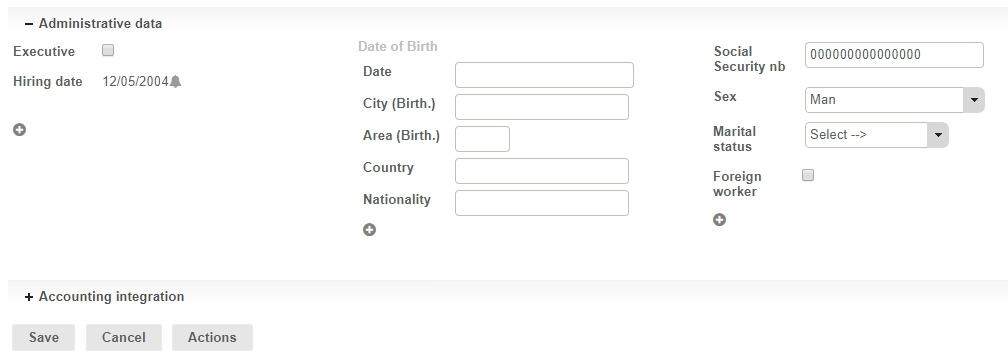
Administrative Data
The second section of the employee HR folder holds administrative information:
- Executive: the Executive designation is for informational purposes only.
- Hiring date
- Birth (Date, City, Area, Country, Nationality)
- Social Security Number
- Sex
- Marital Status
- Foreign worker
- Etc.
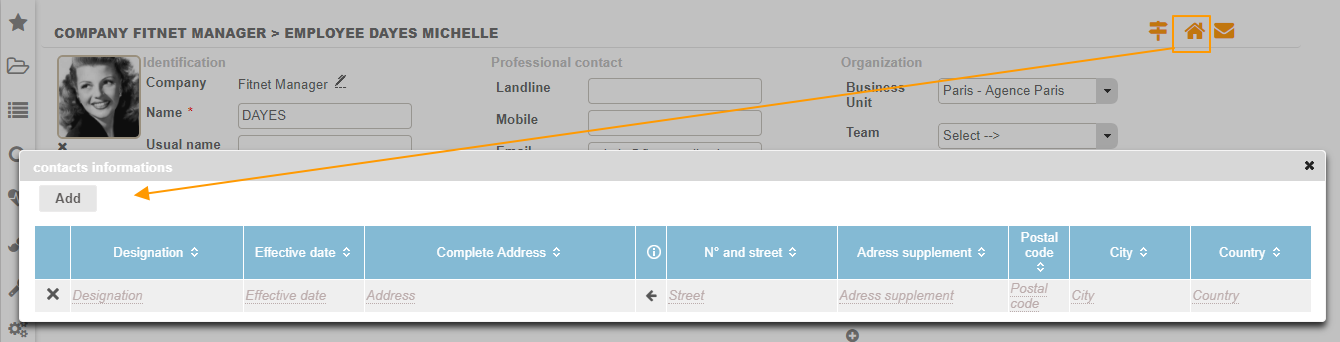
Addresses and contact information
At the top right of the employee screen, you can fill in the employees' addresses on the effective date, as well as their contact data.
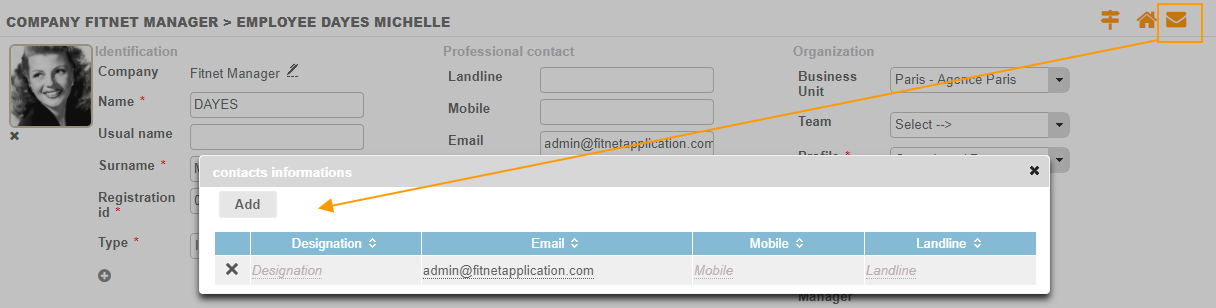
To complete the employee sheet, you can add additional information.