-1.png?width=150&height=38&name=Logo_Original_Dark%20(2)-1.png)
To change the parameters of the HR Folders module, go to set-up > HR Data tab
If you are in a multiple companies environment and you wish to change the parameter of only one company, select the scope:
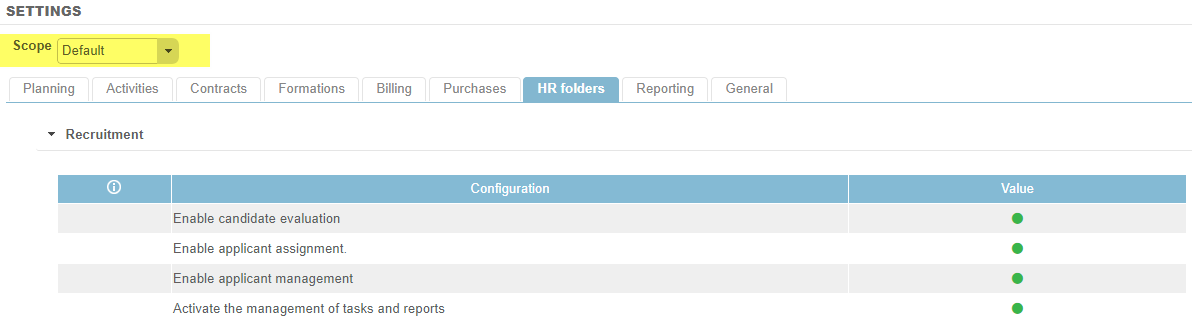
Activate the management of tasks and reports
Activated: Activates the management of tasks and reports at the employee level
Deactivated: The tasks and reports function is deactivated on the HR Folders module.
Activate skills management
Activated: Adds a “Skills” tab at the employee level. Gives access to skills configuration. From CONFIGURATION > HR Folders > Skills, the system generates a skills radar chart. For more information on this feature, click here.
Deactivated: The skills function is deactivated on the HR Folders module.
Activate the compensatory rest's calculation of the overtime
Activated: Allows you to manage compensatory rest that employees have accrued. To ensure its proper management, you must configure “compensatory rest” grids. Activation automatically opens a new type of leave, “Compensatory Rest”.
Deactivated: When this parameter is deactivated, if employees work hours above and beyond their timetable, nothing happens.
Activate Business Unit module
Activated: Allows you to manage employees belonging to a Business Unit. Give access to the Business Unit in Configuration>Company. Allows you to link a contract or a project to a BU. It’s a consolidation element in some reporting (i.e. Overview of contracts, Key indicators) and search parameters.
Deactivated: The Business Unit function is deactivated.
Activate Team module
Activated: Allows you to manage employees belonging to a Team. Gives access to a Team in Configuration > Company.
Deactivated: The Team function is deactivated.
Automatic display of skills in filter
Activated: Automatically displays skill filters for employees/candidates.
Deactivated: No ability to filter employees/candidates by skills.
Display of comments field
Activated: Displays the comments field at the candidate/employee level.
Deactivated: The comments field is hidden.
Maximum length of the “Employee Registration ID” field
Specify the number of characters that make up the registration ID.
Enable automatic incrementation of employee's Registration ID
Activated: For each employee created, the registration ID counter automatically increases by one from the previous employee, but can be modified manually.
Deactivated: The registration ID is 0 by default.
Activate variable remuneration at the employment contract level
Activated: Allows you to manage the percentage of fixed remuneration at the employment contract level. Activation allows you access to the variable salary scheme at the Configuration > HR Folders level.
Deactivated: The variable remuneration function is deactivated.
Default fixed cost
The value in € (or other currency) that appears by default at the employment contract level = fixed daily charge. This charge is independent of salary, but nevertheless increases the employee cost (it corresponds, for example, to a cell phone plan or car rental, etc.).
Manage the effective date of employee profile properties
Activated: Adds an “effective date” field at the Configuration > Employee Profile level. This allows you to actualize the profile’s TJM and CJM from a certain date to be filled in.
Deactivated: In the Employee Profile, you can fill in a single TJM/CJM: the change of this data will be retroactive.
Employee's profile management
- Employee: The system takes the profile directly from the employee screen.
- Employment contract: The system adds a “Profile” field on the employment contract and takes the employee profile at the level of its current employment contract.
Number of working days per year
Value increases by default on the work contract for the field “Nb. Working days / year”.
Number of months' salary
Value applied by default in the employee screen under the “Status” tab. It can be modified.
Rate of social security charges to be applied to salaries
Social tax rates are set by default on the employment contract. For informational purposes, it depends on the employee contract (executive, non-executive…).