-1.png?width=150&height=38&name=Logo_Original_Dark%20(2)-1.png)
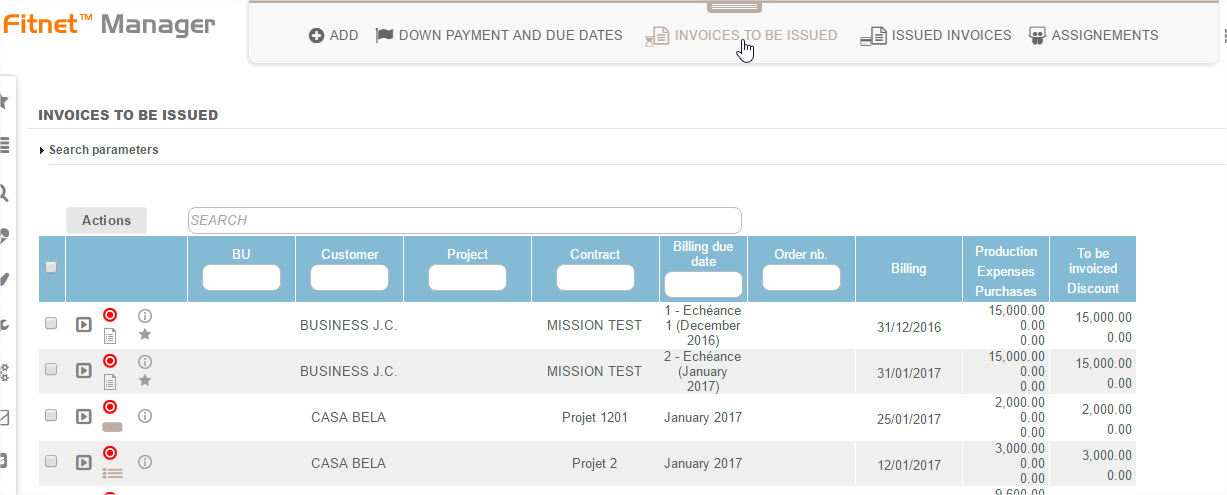
Pre-invoicing is:
- Listing assignments that have reached maturity at month end and need to be billed
- Automatically generating an invoice proposal
Search parameters
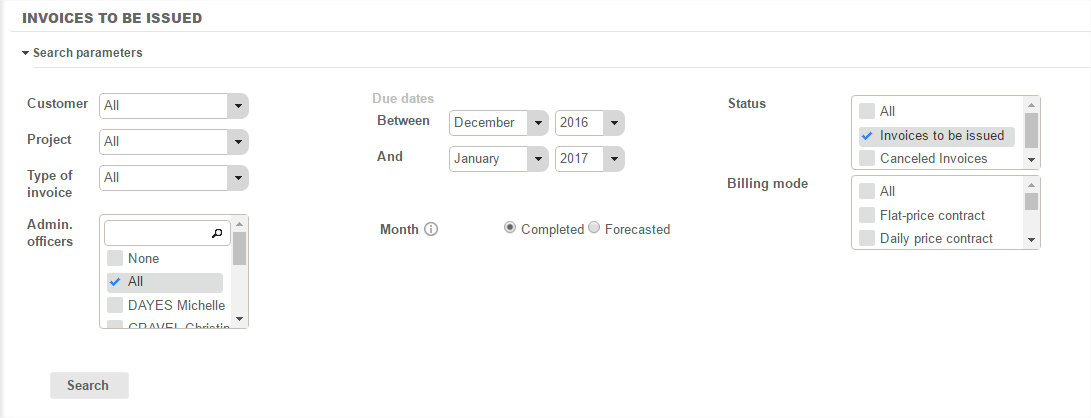
By default: the Pre-invoicing menu filters the search for invoices to be issued on the previous month and the current month.
However tools enable you to filter the search for non-invoiced assignments on the basis of criteria:
- Customer: selecting a customer from the list of known customers in the database. If no customer is selected, then this criterion is ignored.
- Date: selecting an invoicing date range
Visual codes
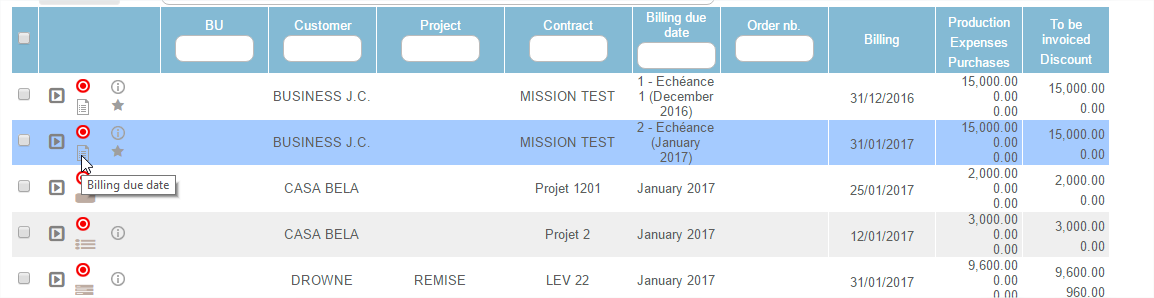
All pre-invoicing module invoice proposals have an indicator  that informs the user that it is a case in pre-invoicing status and that the invoice remains to be issued.
An icon on each invoice to be issued enables you to differentiate between the different types of invoices:
 Invoicing of a Daily price contract
 Invoicing of a Flat-rate price contract
 Invoicing of a Sale
 Invoicing of a extra hours (overtime, standby)
 Invoicing due date
 Invoicing of a deposit