-1.png?width=150&height=38&name=Logo_Original_Dark%20(2)-1.png)
In a Contract and / or a Project, at the level of the dashboards, it is possible to enter the corrective amounts.
It may be necessary to correct the produced amount, particularly in the context of the closing of the accounts "cut-off".
Valuation = Planning: Correction on DAYS Products
To correct the number of days produced, go to Contracts > Contract sheet > Dashboards Pane> Production tab> Assignments:
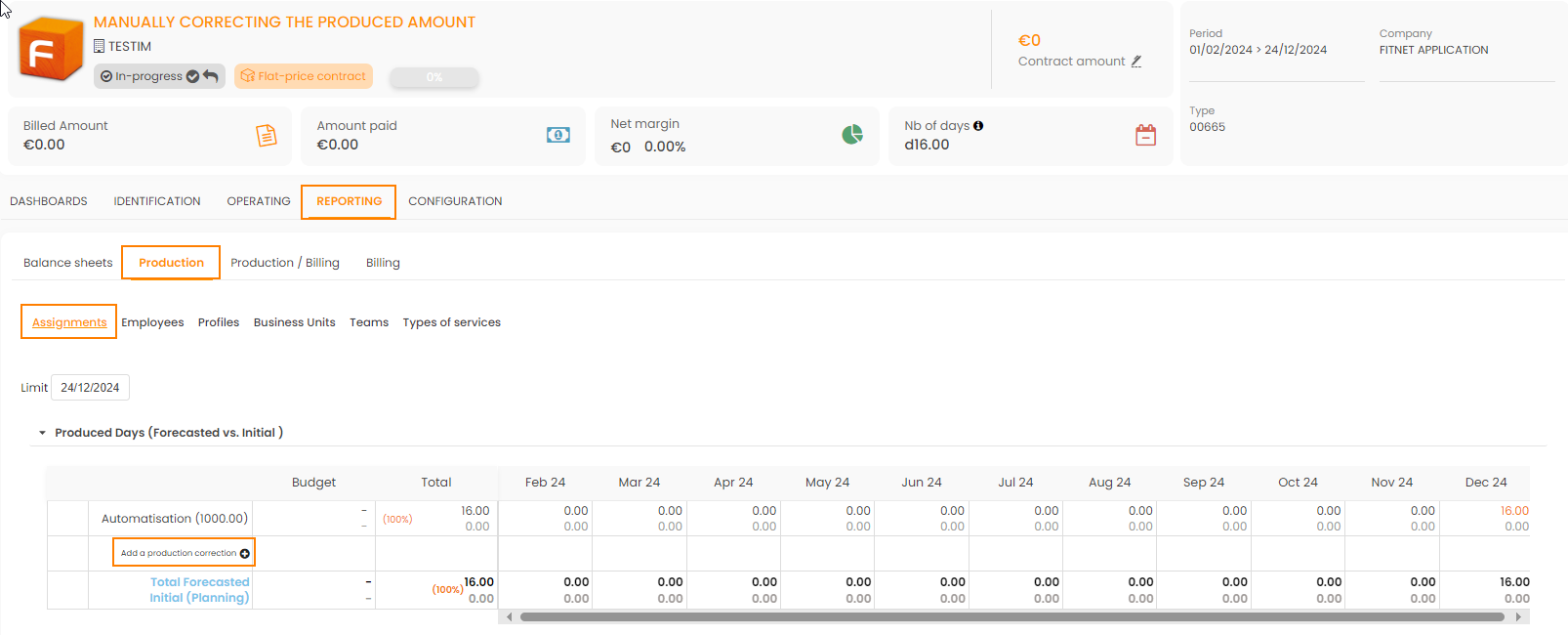
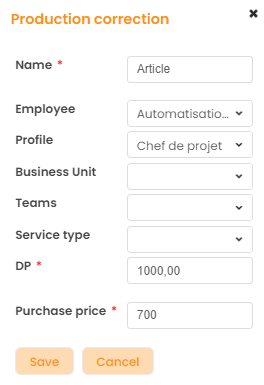
A production correction pop-up appears in order to give you the possibility to choose on which employee or on what type of service you want to correct the amount produced. The DP configured at the time of the assignment is automatically resumed but it can also be modified.
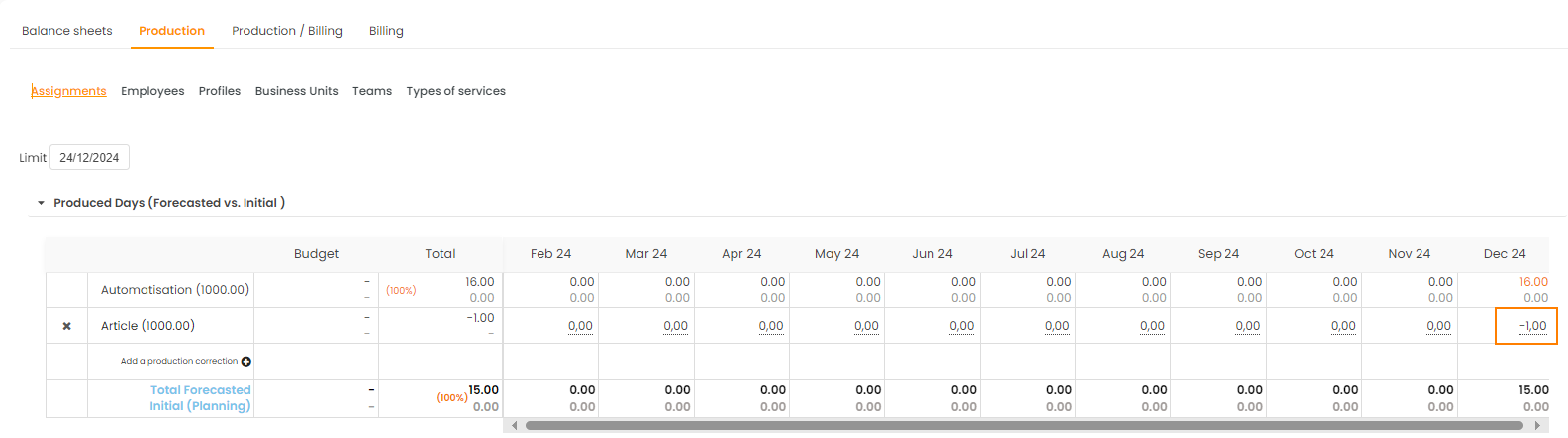
Once the correction line is set up, you just have to specify the number of days you want to remove (or add) to this production correction.
Valuation = Deliverable / Due date: Correction on Produced Revenue
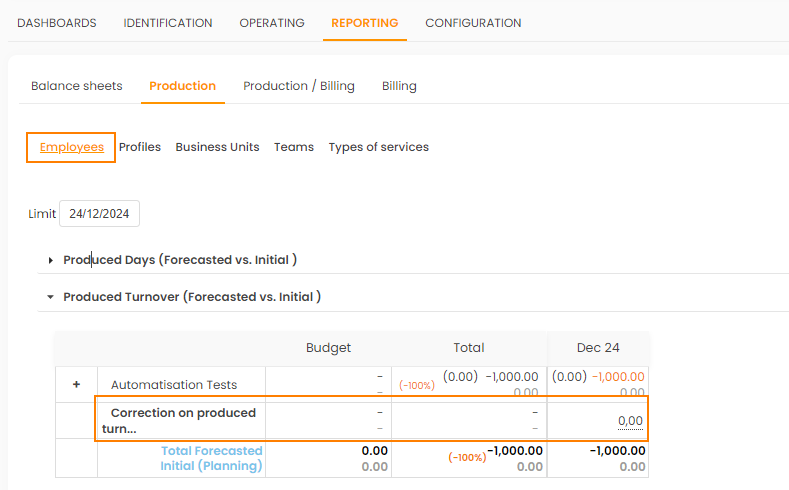
To correct product revenue, go to Contract > Contract sheet > Dashboards pane > Production tab > Employees.
You can directly correct the produced revenue from the table:
Implications
Billing
For a daily price contract, this correction directly affects your billing:
- If the invoice for the corrected month is "open", it is updated with the corrected amount
- If the corrected month invoice has already been "registered" (or status beyond), the next month's invoice proposal will be updated
Reporting
These corrections are taken into account in all Reporting for Valuation = Production. In addition, they can also be excluded from the reporting in order to continue to see the actual days produced:
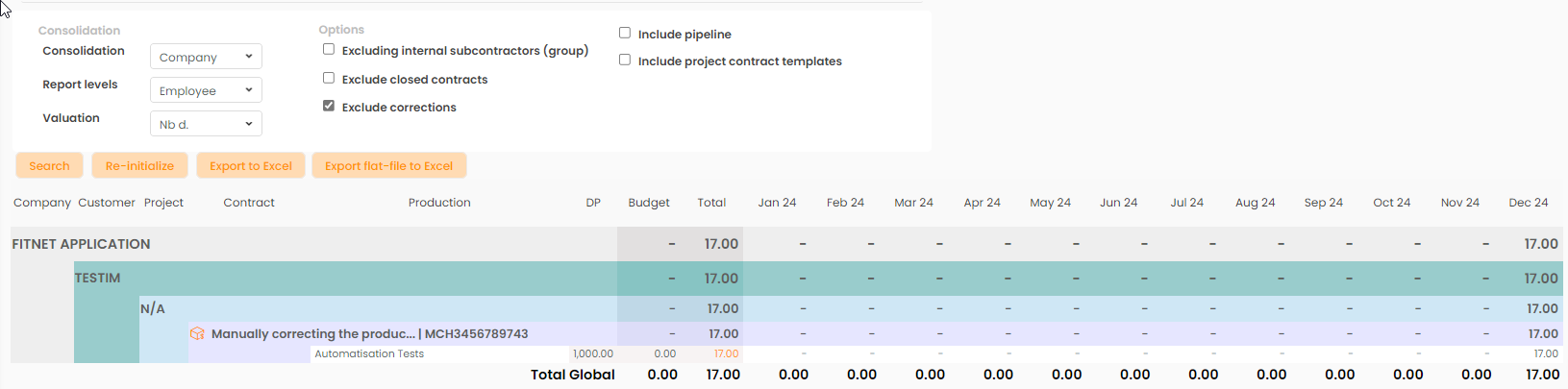
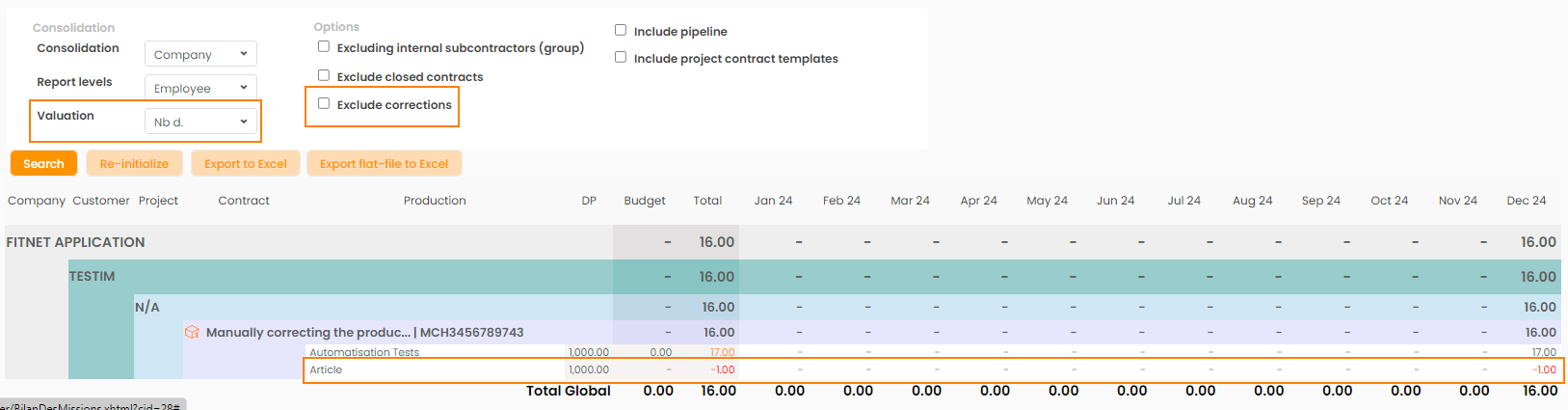
Corrections / Adjustment of billed turnover are included in the Reportings:
Overview of contracts
- Valuation: Production
- Valuation: Result vs Production
- Valuation: Production vs Invoicing
Monitor Production / Billing
- Valuation: Turnover
Accounts Receivable
- Valuation: Production
Annual Profit
- Valuation: Production
- Valuation: Cashflow