-1.png?width=150&height=38&name=Logo_Original_Dark%20(2)-1.png)
2 features can be used for a costing on Fitnet: Quote and Planning. Warning: these tools are only available in "Open" status of the case.
The Quote features
Quoting for costing is available :
- On contracts
- Flat-price Type
- Sale Type
- In Open status only: launching the contract "freezes" the quotation
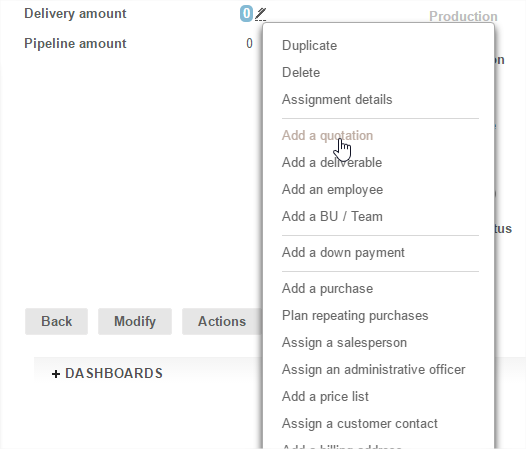
Creating, deleting and amending a quote
The quote allows you to add as many lines as you want.
It includes different types of services (nature: articles / services / other if you don't choose any type of service). The items Unit, Unit Price and Unit Cost will depend on the selected type of service: these values can be configured from the Settings menu.
You have to complete the following information:
- Profile
- Type of service (if the function is active)
- Start / End dates
- Quantity
- Unit
- Unit price
- Unit cost
Amount is directly calculated from Unit and Unit price.
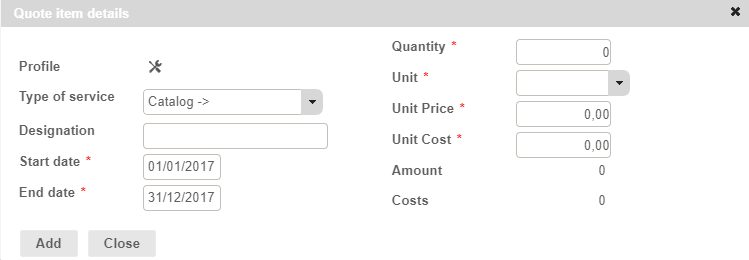
Once you have completed quote items details, a new "Quote" tab will be created. It allows you to:
- Edit each item
- Delete quotation lines
- Add new lines
- Sort quotation lines
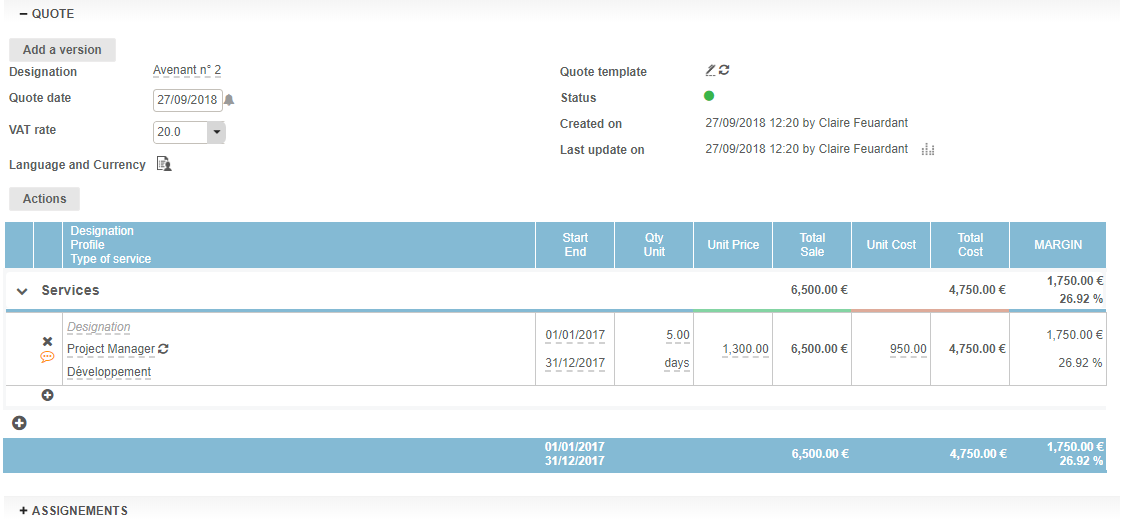
Please note that you can only edit the quotation when the contract is in "Open" status. Once you have launched your contract, your will be not able to edit its quotations anymore.
Export PDF of quote
The quote can be exported at any time using the "Export to PDF" button.
It is possible to save a date - picked up on the PDF - as an option, which can always be edited. The layout template of the exported PDF is configurable.
Layout Tip: On a quote line, only fill in the name, leaving all other fields empty/at zero to create a "title" in the export PDF. Only the wording will be shown - the 0 are not displayed in the columns. Attention if anything else other than the name is filled in, this rule - strict - does not apply.
Adjusting the amount of the service provision on quote cost breakdown
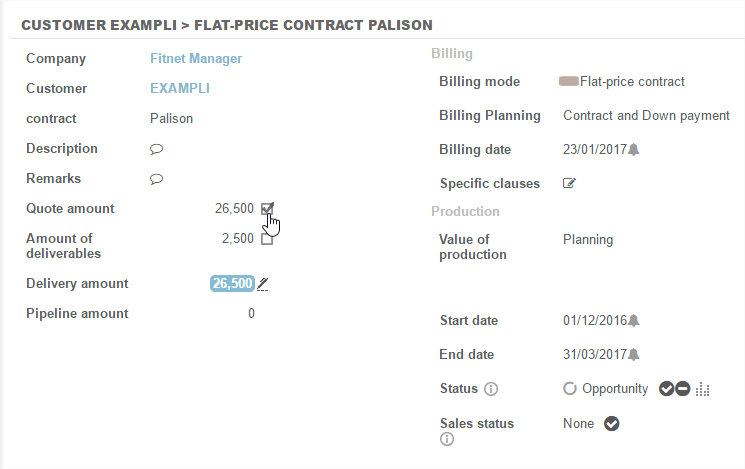
A new "amount of the quote" line is created in the description of the case. The check-box associated with that amount can "Validate quote" i.e. adjust the amount of the contract to the amount provided in the quote.
Feature of SALES type contract quotes
On a Sales type contract, only "Item" type service provisions are available. This means that it is not possible to add "Service" type deliveries i.e. profiles.
Apart from this nuance, quotation behaviour is exactly the same as described above.
The Planning Tool
The use of planning - through creation of an "initial schedule" on a contract - is another way to achieving a cost breakdown of the contract - for more information, see this article.