-1.png?width=150&height=38&name=Logo_Original_Dark%20(2)-1.png)

The case module provides access to the Customer database and customer contacts.
The Customer item is a necessary component in any case or project.
General Presentation
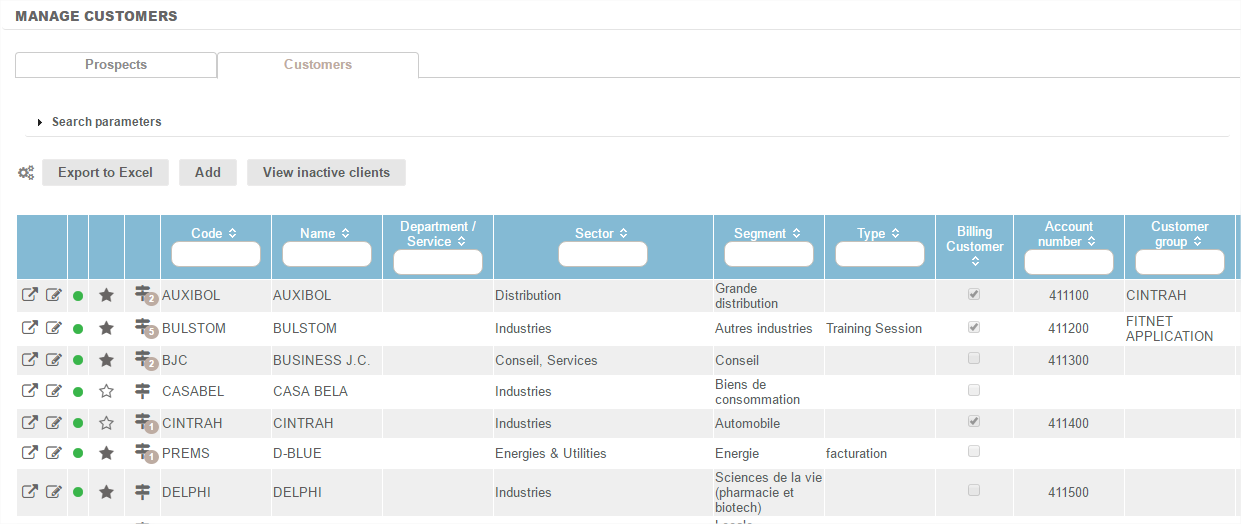
The Customer menu> manage customers enables access to the customers in the company's customer portfolio. The database, shown as a table, can be exported at any time in .xls format.

The customer record
Standard data on customer record
- Code: short customer name sometimes used in some application pages
- Name: full name of the customer
- Settlement Terms: The "setup" page is used to configure the list of available payment terms
- Sectors & Segments: These elements characterise the customer and enable you to obtain consolidated views by sectors/segments in reports and analysis. The two lists are configurable from the Configuration page.
- Payment method
- Bank transfer: The list of transfers can be set from the "configuration" page.
- Supplier Code
- VAT number
- VAT rate: The "configuration" page is used to configure the list of available VAT rates
- Invoice template: There are over 15 invoice templates - this field is used to enter the applicable template by default
- Phone - Fax - E-mail - Address
- Invoicing address: you can manage an invoicing address list and declare the default invoicing address
Optional data that can be activated/deactivated
The following data is activated / deactivated from the "Parameter setting" menu.
- Customer link: this option creates a hierarchy among customers. The linked customer is itself a customer. It is a consolidation element in some reports and search parameters.
- Department / Service: this property activates and deactivates itself and enables a breakdown of the customer's entity. This information is displayed as a new column in the "Manage Customers" overview.
Additional actions available from a customer record
Case of a multi-company environment
The customer record is created by default in the portfolio of the company in which the user is located at the time of creation. However it is possible to change the link to companies from the customer record> "Company" tab.
A customer may eventually belong to one or several companies.
Linking to activities
The customer record contains various tabs for the case / project / contract attached to it.
It is also possible at the customer record level to create / attach a new case / project / contract.
Attachment Documentation
You can attach one or more documents to the customer record by downloading them using the "Action" button.