-1.png?width=150&height=38&name=Logo_Original_Dark%20(2)-1.png)
Expenses can be entered and submitted from the “Timesheet” tab in the Activities module > Timesheet.
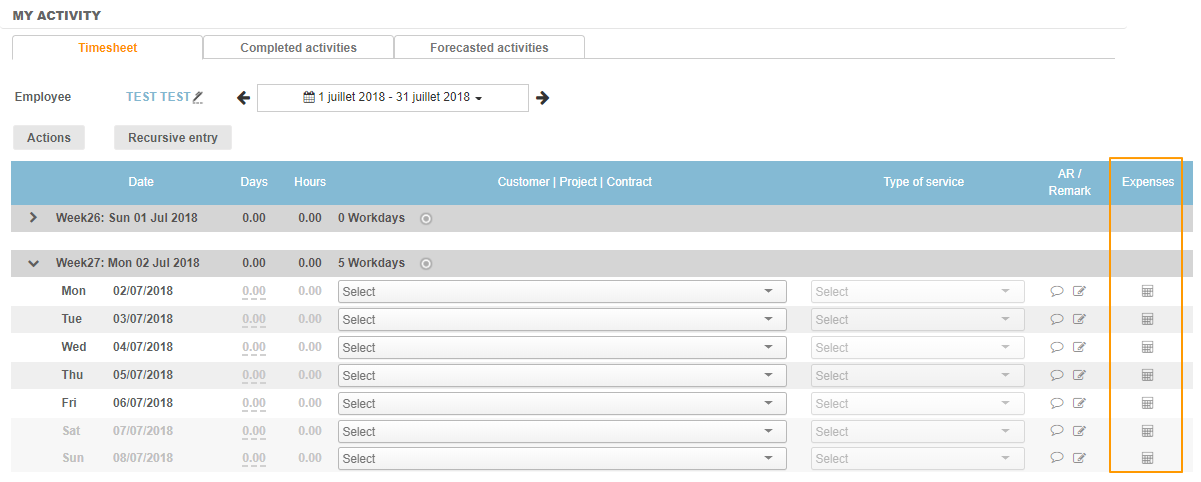
To do this, time must be entered against each relevant activity. This unlocks the expense functionality:

When you click on the calculator icon, a pop-up window opens, allowing you to enter details of the expense:
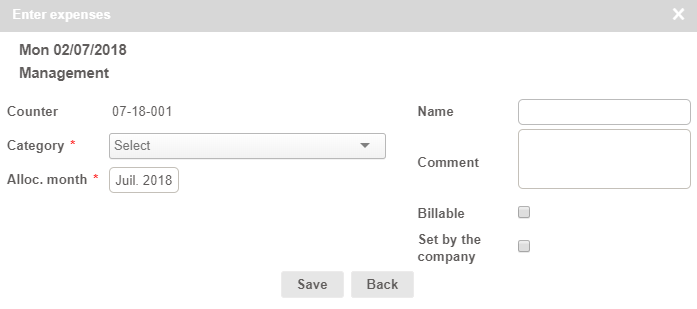
This contains the same information as when you create an expense entry in the “Expenses” module:
- The counter of the expense
- The activity linked to the expense
- The expense category
- The month for which the entry is charged
- Amounts including and excluding taxes, as well as the VAT amount
- The option to assign a label ("name") and comments
- The option to specify whether or not the expense is billable
- The option to specify whether or not the expense has already been paid by the company ("set by the company")
For more information, please refer to this article. Once the expense has been saved, you can:
- Clone the expense;
- Attach a statement;
- Add another expense for the same activity;
- Submit an expense or entries associated to the activity.
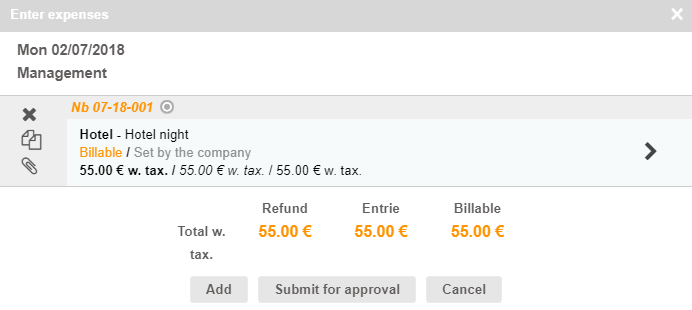
Naturally, expense entries submitted via the timesheet module can be retrieved in the "Expenses" module:
