-1.png?width=150&height=38&name=Logo_Original_Dark%20(2)-1.png)
Tip
Fitnet Manager facilitates the payment of employee's salaries and expenses directly from the Payroll Information Report through the SEPA Export function.
How To Use It
What is SEPA ?
SEPA is an automated payment method that allows international transfers to other countries in the SEPA (Single Euro Payments Area), which includes the 27 countries of the European Union, in euros and free of charge.
The Fitnet Manager SEPA Export function allows you to:
- Pay net salaries
- Reimburse expenses
Configuration
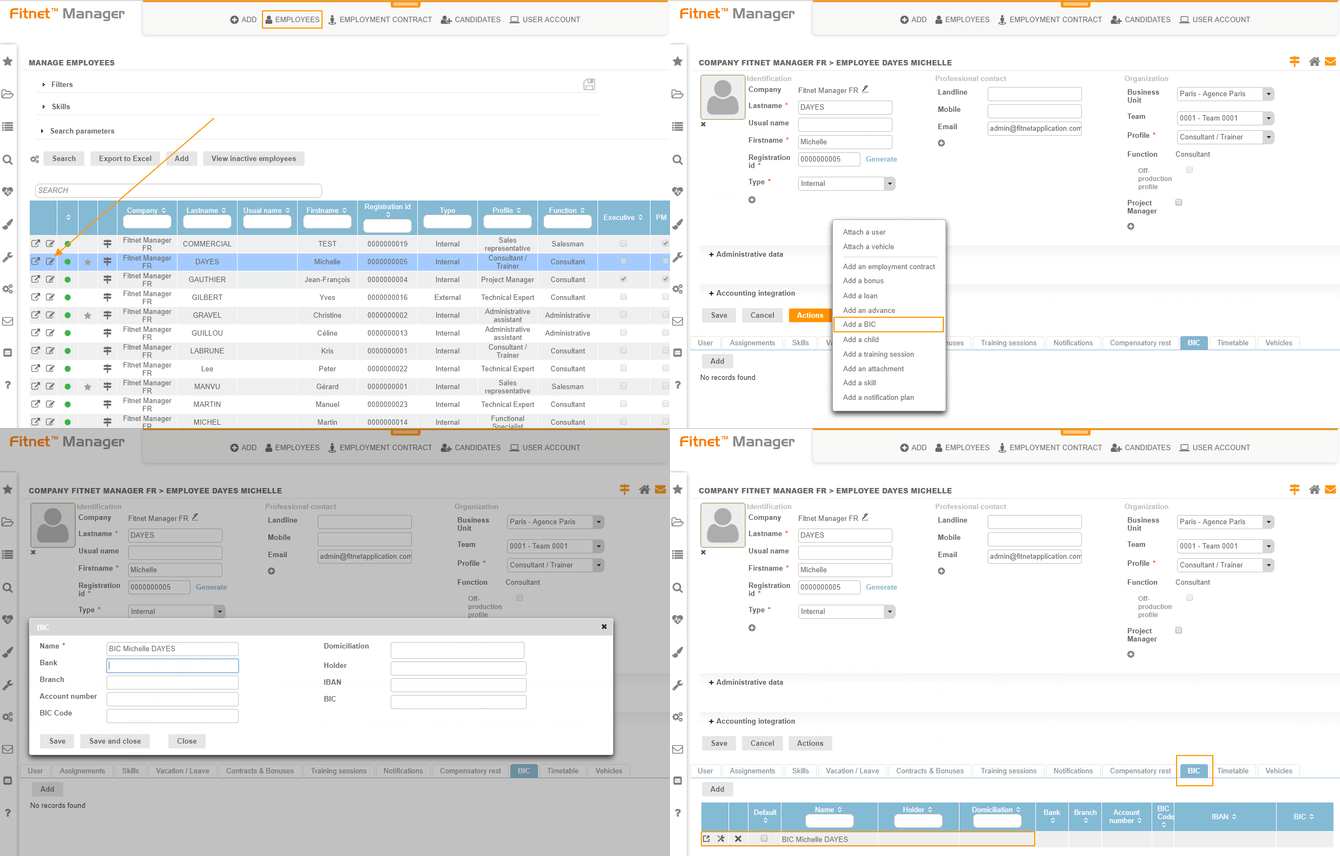
To make a SEPA export, you must have previously attached a default BIC to the employees who are the beneficiaries of the export.
To do so, you must go to the HR Folders module > Employee's sheet > Actions > Add a BIC. Once the BIC has been attached, you can view it and modify it anytime through the "BIC" tab.
Creation of the SEPA mandate
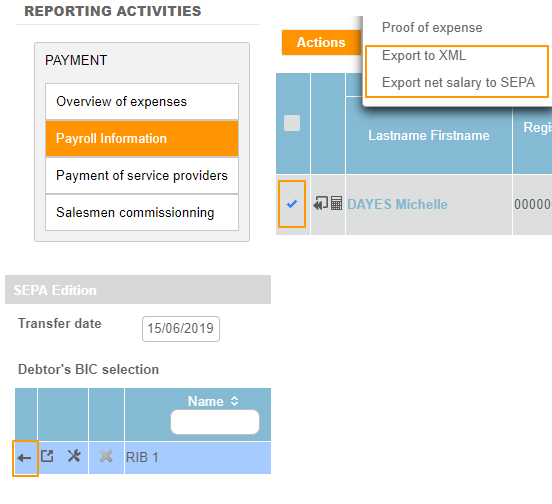
- Go to the Payroll Information report
- Select the employee(s) benefiting from the SEPA mandate
- Click on Actions > Export net salary/expenses to SEPA
- Validate the transfer date and the BIC to be used
As a result, the system automatically creates the XML file in SEPA format for your bank!
The Extra Tip
Note: you will also find the SEPA Export in the Payment of service providers module:
Purchases > Payment of service providers > Actions button > Export SEPA
Point Of Interest
The Payroll Information report has recently been improved: it is now more complete, more fluid, and more efficient!