-1.png?width=150&height=38&name=Logo_Original_Dark%20(2)-1.png)
Assessment of the contract
General Presentation
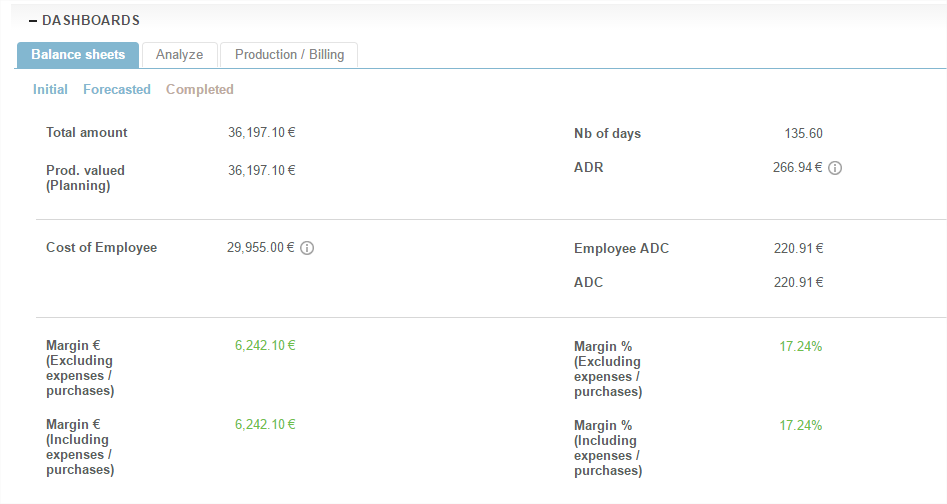
The contract assessments offer 3 dimensional visibility, like the 3 schedules:
- Initial assessment
- Forecast assessment
- Achieved assessment
Content and data
The assessment of the contract gives detail on all the information needed to find quickly and visually:
- Turnover: according to the amount of the service provision and the selected value
- Cost: taking into account all the costs charged to the contract.
- Profitability
The calculation of employee costs in the guidelines
Warning: calculating the margin released on contracts depends on the setting selected for the management of staff costs. Staff costs can be calculated in 2 modes:
- Actual cost: in this case the system will look for the average daily cost of the employee calculated since their employment contract. This cost is derived from salary, charge rate etc. entered in the HR file. Employment contracts are taken into account on date of effect and thus employee costs as well.
- Standard cost: the system will search the cost of the employee profile according to the employment contract on the effective date. The cost of the profile is entered in the configuration of employee profiles.
Comparative analysis of the contract
General Presentation
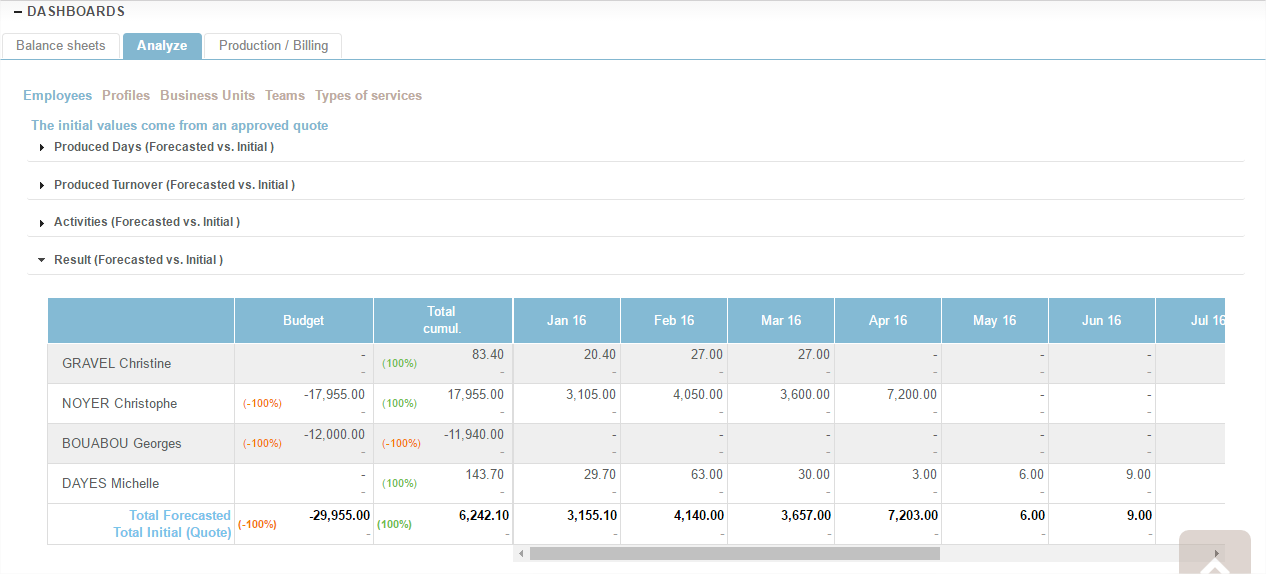
In each contract an "Analysis" tool provides a real-time comparison between:
- The Initial schedule or the estimate if it was 'validated'. Remember: the choice of the reference comparator depends on the validation of either one (initial schedule) or the other (estimate).
- Forecast remains to be done (the Forecast schedule of the case, which as a reminder reconciles activity achieved in the past and expected in the future).
Content and data
Consolidations available:
- Employees
- Profiles
- Business Units
- Teams
- Type of service
Valuations available:
- Products days
- Product turnover (days x average Daily Rate)
- Expenses
- Result
The Red/Green color code can quickly find the positive or negative delta between the compared values.
Production tracking / Billing
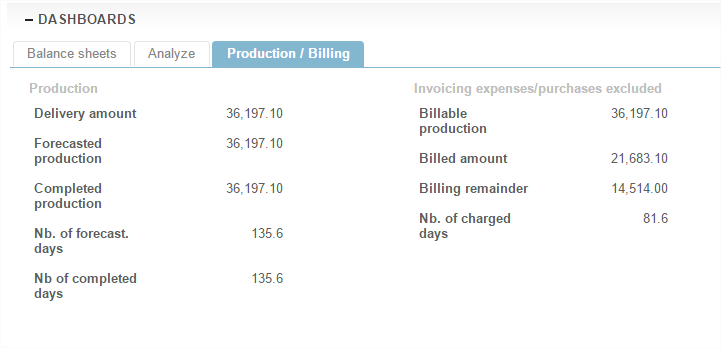
The third and last tab of the case guidelines places in opposition:
- Production: left column
- Billing: right Column