-1.png?width=150&height=38&name=Logo_Original_Dark%20(2)-1.png)
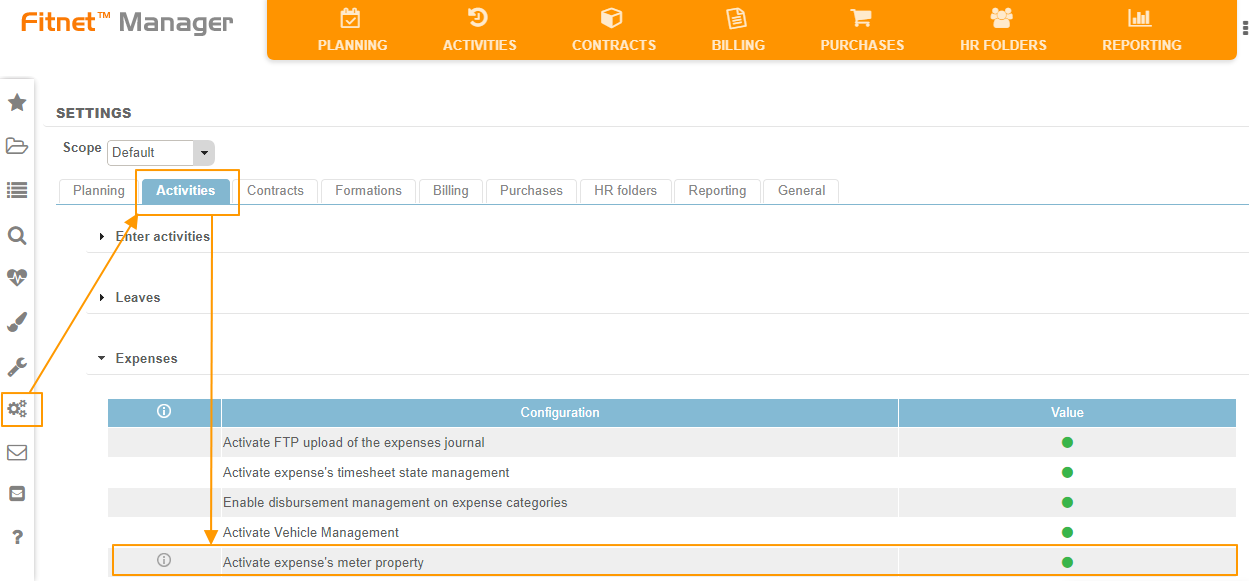
To gain access to sequential numbering for expenses, the setting must be activated in Settings > Activities > Expenses > Activate expense's meter property.
When an expense is created, sequential numbering is used in order to create a unique number, which is attached to the expense and the documents that are uploaded to support it.
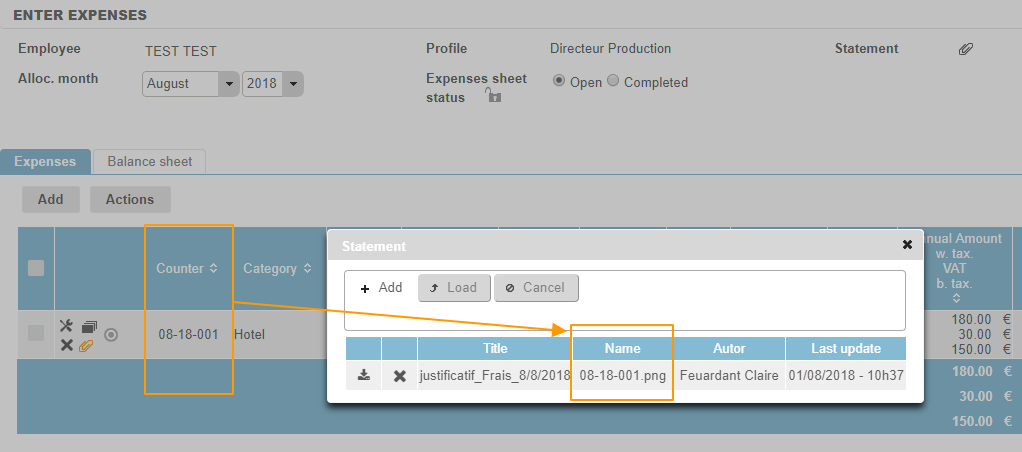
The sequential counter then makes it possible to identify and link expenses and supporting documentation. The number is generated automatically and cannot be changed. There is no way for duplicates to be created.
The format of the counter is as follows: MM-YY-XXX, with MM being the number of the month, YY being the final two digits of the year, and XXX the sequential number.