-1.png?width=150&height=38&name=Logo_Original_Dark%20(2)-1.png)
Multi-Business Invoicing
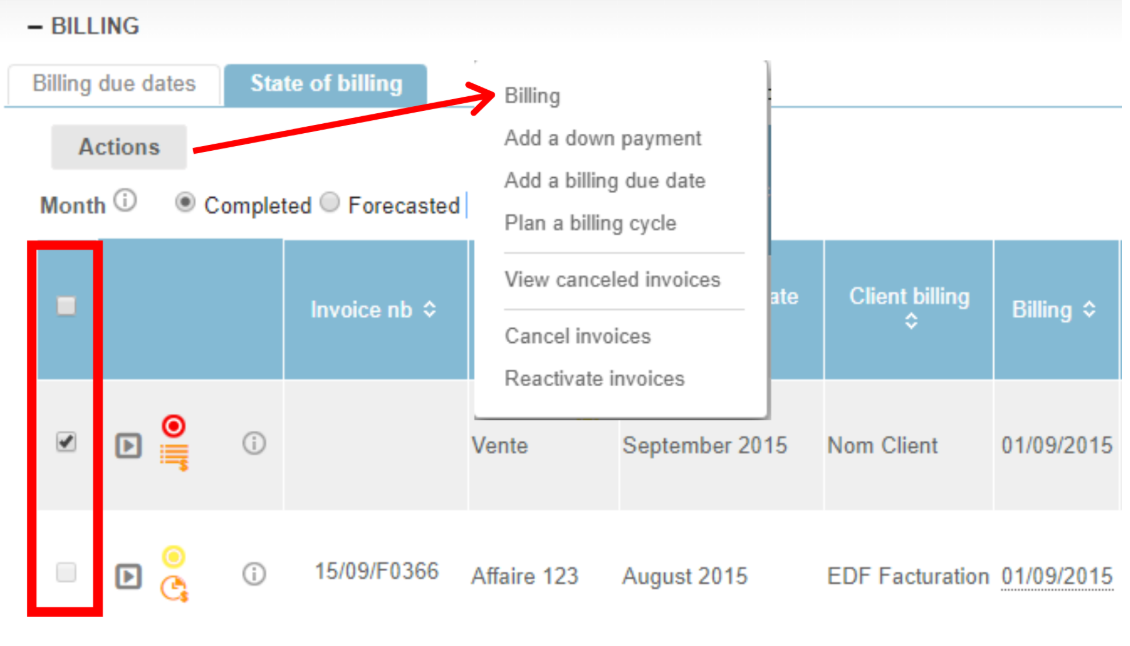
A major new feature to simplify your invoicing process: use the new Multi-Business Invoicing option.
Objective: Generate a single invoice for several due dates or contracts that you want to invoice simultaneously. The accounting entries are also consolidated!
To activate the functionality:
Settings > Billing section > Enable Multi-Business Billing
Learn more:
The functionality is available at the Project level.
- Consolidate your contracts within a Project.
- Enable the functionality by checking "Multi-Business Invoicing" in your project properties.
- Select the invoice proposals you want to invoice from the billing section > Actions > Billing
The system generates a single invoice, regardless of the PDF template used. You will find your invoice at the project level, in the billing module and in each contract concerned.
ASSIGN SEVERAL EMPLOYEES SIMULTANEOUSLY
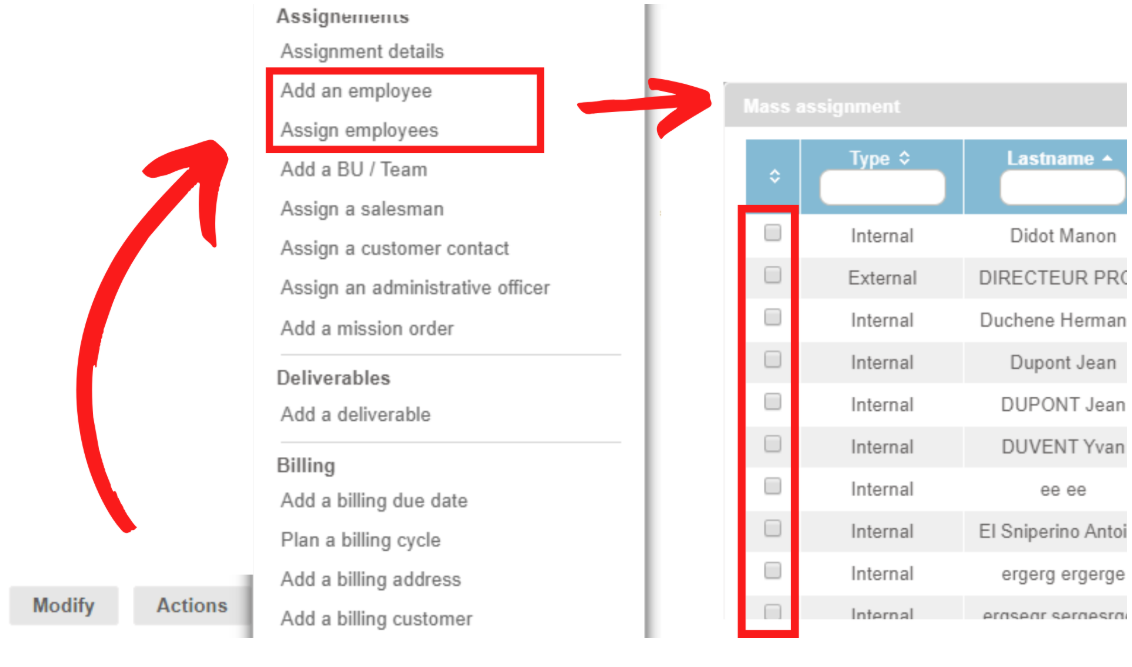
To help you save your time, Fitnet Manager now offers the possibility to do several employee assignments simultaneously!
No settings to activate: the functionality is available by default on all contracts and projects in the "Actions" button.
What's new :
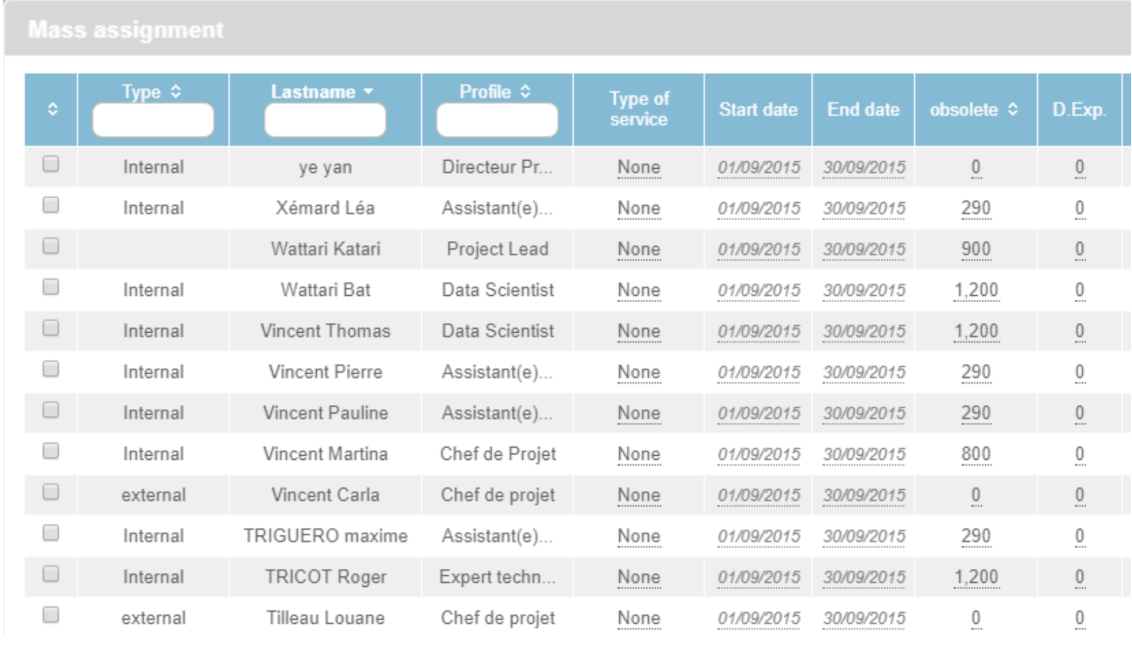
- you can select several collaborators at once
- you can define the assignment parameters (TJ, Dates, Calculation rule etc.) in a generic table
BLOCKING DATA ENTRIES FOR CLOSED MONTHS
Blocking data entry is valid for all users, and is effective at all levels of the application : timesheets, business, projects, capacity planning, scheduler, smartphone calendar, Rest API.
To help you manage your month closing of accounts, 3 status have been added :
- Green dot : open month
- Orange dot : closed month for all except administrators
- Red dot : closed month for all including administrators
Updates
CONTRACTS MODULE ERGONOMY > PROJECTS | We added additional components at the project level to organize your additional properties.
EXTERNAL CO-CONTRACTING MANAGEMENT | Suppliers can be classified as co-contractors to the contracts.
REPORTING MODULE > CONTROL ENTRIES | 2 new options available to sort by entries type and completed entries percentage.