-1.png?width=150&height=38&name=Logo_Original_Dark%20(2)-1.png)
Once you have clicked on "Save", a number of actions are available to finalise the Supplier sheet by using the tabs at the bottom of the page:
- Companies
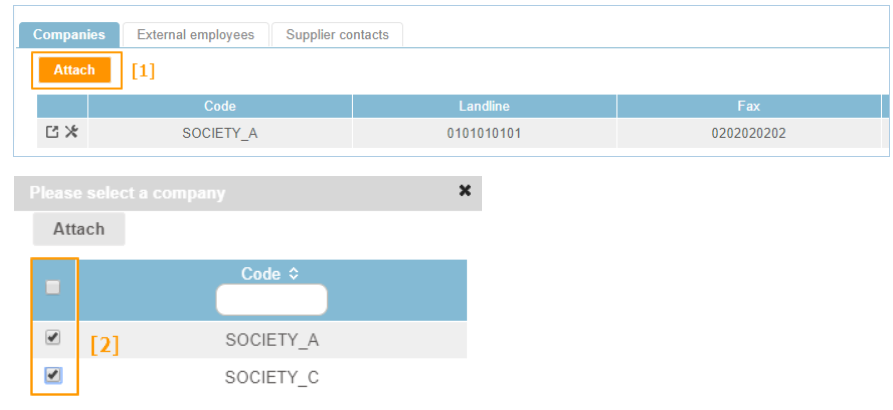
If you are working in a multi-company environment, you can select the companies to be attached (and which are available) to the Supplier.
To complete this action, click on "Attach" [1], select the companies [2] and attach them:
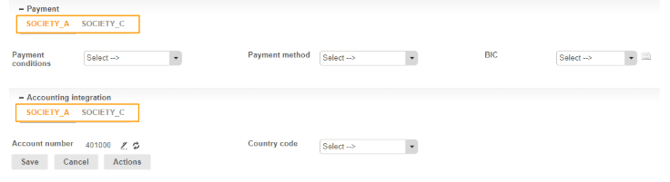
Where a supplier is attached to several companies, payment and accounting integration details can be configured for the supplier per company. To do this, click on "Modify".
- External employees
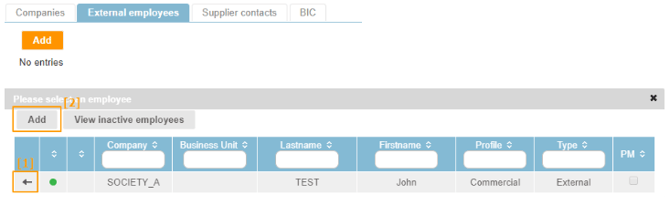
If the Supplier sheet as entered is used for sub-contracting or the purchase of professional services, external employees associated to the supplier can be attached. To attach or add a contract employee to the supplier, go to the “External employees” tab, allowing you to attach [1] or directly create [2] contract employees for the supplier.
- Supplier contacts
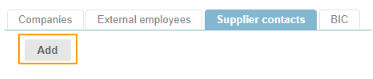
This tab is used to attach supplier contacts per company as default supplier contacts. New contacts can also be added.
- To create a supplier contact, click on "Add":
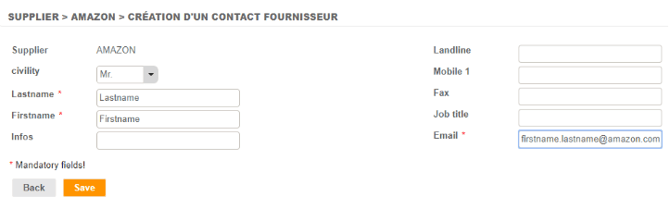
- Then fill in the fields on the contact creation sheet, then save:
- Now select the default supplier contact [2] whom you wish to attach to your supplier (and the companies to which you want to attach it [1] in the case of a multi-company environment):
