-1.png?width=150&height=38&name=Logo_Original_Dark%20(2)-1.png)
Tip
Fitnet Manager allows you to carry a multi-contracts billing by regrouping several contracts on a single bill.
This feature is available if you are using the Project Mode.
How to use it
There are 3 steps to follow:
1/ Assure that all the contracts are attached to the same Project
Contracts Module > Contracts > View/Modify Contract
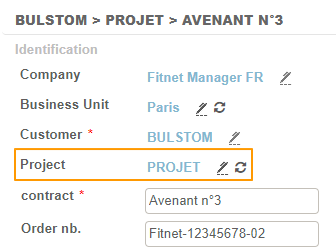
2/ Use an Invoice Template adapted to Billing by Projects
Available templates: 9 - 11 - 13 - 16 - 16a - 19 - 21 - 21a - 22
To learn more about available invoice templates, please read this article.
You can modify the Invoice template at 3 levels:
- Invoice
- Customer
- Company
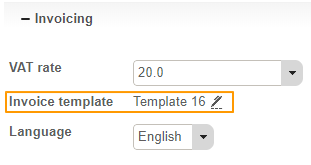
3/ Invoice contracts with a single bill
Billing Module > Invoices to be issued
- Select the contracts that you wish to consolidate in one single bill
- Click on Actions > Billing
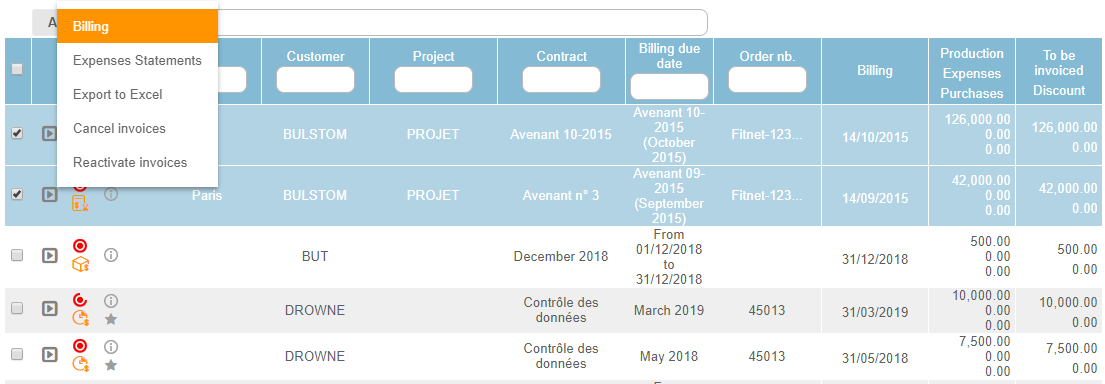
For all the selected contracts, generated invoices will have the same order number.
There will be only one PDF file for all the contracts, which you will be able to view at each contract level.