-1.png?width=150&height=38&name=Logo_Original_Dark%20(2)-1.png)
In a Contract and / or a Project, at the level of the dashboards, it is possible to enter the corrective amounts directly in lines Deferred income and Accrued Income.
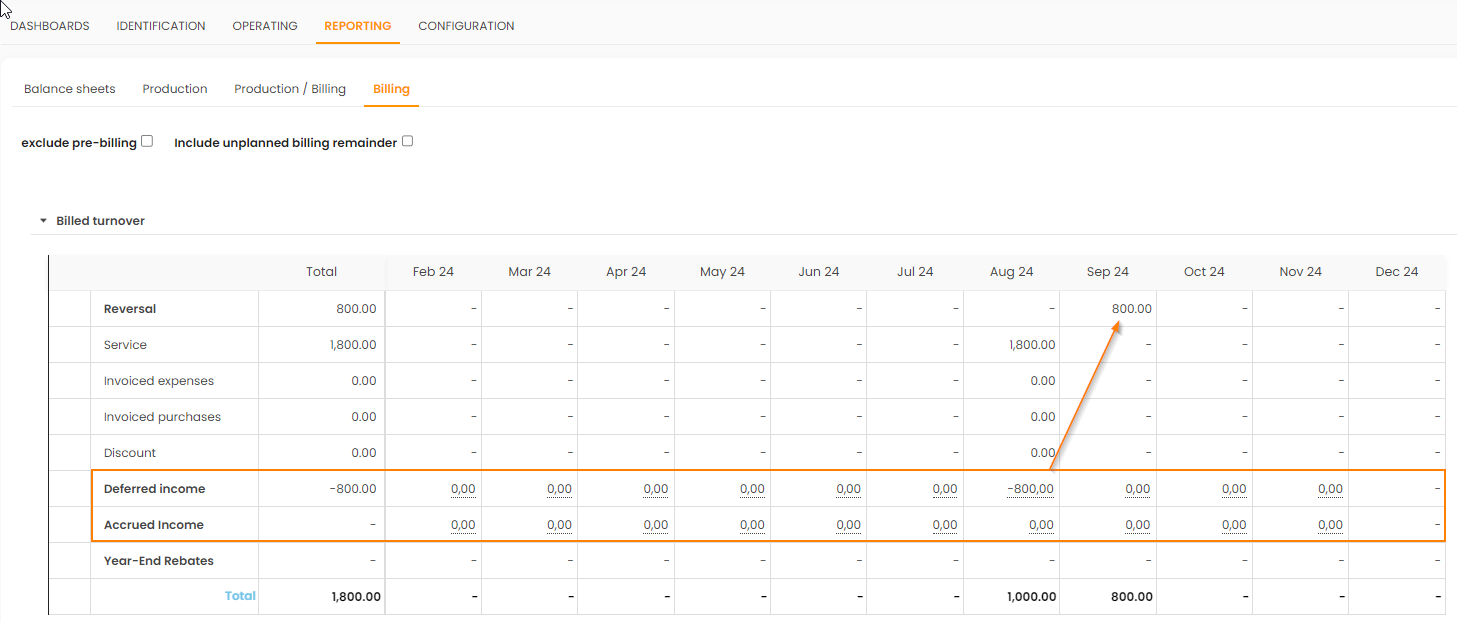
To note:
- this amount will be automatically reversed in the following period
- it is therefore not possible to enter a Correction on the last month of the case.
Thus, we will have Invoiced Amount = Amount Produced.
This correction is only possible on the Contract module (thus excluding Training)
Reporting
These fixes are considered in all Reporting for Valuation = Invoicing.
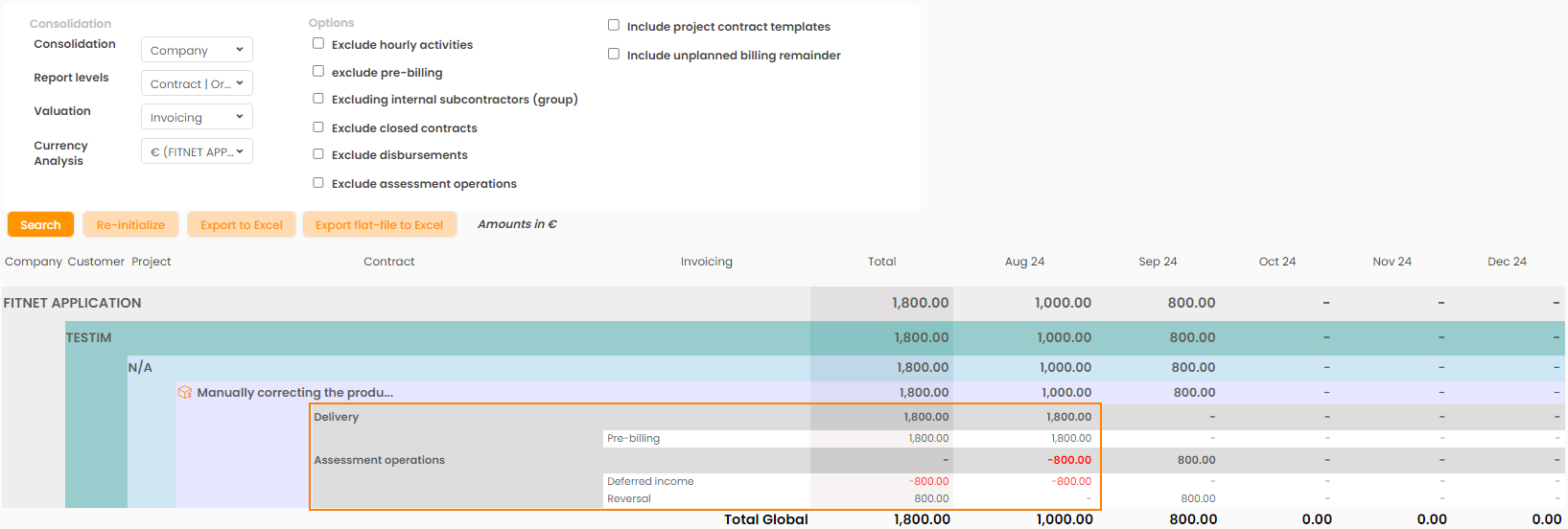
Note that it is possible to exclude these assessment operations in order to continue to notice these differences.
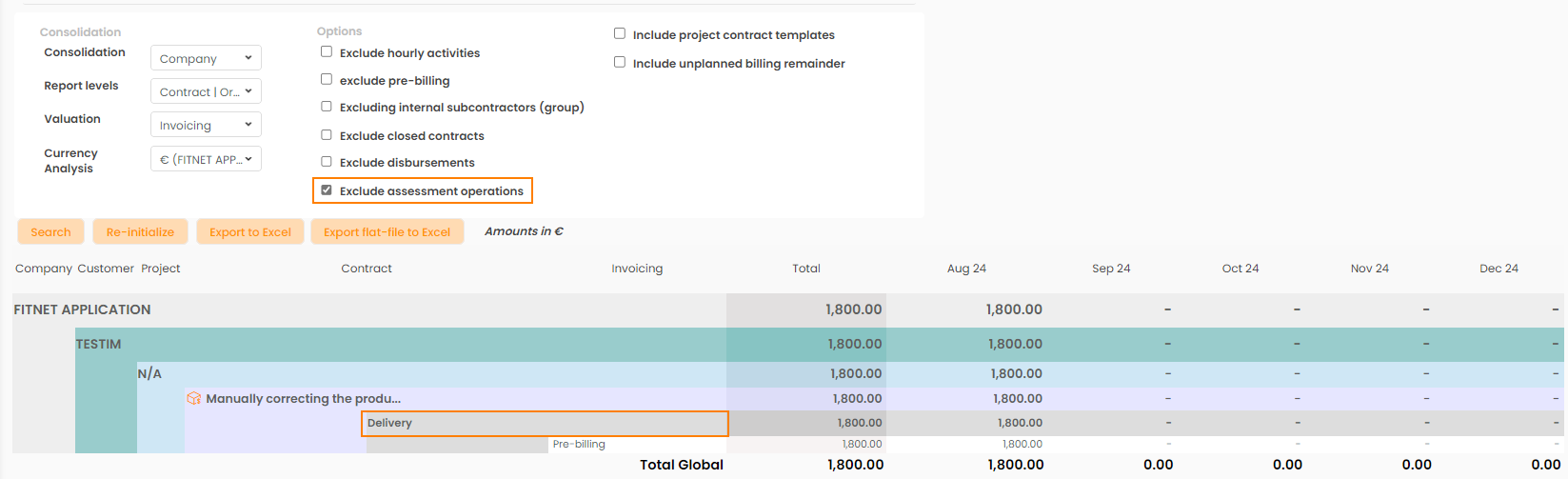
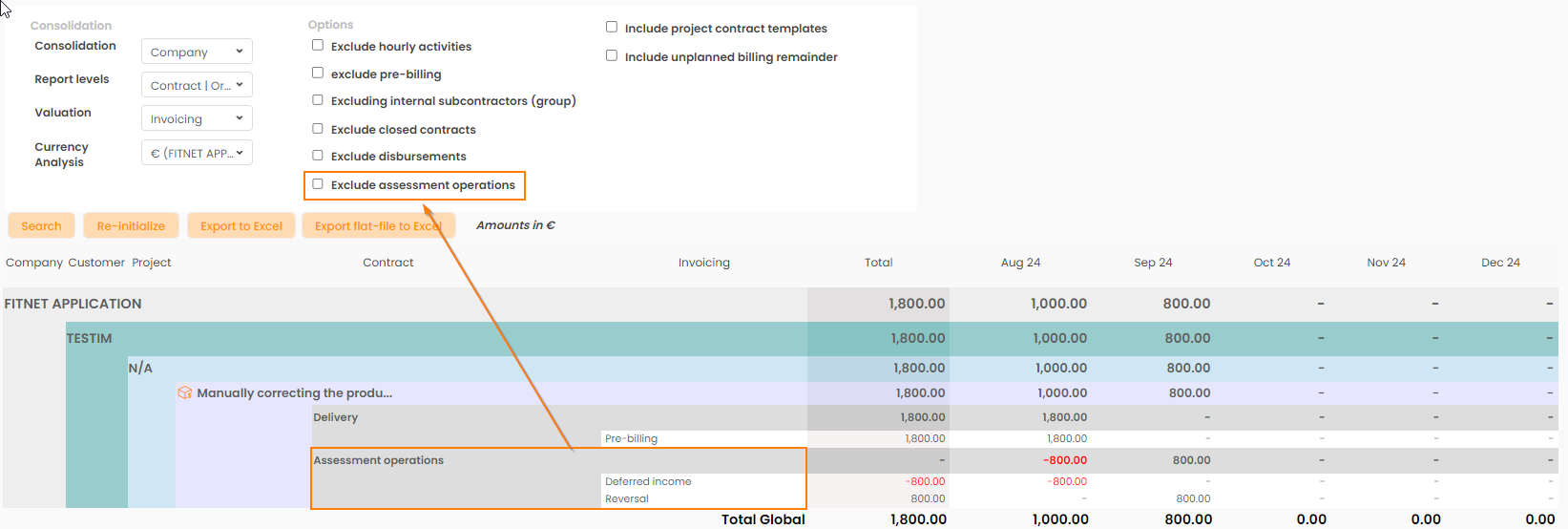
Corrections / Adjustment of billed turnover are included in the Reportings:
Overview of contracts
- Valuation: Invoicing
- Valuation: Result vs Invoicing
- Valuation: Invoicing vs Production
Monitor Production / Billing
- Valuation: Turnover
Accounts receivable
- Valuation: Invoicing
Annual profit
- Valuation: Invoicing
- Valuation: Cashflow