-1.png?width=150&height=38&name=Logo_Original_Dark%20(2)-1.png)
Tip
The Evaluation Plan allows you to establish a score for 2 objects in Fitnet Manager: Candidates and Contracts.
How to use it
Configuration
Configuration > Contracts / HR Folders > Évaluation
To configure an evaluation plan, follow the steps below:
1/ Add an evaluation plan: Fill out the name, description and status (active or inactive)
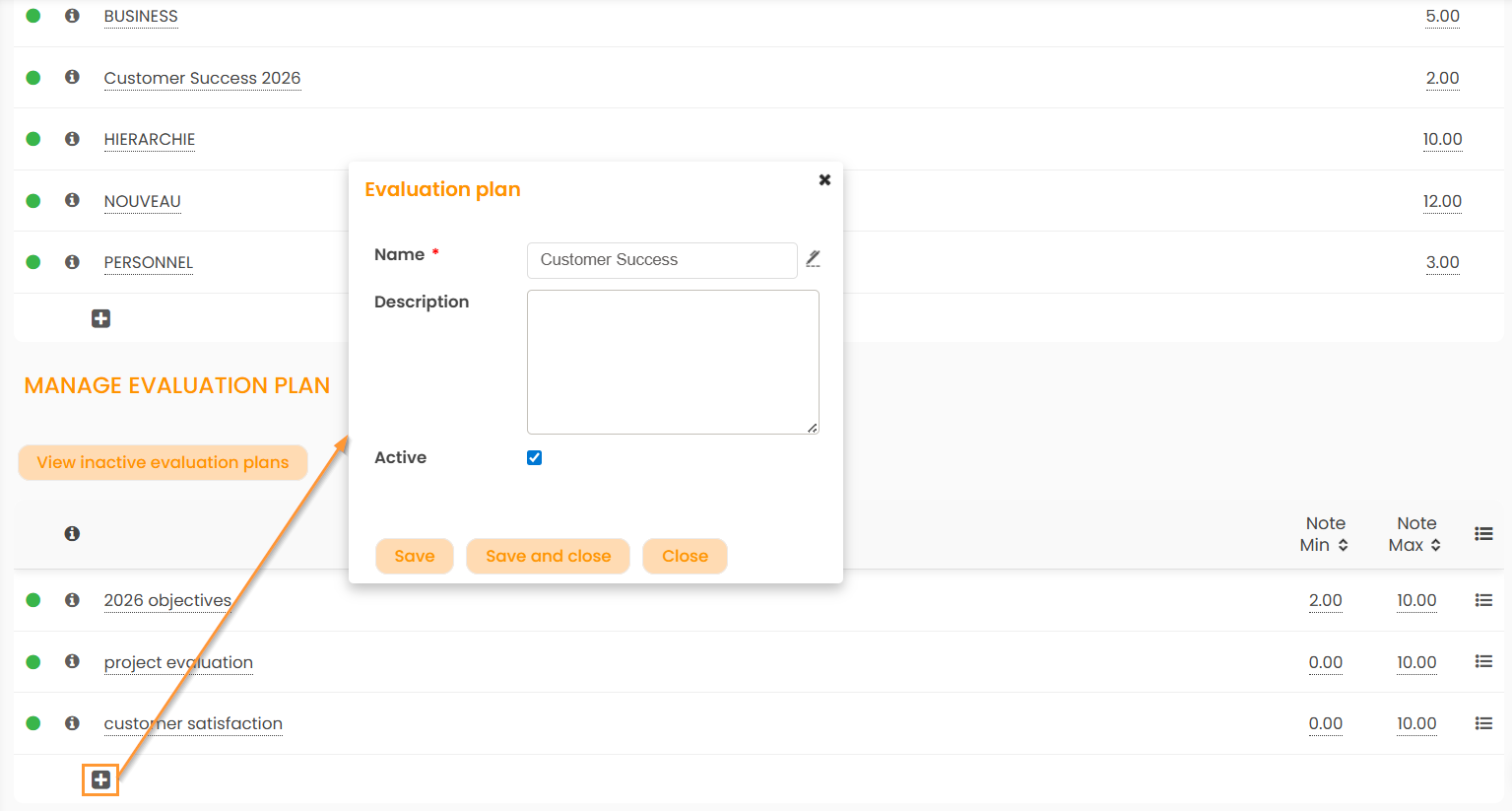
2/ Add evaluation criteria: Fill out the name, weight (taken as a basis for calculating the score), description and status.
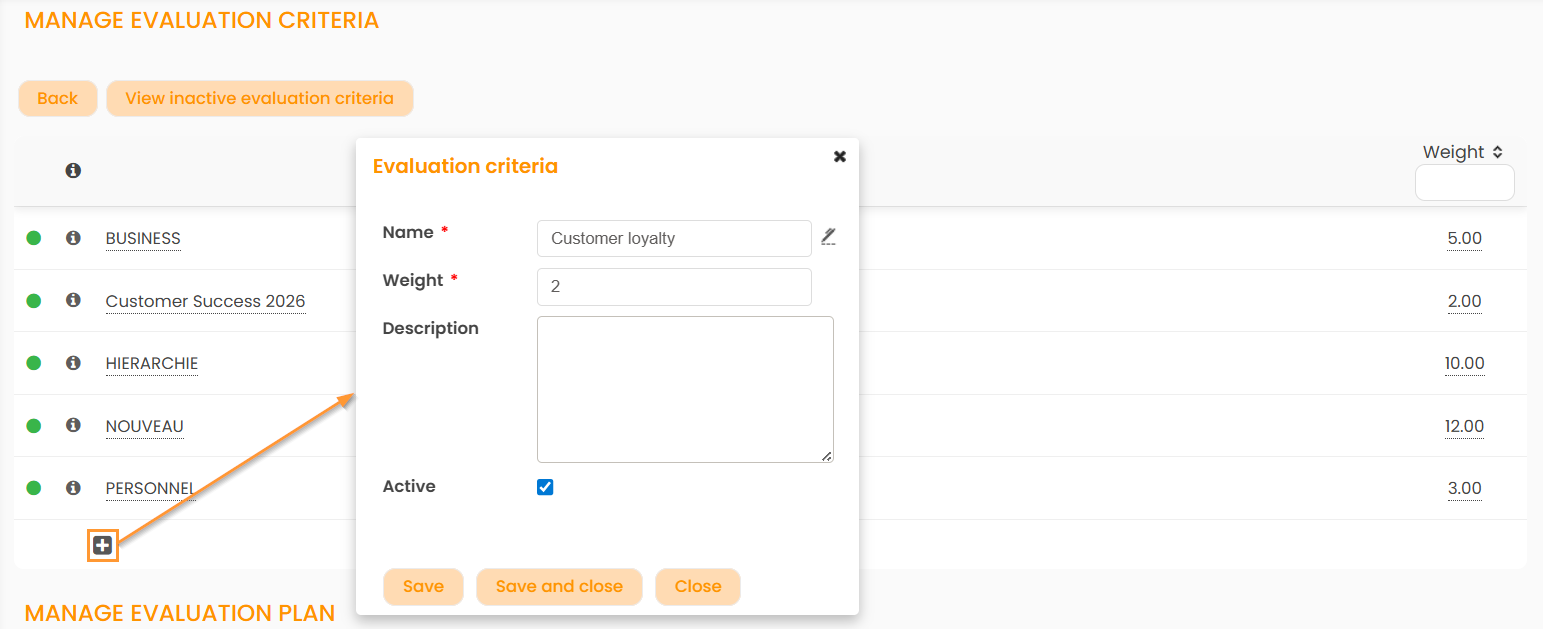
3/ Click on the icon  to attach evaluation criteria to the evaluation plan.
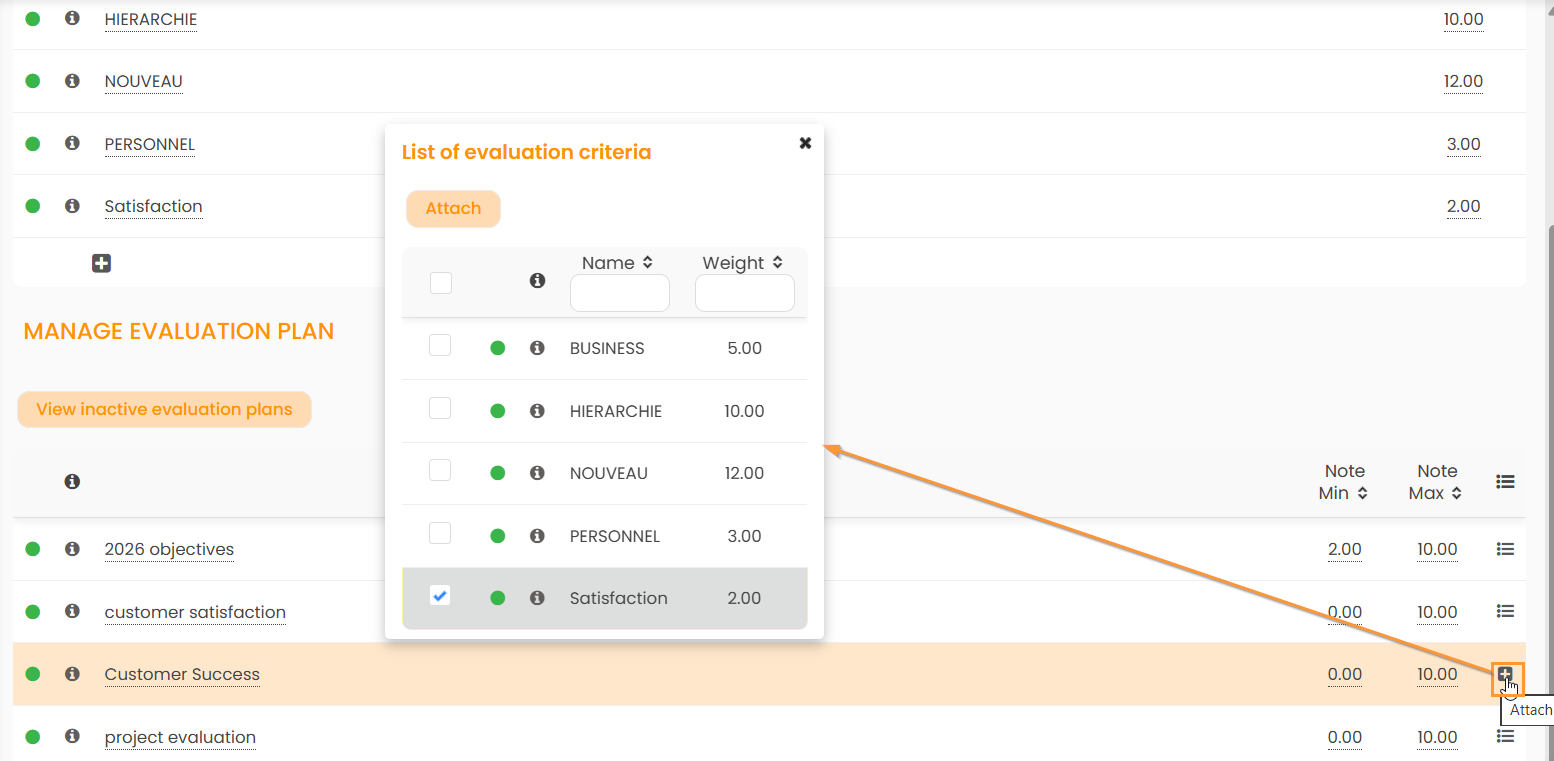
Using Evaluation Plan
To evaluate a candidate/opportunity contract, you must first edit the object:
1/ Click on the pen icon beside "Evaluation" to display the list of evaluation plans and select one:
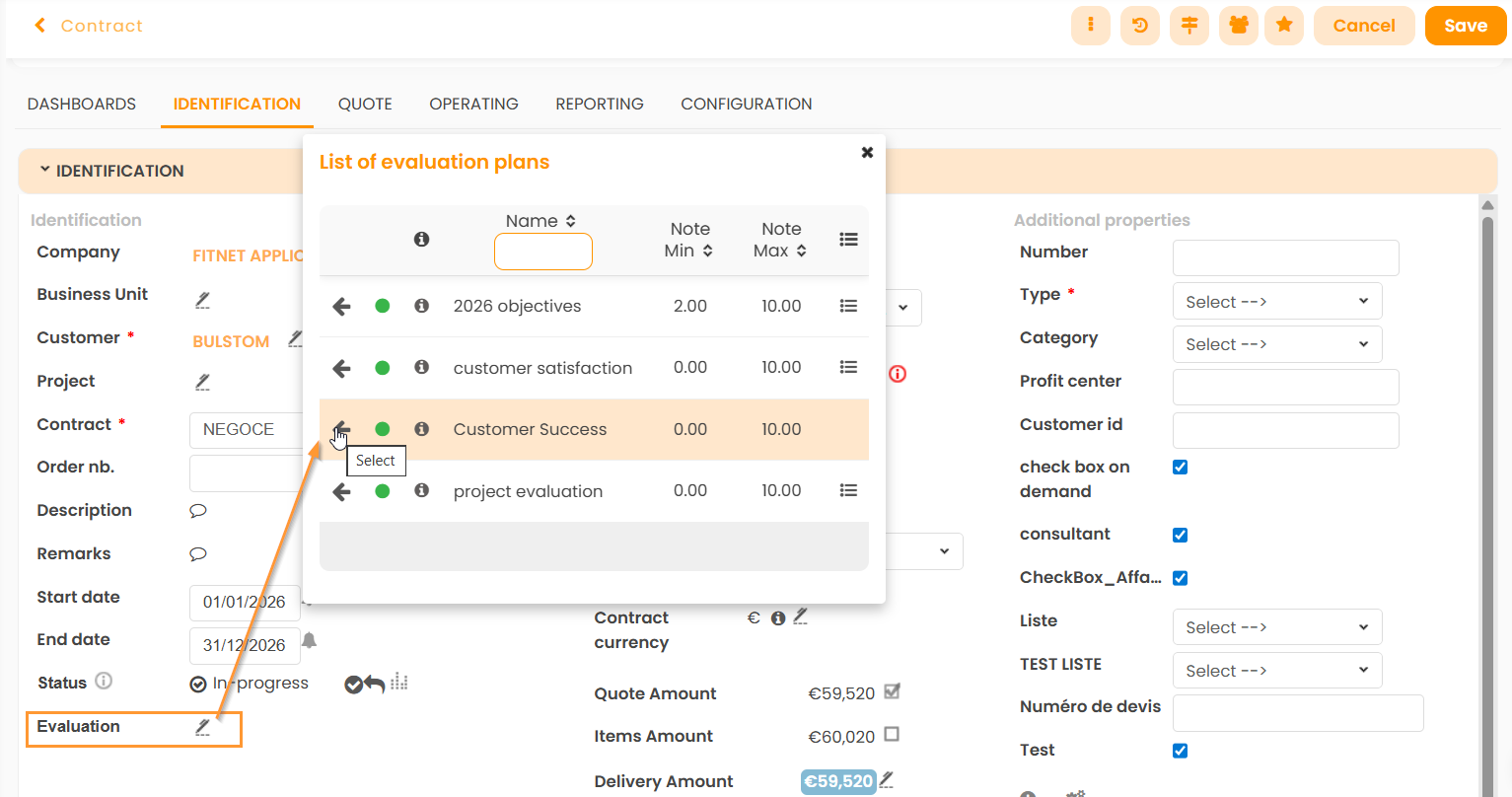
2/ Click on “0.00” to assign a score to each criterion:
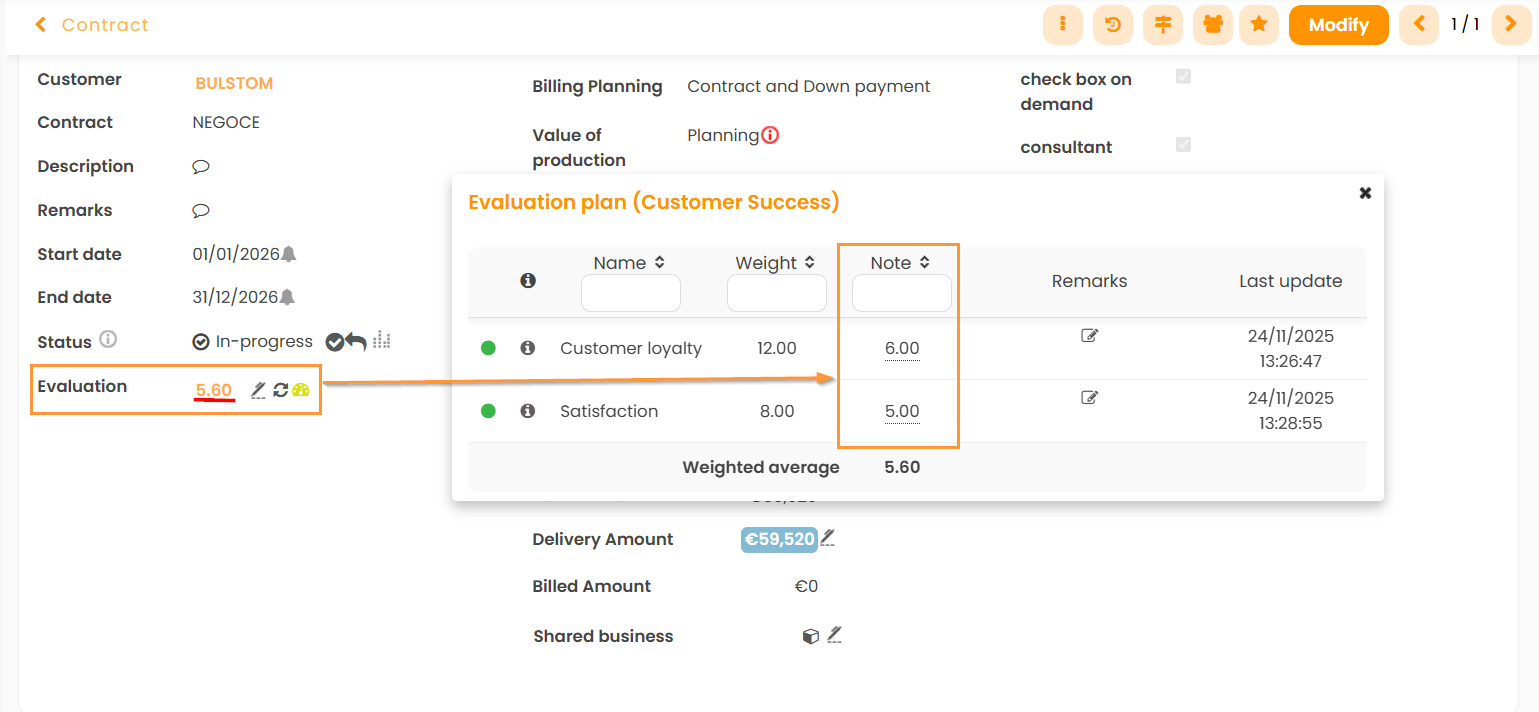
The system will automatically calculate a global score based on the marks and weights. A colored icon will be displayed depending on this score: the higher the mark, the more the graph tends to green.
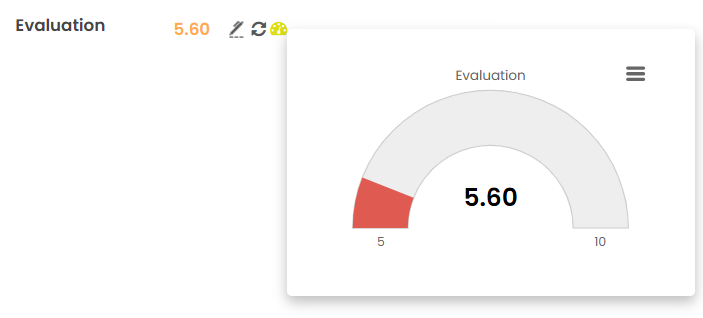
You can view the graph by hovering the mouse over the icon or directly from the candidates/contracts table.