-1.png?width=150&height=38&name=Logo_Original_Dark%20(2)-1.png)
The creation of a customer contact can be done:
- From the customer contacts table via the "Add" button
- From the customer file via the "Action" button
As a reminder: customer contacts are mandatory whenever you want to send invoices by email from the tool.
Just like with the customer code, it is possible to set up a uniqueness check on customer contacts to avoid creating duplicates.
For this, the following setting exists:
- Activate the control for customer contact duplicate: this property can be enabled/disabled.

The check is performed on two different fields: the email address and the name/first name combination.
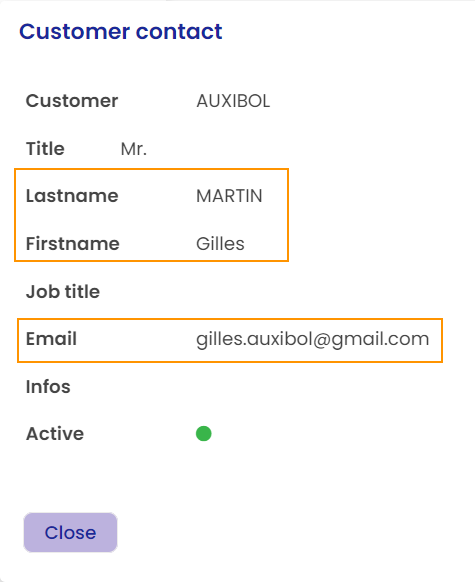
Already existing contact
Fitnet Manager checks two things:
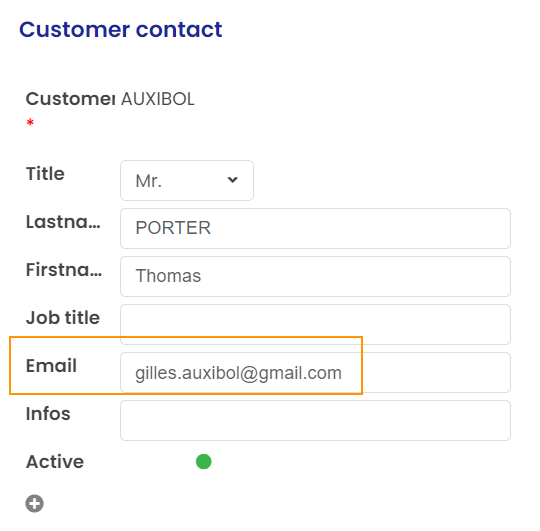
- Verification of the uniqueness of the customer contact's email address: If the provided email address already exists in the customer contacts database (regardless of the customer), then there is a block when creating the customer contact.
Here, we try to create a contact with a name/first name that does not exist in the customer contacts database, but an email address that is already used:
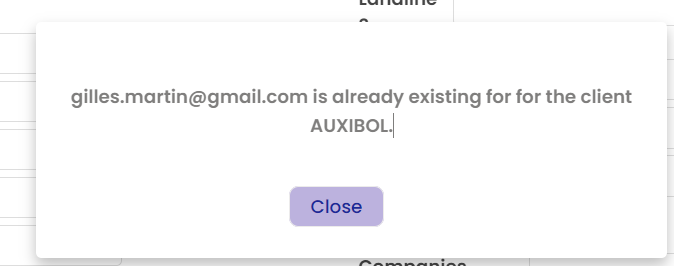
Fitnet Manager blocks the creation.
- Verification of the uniqueness of the Name/First Name combination: If the combination already exists for the same company, then a warning message appears but the creation is possible (if the email address is not entered).
Here, we try to create a contact with a name/first name* that exists in the customer contacts database for the company AUXIBOL and without providing an email address:
*There is no differentiation if the same name/first name is written in uppercase or lowercase.
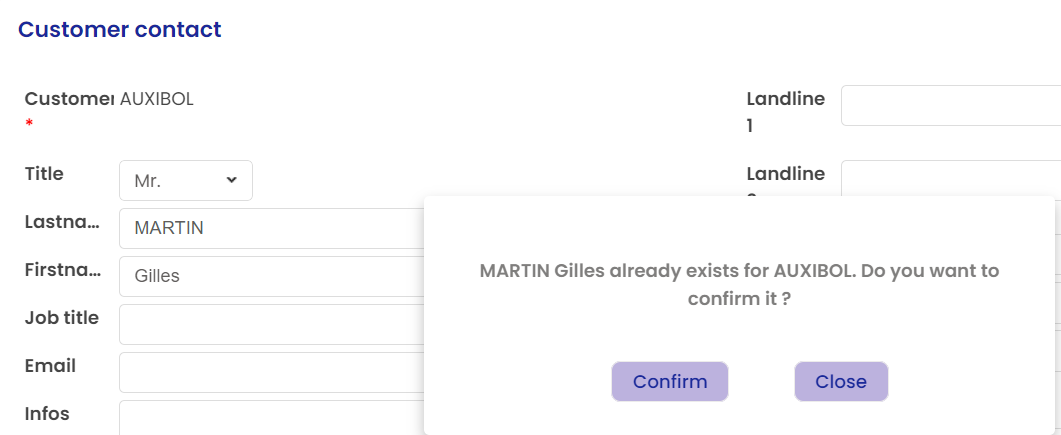
Fitnet Manager warns but does not block the creation.