-1.png?width=150&height=38&name=Logo_Original_Dark%20(2)-1.png)
At the HR file level for each employee, you can manage individual documents of any kind.
Downloading documents is done from the “Actions > Add attachment” button.
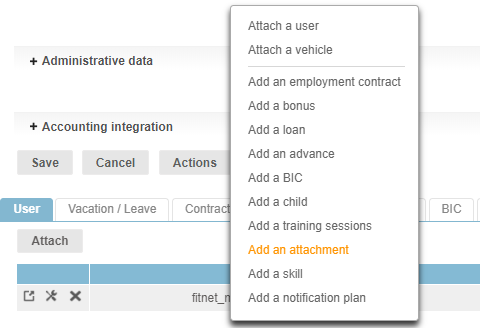
Employees, managers and/or team leaders, as well as the HR Department for example, can have shared access to individual documents such as:
- The CV/resume
- Employment contract and successive amendments
- DUE and other applications for authorization to pension funds, provident and mutual funds
- Statements available to the employee
- etc.
To create a variety of document types for the HR Folders module, go to Configuration > General > Document Type.
You can also add types of documents, which you will be able to choose in the attached modules:
