-1.png?width=150&height=38&name=Logo_Original_Dark%20(2)-1.png)
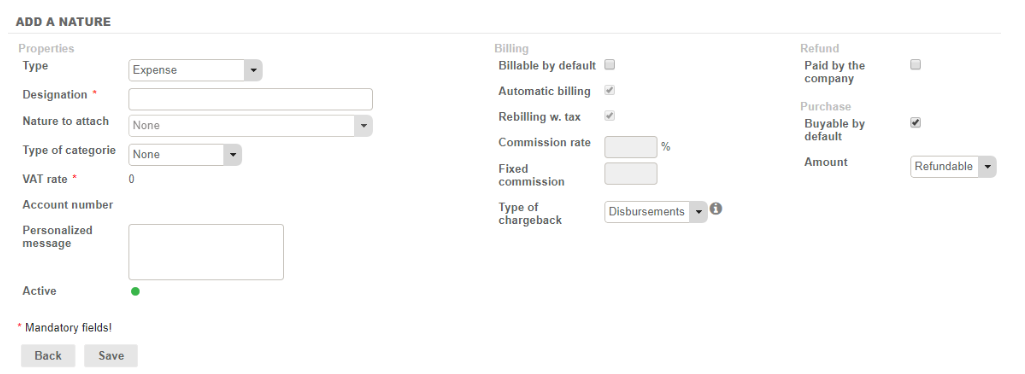
When Creating/Modifying a Purchase Nature/Expense Category, if you choose the Disbursement Type, we will no longer have access to certain settings (VAT rates, Commission rates, Fixed Commissions, Account numbers, Recoverable VAT) and the “Automatic Billing” and “Billable by Default” options will be selected by default.
In the Expense entry
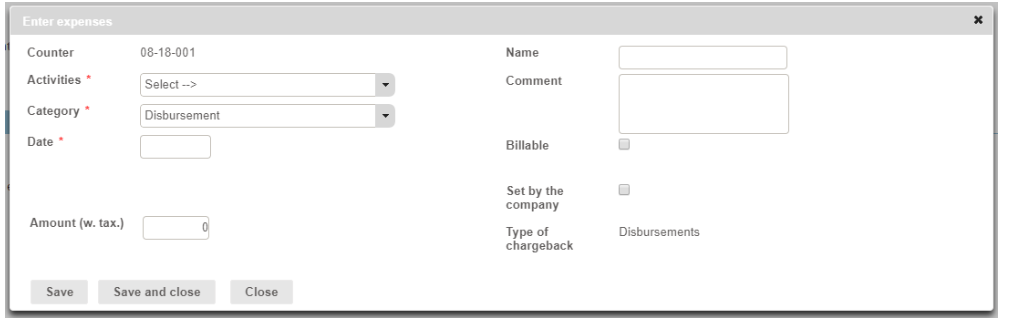
When entering details of an expense, employees can, therefore, only enter the amount including VAT.
When running reports
An “Exclude disbursements” checkbox is available.
Statements
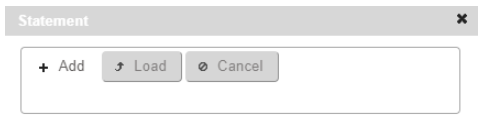
When entering Expenses, employees can attach statements, just like ordinary expenses.
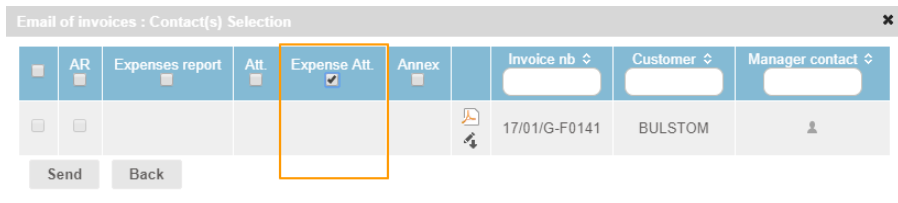
This makes it possible to send them to the customer by selecting the “Expense Att.” box when sending the invoice by e-mail: