-1.png?width=150&height=38&name=Logo_Original_Dark%20(2)-1.png)
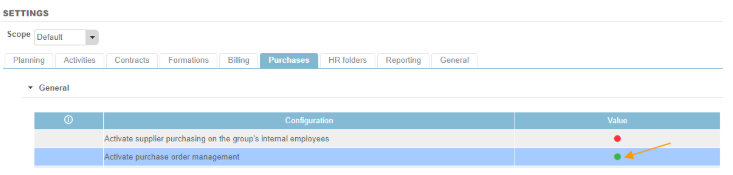
The “supplier” property is mandatory when creating any purchase when purchase order management is active in your environment. To activate purchase order management, go to Settings > Purchases:
Creating a supplier sheet
Before populating the supplier’s details when generating a purchase, you must firstly create the associated datasheets in the application.

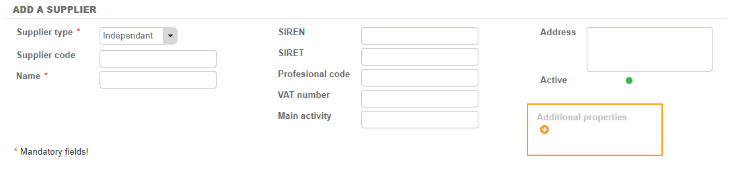
Only two fields are mandatory when creating a supplier screen in Fitnet:
- Type of supplier: configurable in the Configuration menu
- Supplier name
All other fields in the supplier screen are optional. It is also possible to add your own personalised properties. Simply click on the "+" and populate the property type and label that you wish to add.
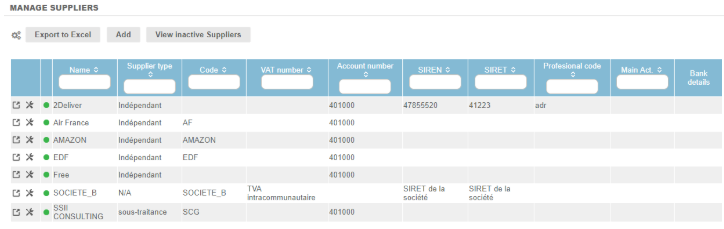
A list of suppliers whose details have already been populated can be found by clicking on the Suppliers sub-menu:
To complete your supplier’s sheets, additional articles are available from our documentation:
• Multi-company supplier management
• Configuring payment methods
• Attaching contract employees to your suppliers
• Adding a BIC or a supplier
• Creating a supplier contact