-1.png?width=150&height=38&name=Logo_Original_Dark%20(2)-1.png)
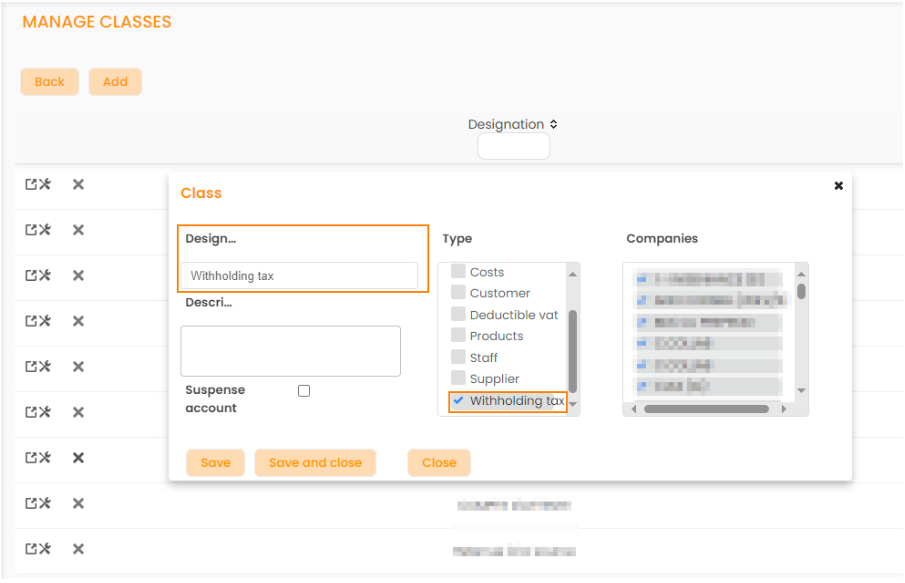
Creating a Withholding tax Type Class
On the Configuration menu > Billing or Purchases > Classes, you can first create a Class by checking the Type = Withholding tax (mandatory step only if you fill in the class in the account configuration)
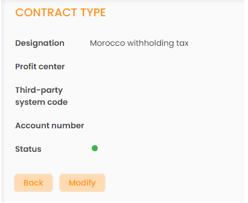
Creating a Contract Type: Withholding Tax
Then, still on the Configuration menu > Contracts > Contracts Types : you have to create a Contract Type = Withholding tax. It is unlimited so you can create one contract type per country. For example: Contract Type = Morocco withholding.
Creating the Account to Break for the Withholding Tax
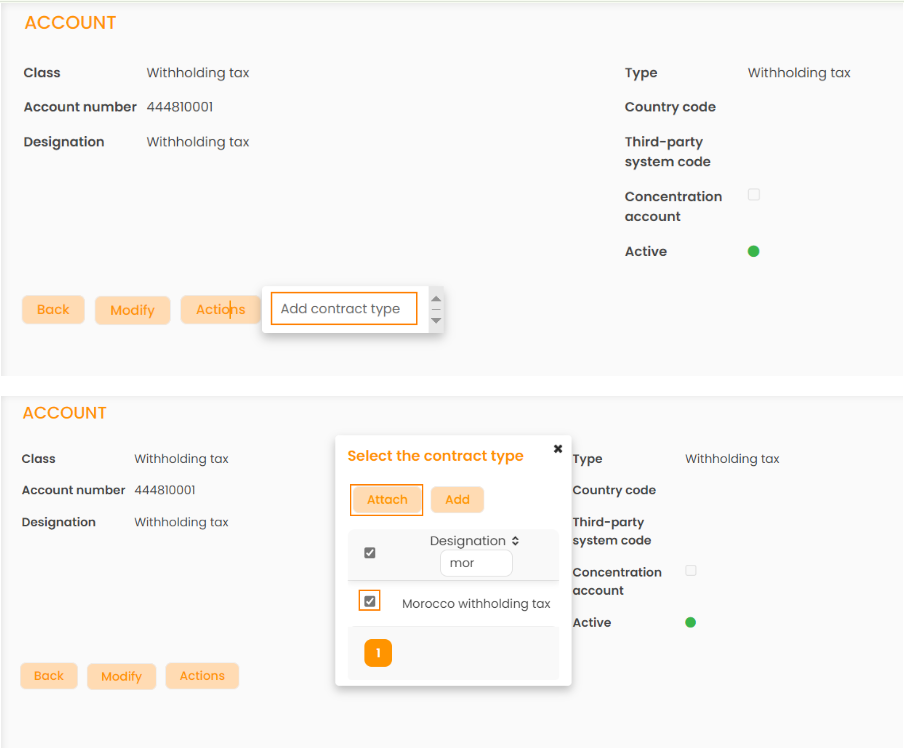
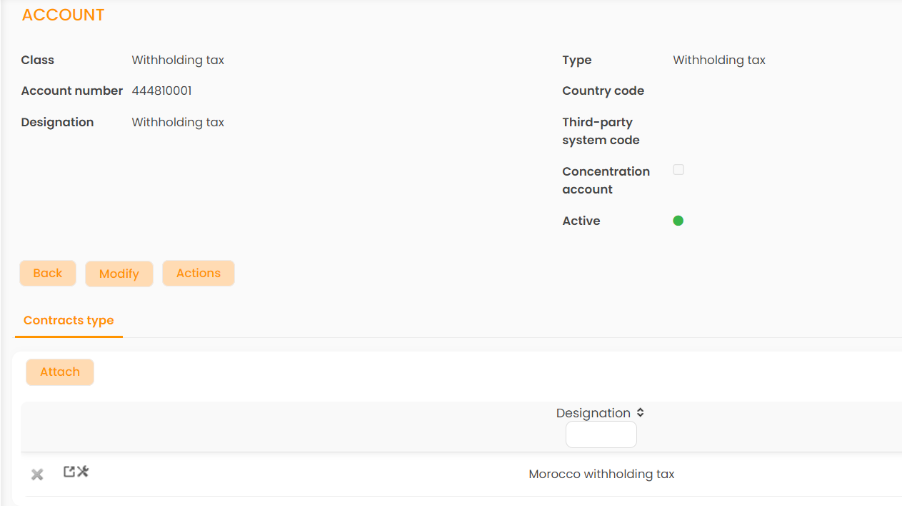
Then, on the Configuration menu > Billing or Purchases > Accounts, you have to create the account that you want to break down in the entries by checking the "Withholding tax" type and attaching it to the Contract Type that you have just created (also unlimited).