-1.png?width=150&height=38&name=Logo_Original_Dark%20(2)-1.png)
For each employee, you can personalize a specific vacation plan beyond what has been set up globally.
The types of leave available for employees can be specified in individual HR Folders, in the “Vacation/Leave” tab:
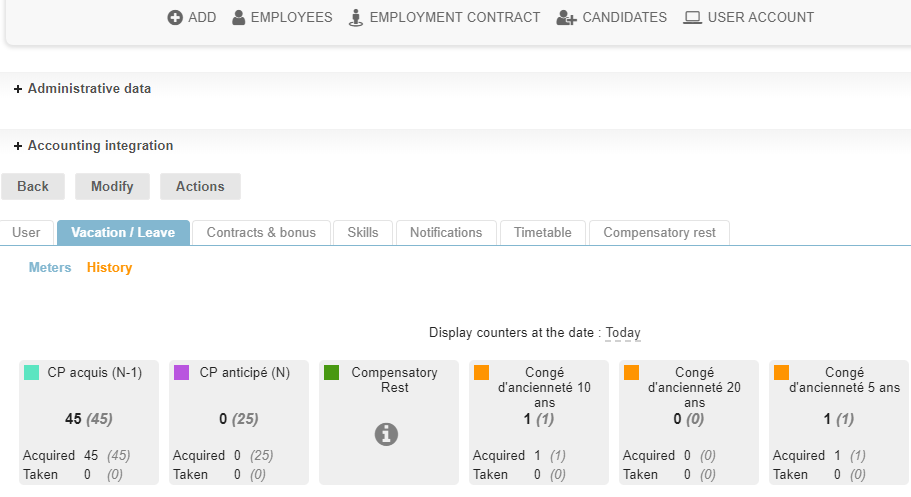
Configuration
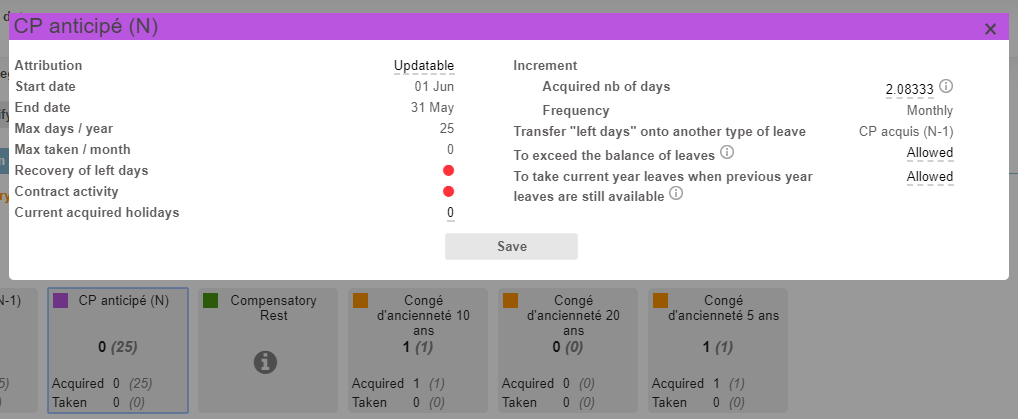
The number of acquired days to accrue each month can be specifically configured for each employee.
For this, just click on the type of vacation box. The window for specific configuration opens, and the changes will only affect the employee on that sheet.
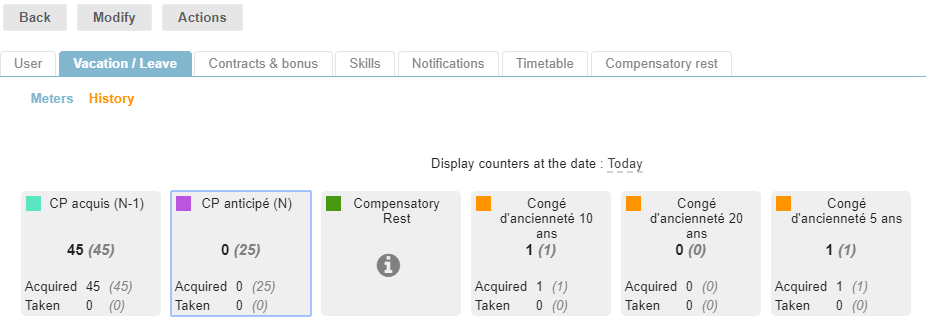
Classic illustration, part-time employees:
You can create a single type of “Paid Leave” absence, and set up a specific accrual. You can also create a specific type of “Part-time Paid Time Off” leave, which will only be selected for the employees it concerns.
Counters
The "Leave acquired", "Leave taken", and “Left days" counters can be accessed directly in the employee file.
The counters can be updated directly in the employee screen, for the current period for each type of leave.
History
The history of employee vacation requests and leave statements is accessible directly in their HR Folder.
