-1.png?width=150&height=38&name=Logo_Original_Dark%20(2)-1.png)
The workflow for the target object Vacation is as follows:
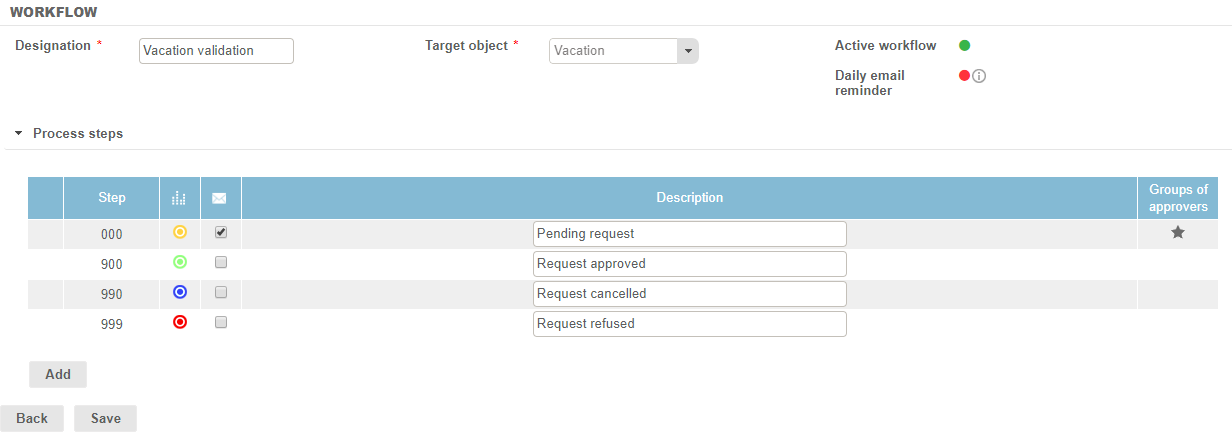
Steps
4 minimum steps are required:
- 1 "submission" step: only one validation is required to process the request.
- 3 "validation" steps: 3 options are available for the approver to process the requests.
Request approved
The request is approved when the approver clicks on the "Validate" button. The employee is not able to modify it anymore. To modify or cancel his request, he will have to directly ask to an administrator or an approver.
Request cancelled
The request is cancelled when the approver clicks on the "Cancel requests" button. The employee is not able to modify it anymore. You will keep it in memory and you will be able to enter it again.
Request refused
The request is refused when the approver clicks on the "Refuse" button. The employee is not able to modify it anymore. You will keep it in memory and you will be able to enter it again.