-1.png?width=150&height=38&name=Logo_Original_Dark%20(2)-1.png)
Tip
Fitnet Manager offers several reports to analyze employee time off in real time. Learn to use them!
How to use it
Reporting Module > Activities > LEAVES
PLANNING OF LEAVES
The Planning of Leaves gives a planning type overview of all employee leaves according to a color code:
- Vacation/Leave
- Training sessions
- Weekend and holidays
- Employee not present
The Planning of Leaves features validated leaves and vacation awaiting validation. Canceled or refused requests will not appear.
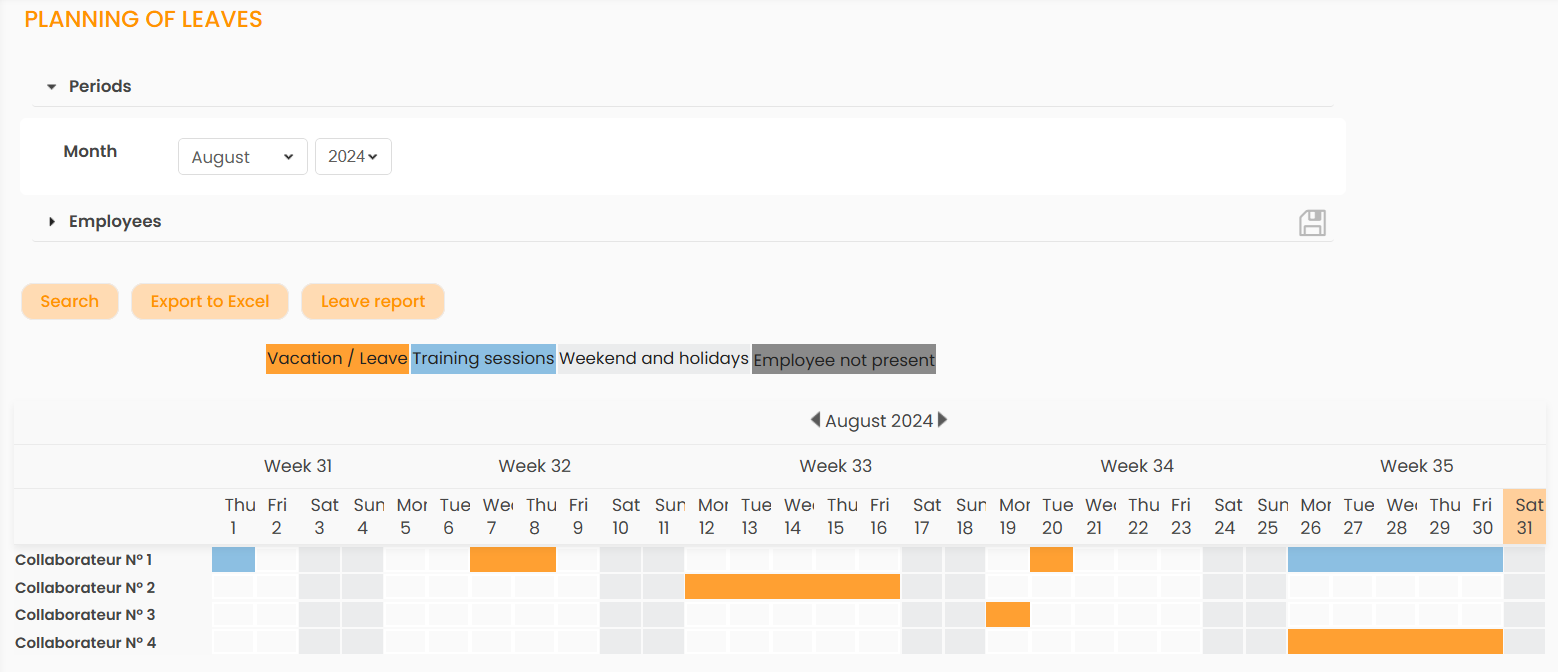
The Planning of Leaves allows you to see at a glance leaves by company, team or business unit, for a day or a given week! The schedule can also be sorted by Employee or Profile.
It is exportable in Excel format.
VACATION OVERVIEW
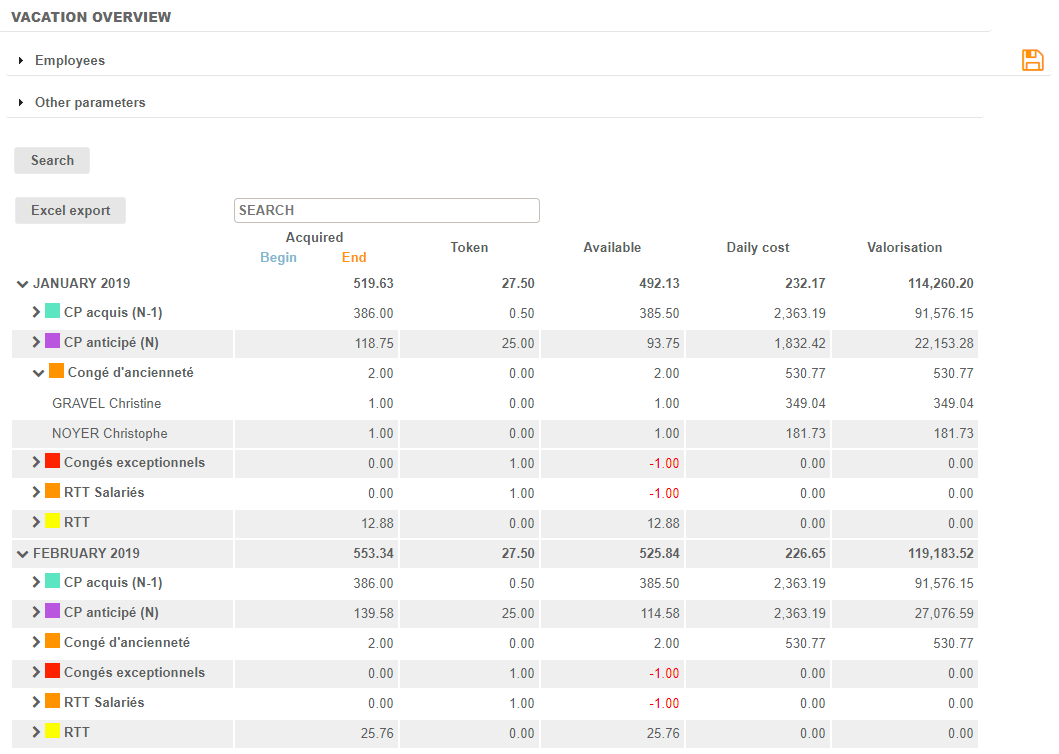
The Vacation Overview report allows to visualize the details of the days of leave acquired, taken and remain to be taken by employee, over a given period (month, quarter, year).
The Vacation Overview also gives the valuation of leaves. To calculate the daily valuation of vacation, the system uses the following calculation:
Daily cost Paid Leave-based = (Gross Annual Salary x Taxes) / (Number of Paid Leave-based Days per Year)
The Vacation Overview is exportable in Excel format.
LEAVE REPORT
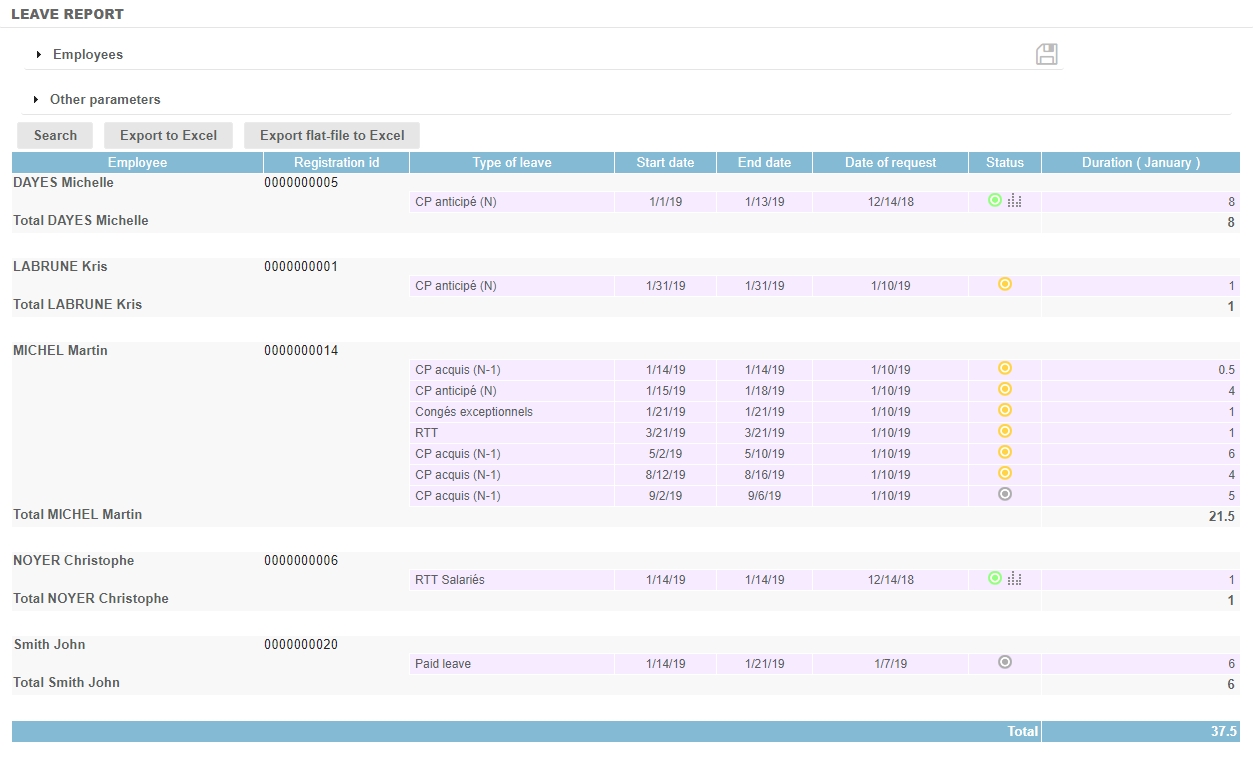
The Leave Report is a real-time update of all leave requests for the selected period, regardless of status: pending validation, validated, canceled, or refused.
It is available from the Activities submodule of the Reporting module, but also from the Payroll Information and Planning of Leaves reports.
The Leave Report is exportable in Excel format.