-1.png?width=150&height=38&name=Logo_Original_Dark%20(2)-1.png)
Fitnet Manager allows you to create workflows in order to automate validation cycles on timesheets.
You can configurate this validation process and decide if you want it to be weekly or monthly scheduled.
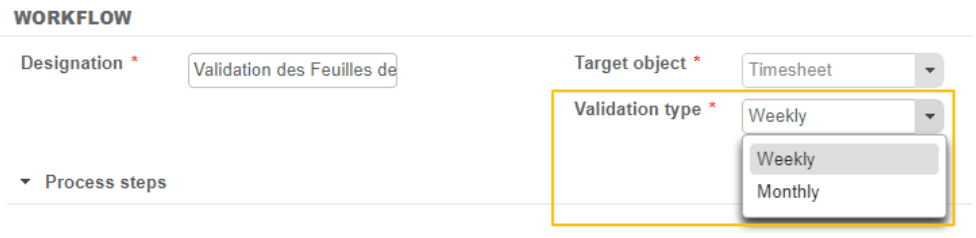
Default system configuration unables timesheet submission if it's not completed. It means that an activity has to be declared for each working day.
Important point : This required condition can be removed to able incompleted timesheet submission.
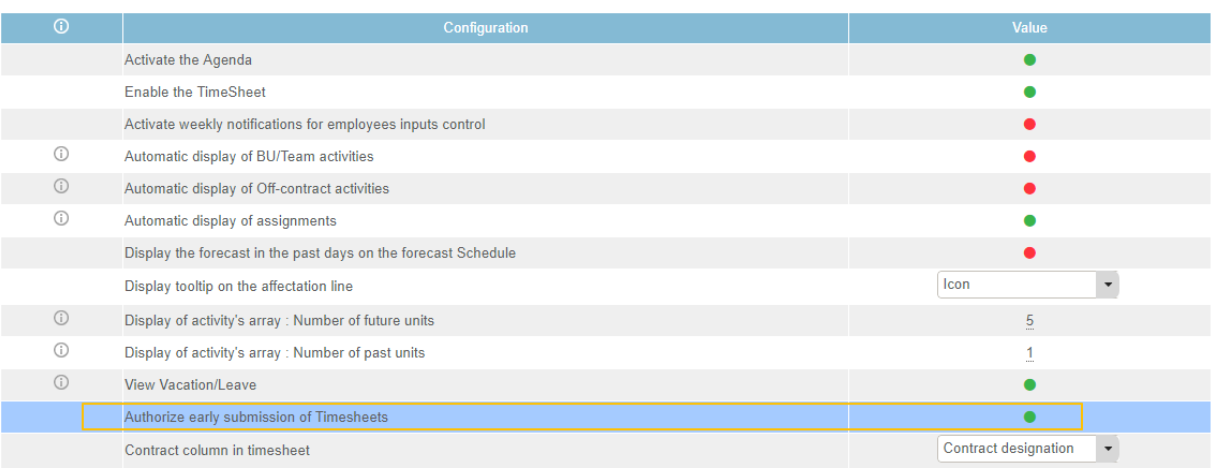
The employee can fulfill his timesheet in the future and submit it in advance by activating the following setting point :
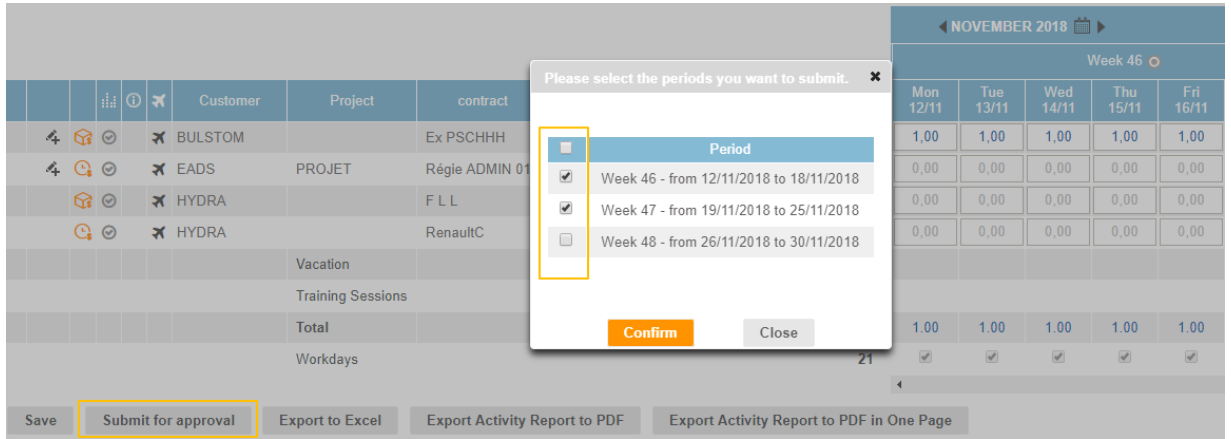
Submit from "Completed Activities" tab
You have to save your timesheet before submitting it.
The button Submit for approval allows the employee to send his timesheet to validation. He can do bulk-submission by selecting the slots or process his requests individually.
Submit from "Timesheet" tab
Through the Action button you can Submit for approval your timesheets.
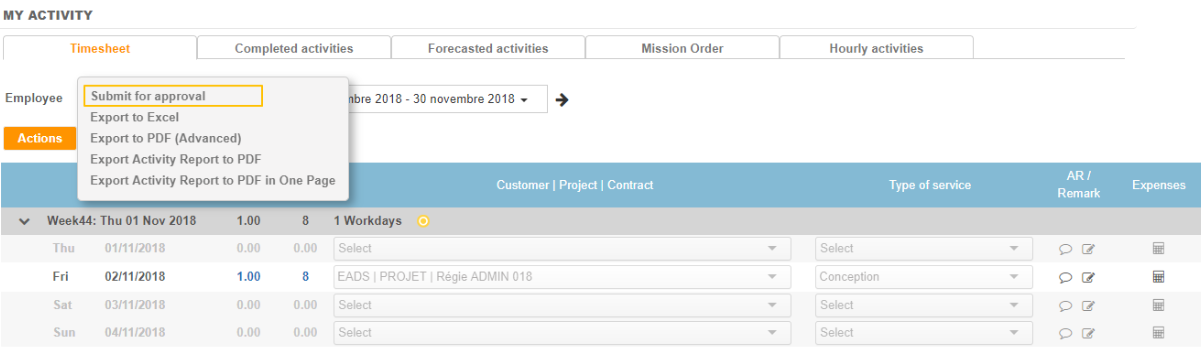
As well, it is possible to send several timesheet at the same time.