-1.png?width=150&height=38&name=Logo_Original_Dark%20(2)-1.png)
To change the parameters of the Candidates module, go to Settings > HR Folders tab > Recruitment.
If you are in a multiple companies environment and you wish to change the parameter of only one company, select the scope:
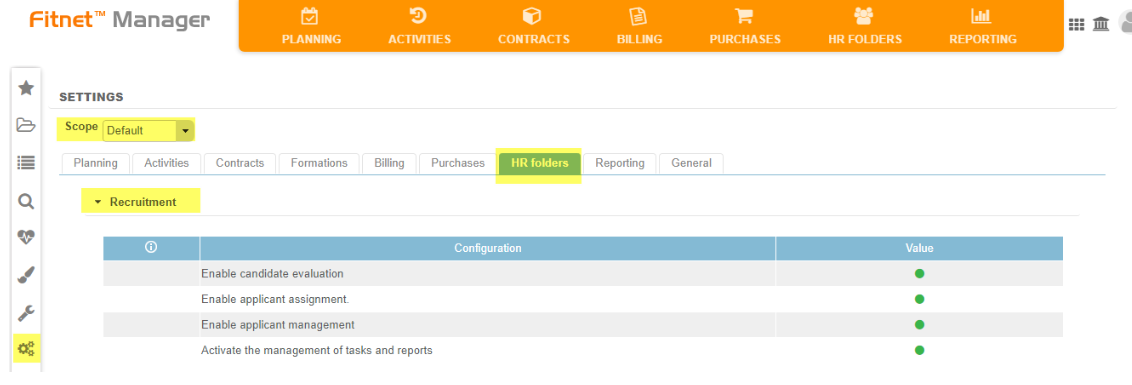
Enable candidate evaluation
Activated: Allows to evaluate candidates according to the selected Evaluation plan. By enabling this setting, you will be able to configure evaluation plans and thus to give each candidate a mark between 0 and 10.
Deactivated: The "Evaluation criteria" function is deactivated.
Enable applicant assignment
Activated: Allows to assign candidates on contracts following the same process as for assigning an employee. Once the contract is launched, the candidate turn into an employee. For more information on this feature, click here.
Deactivated: You can't assign candidates on contracts.
Enable applicant management
Activated: Activates the Candidates module. When activated, the Candidates sub-module appears in the HR Folders module. This sub-module allows you to manage candidates by recruitment status. For more information on what you can do with this module, click here.
Deactivated: Deactivates the Candidates sub-module.
Activate the management of tasks and reports
Activated: Activate the management of tasks and reports at the candidate/employee level.
Deactivated: Deactivate the Tasks and reports feature.
Other parameters for setting up the Candidates Module are available: Settings > HR Folders tab > Professional data.
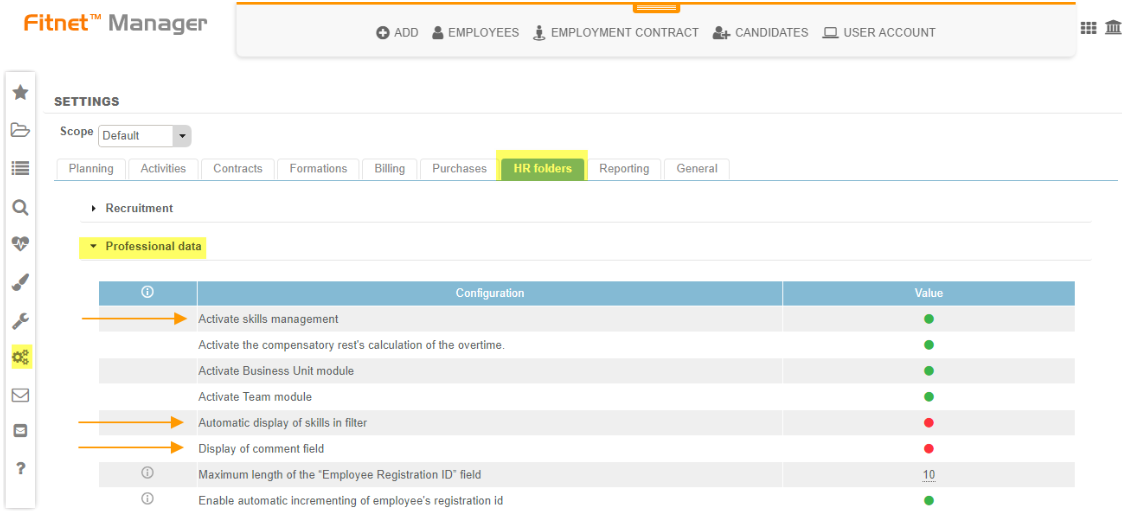
Activate skills management
Activated: Adds the "Skills" tab at the candidate/employee sheet level. By enabling this feature, you can also configure types of skills from the CONFIGURATION > HR Folders block > Type of skills. At the candidate/employee level, this feature allows you to generate a graph in form of 'spider web'. For more information on this feature, click here.
Deactivated: The skills functionnality is deactivated on the HR Folders module.
Automatic display of skills in filter
Activated: Skills are automatically displayed in filters at the Candidate/Employee level
Deactivated: You can't filter Candidates or Employees by skills.
Display of comment field
Activated: The comment field is automatically displayed at the Candidate/Employee level.
Deactivated: The comment field is hidden.