-1.png?width=150&height=38&name=Logo_Original_Dark%20(2)-1.png)
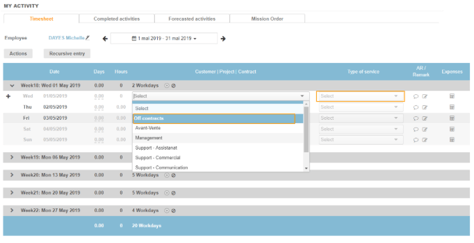
The invoiced activities entered in the timesheet (via the Completed Activities tab and the Timesheet tab) are always attached to an activity.
We can provide even more precision and for the same customer activity, enter times by type of service.
This requires the activation of the Setting point > Contracts tab > Contracts: Functionalities section:
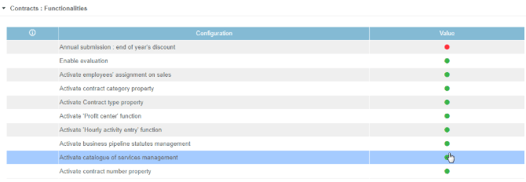
Selection of types of service: Activated
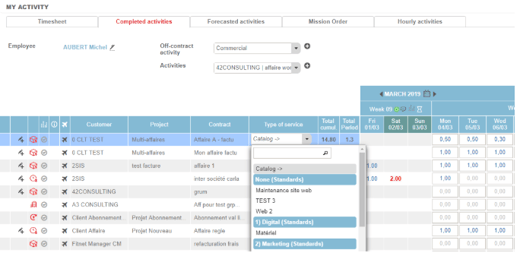
The choices of activities and types of services are dissociated. Employees are free to define, by activity, the types of services they work on.
Completed activities tab
Once you have selected the activity, the type of service can be chosen independently.
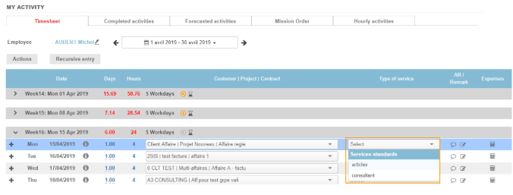
Timesheet tab
Once you have selected the activity, the type of service can be chosen independently.
Selection of types of service: Deactivated
The types of services depend on the assignments of the employees. They choose their activity and type of service inseparably.
Completed activities tab
The type of service is automatically displayed according to activity and assignments.
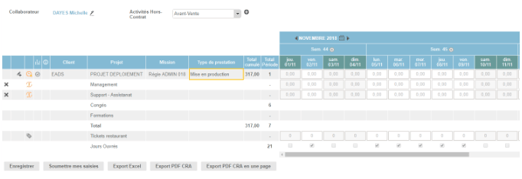
Timesheet tab
The type of service is inseparable from the activity, we select the 2 at the same time and the type of service is displayed with inability to change the field.