-1.png?width=150&height=38&name=Logo_Original_Dark%20(2)-1.png)
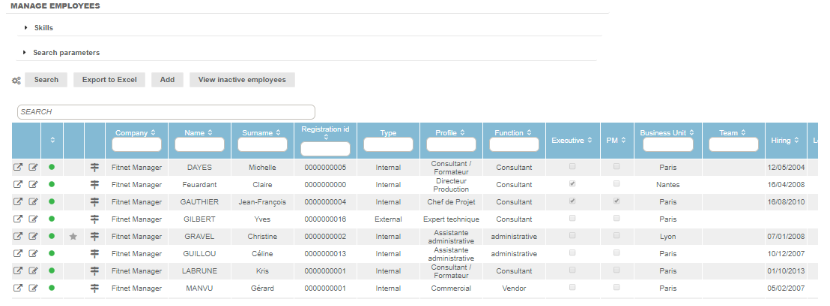
This section explains how to easily find an employee using search or skills parameters, or directly from the table:
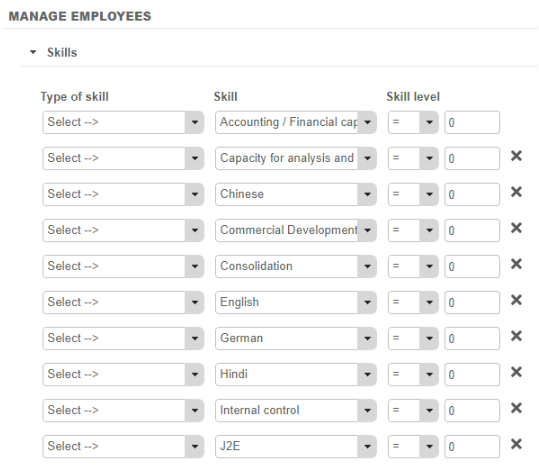
Skills
If the parameter “Automatic display of skills in filter” is active, you can sort employees directly by skills.
Search parameters
Search parameters allow you to find an employee if they are:
- Head of a Business Unit
- Administrative Officer
The Table
The table allows you to find an employee directly from the employee’s characteristics field. This table is modular, as are most of the tables in Fitnet Manager.
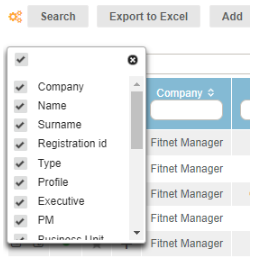
From the gear-shaped button  , you can select columns.
You can export this table to Excel.
From this page, you can open an employee profile  , edit an employee profile
  or display their business activity
  . Lastly, you can add an employee.
Characteristics fields
These fields delineate the table. They are filled in during the creation/modification of an employee profile. It is therefore possible to find an employee if you fill out one or more of these fields:

Selection of columns
From the gear-shaped button  , you can choose the table columns by checking or unchecking the checkboxes:
Exporting to Excel
As with the majority of tables in Fitnet Manager, you can export tables to Excel from the “Export to Excel” button: 
The exported Excel table will be the same as the table in Fitnet Manager (see selection of columns).