-1.png?width=150&height=38&name=Logo_Original_Dark%20(2)-1.png)
To input overtime through you personal calendar, select  and then drag & drop on the choosing slot.
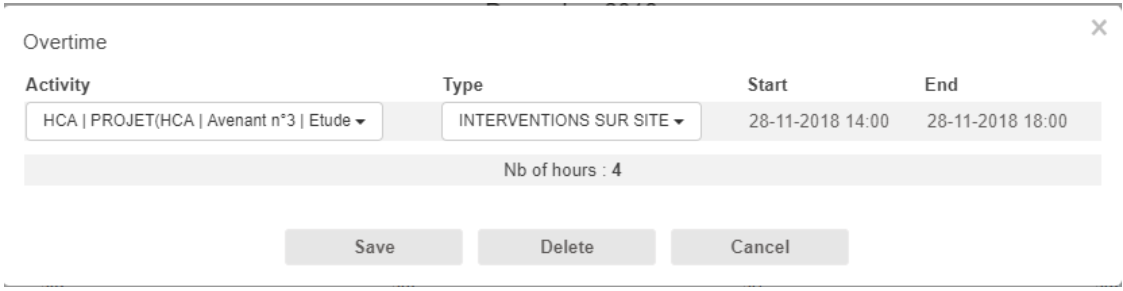
The openning pop up will enable you to fulfill the following informations :
- contract activity
- type of hourly activity
- a beginning and an end to the slot (in case drag & drop was not precise enough)
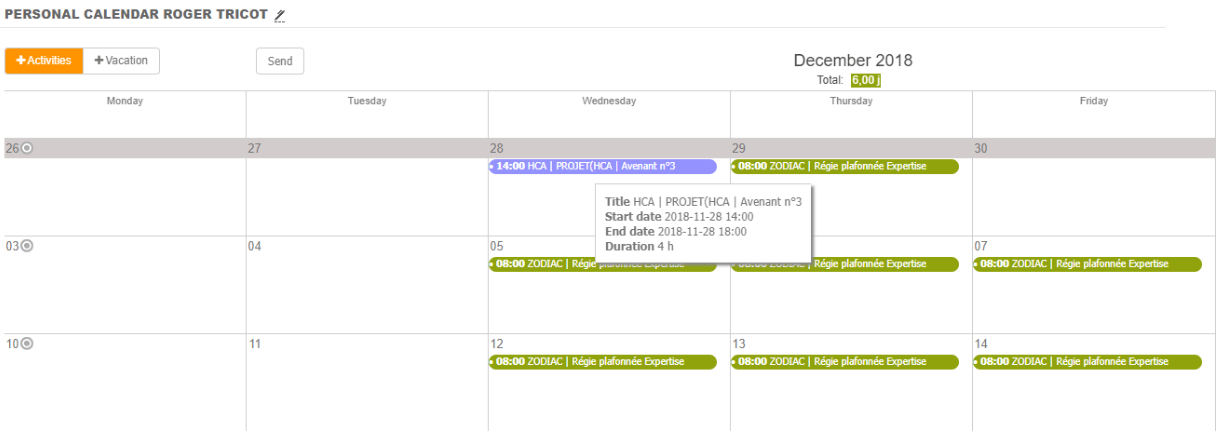
As soon as you save your input, overtime appears on your calendar.
Send to validation
Personal calendar inputs can be submitted to validation as well as timesheets / vacation & leaves / overtime. Just click on  to send your request into validation cycle.
System will allow you to select weeks or months you want to submit. (Be carefull : your inputs must be completed to be submitted.)