-1.png?width=150&height=38&name=Logo_Original_Dark%20(2)-1.png)
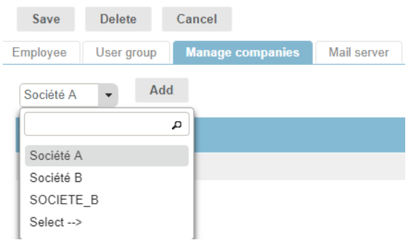
In the “Manage companies” tab of the user screen, you can link more than one company to one user.
Simply choose a company from the available list and click on the Add button.:
Once the company is added, you can switch back and forth between companies. To choose one, simply click on the “Greek facade” icon, found in the upper right-hand of the screen:
