-1.png?width=150&height=38&name=Logo_Original_Dark%20(2)-1.png)
To create a supplier contact, go to the supplier’s sheet and click on the Actions > Add a supplier contact.
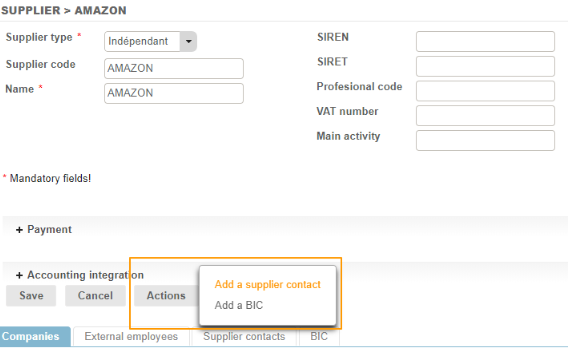
Then complete the fields on the contact creation sheet, and save the changes.

Now select the default supplier contact [2] whom you wish to attach to your supplier (and the companies to which you wish to attach the contact [1] in the case of a multi-company environment):