-1.png?width=150&height=38&name=Logo_Original_Dark%20(2)-1.png)
A BIC can be added from the “Actions” button of the Supplier screen.
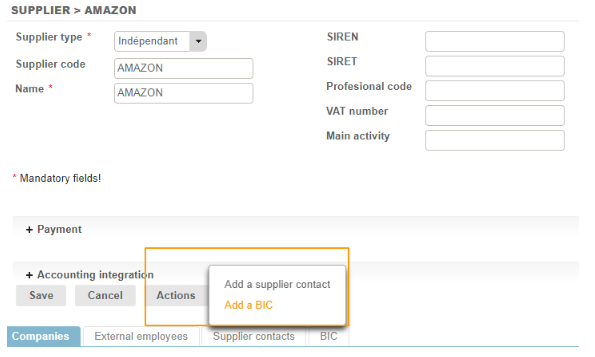
Once the BIC(s) have been entered, you go on to select the default BIC [2] (and the companies [1] to which you wish to attach the supplier BIC in the case of a multi-company environment):

The attachment icons change colour once this has been defined.