-1.png?width=150&height=38&name=Logo_Original_Dark%20(2)-1.png)
To create a training, go to the "Activities module > Trainings" and click on the "Add" button.
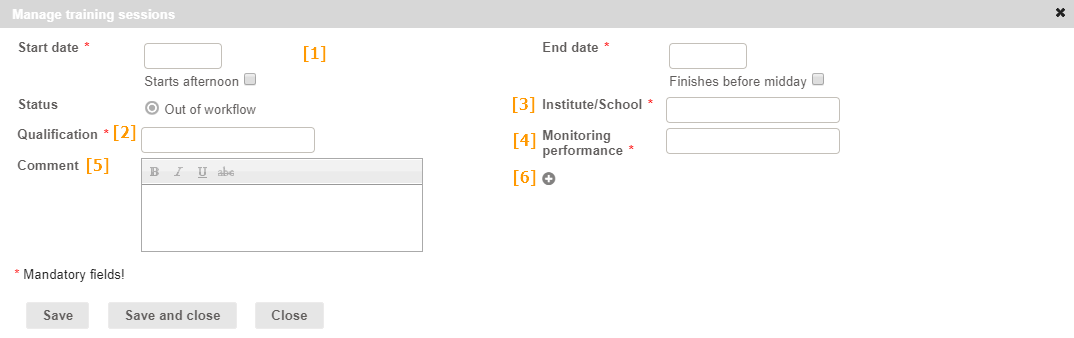
A training session is defined by:
- [1] A start date / end date: the training session can end at noon or last only one afternoon;
- [2] A qualification
- [3] The institute/school: the training organization
- [4] Monitoring performance
- [5] Comment: You can add a comment, e.g. to describe the content of the training session.
[6] Admins can also add additional fields in the training sheet by clicking on the "+" button.
Click on "Save" or "Save and close" to save the training session and validate it (if there isn't any workflow).