-1.png?width=150&height=38&name=Logo_Original_Dark%20(2)-1.png)
Employee with a profile with the function “Salesman”:
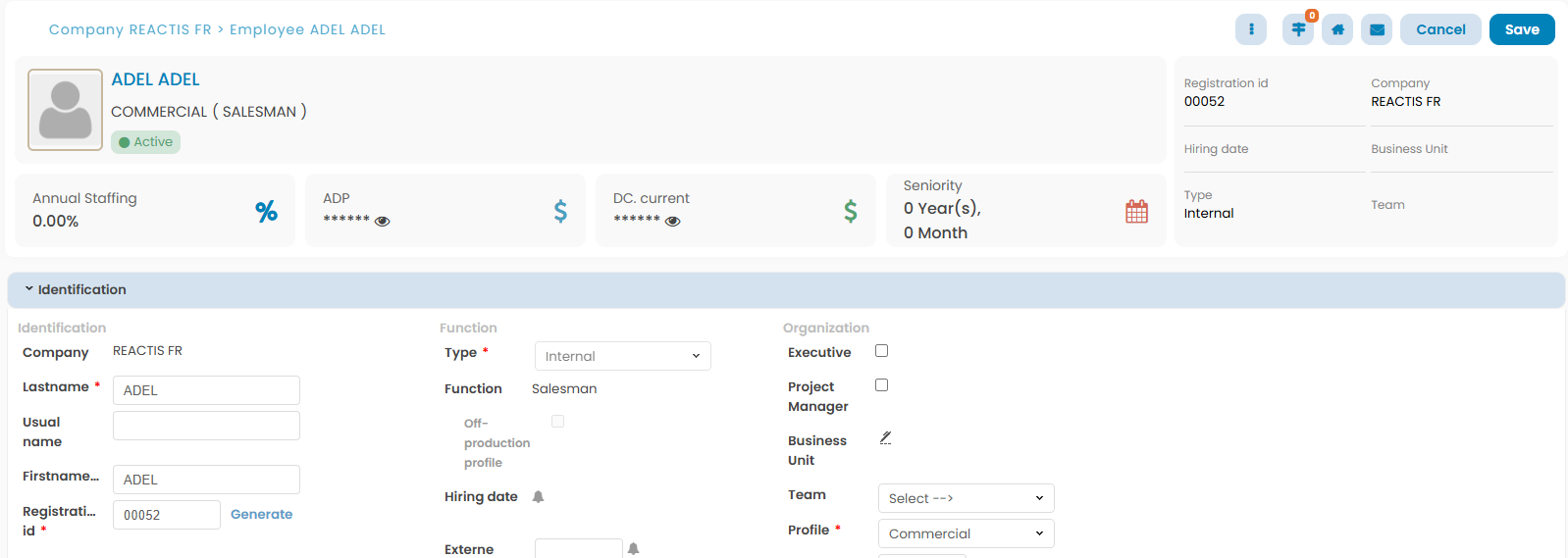
Once a Salesman add an item (customer/customer contact/contract, etc.), he is attached by default as a salesman for this item.
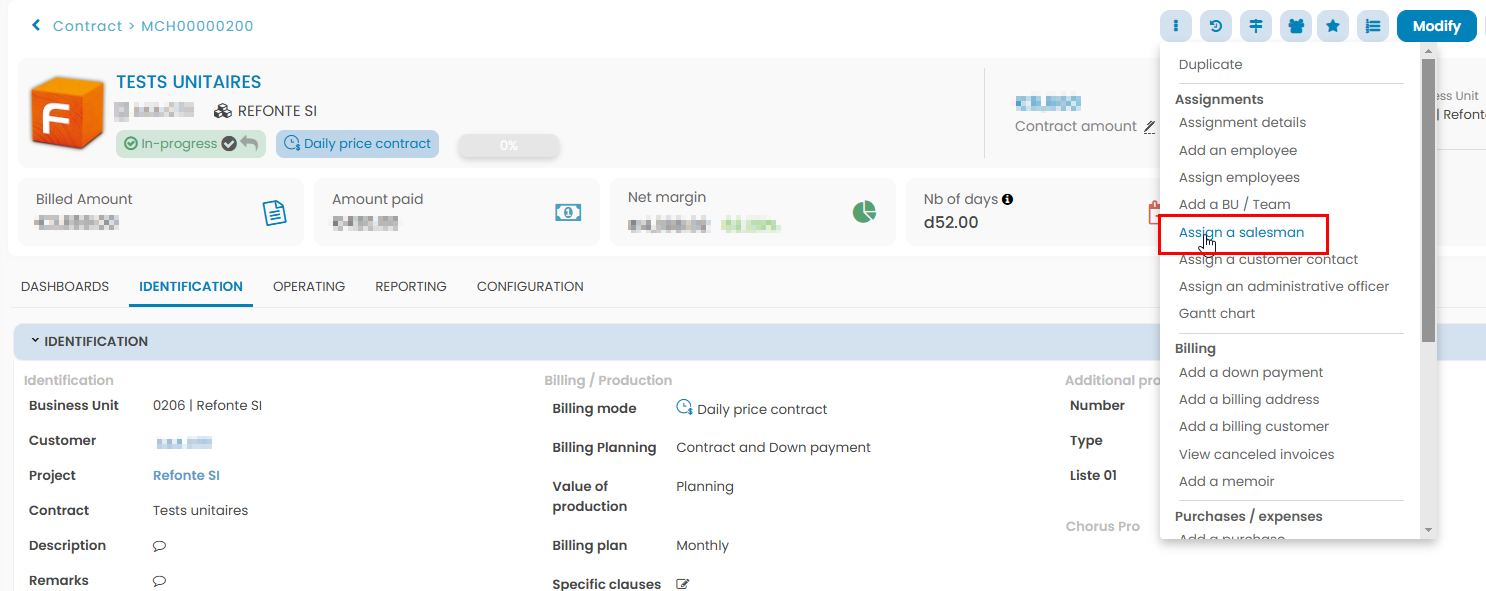
To assign a salesman to a contract, you have to click on Actions > Assign a salesman:
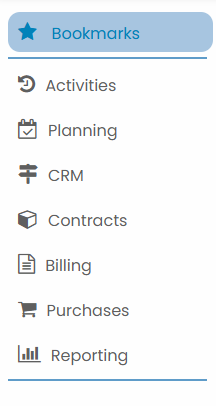
Menu
Scope
- All employees
- His contracts : contracts he’s in charge of
Planning Module
Capacity Planning
- Read access on his scope
Gantt Chart
- Edit access on his scope
Scheduler
- Edit access on his scope
Activities Module
Timesheet
- Read access to all employees’ timesheets
- Edit his timesheet
Expenses
- Read access to all employees’ expense notes
- Edit his expenses
Vacation / Leaves
- Read access to all employees’ vacations / leaves
- Edit his vacations / leaves
Trainings
- Read access to all employees’ training sessions
- Edit his training sessions
Contracts Module
Customers
- Add customers, prospects, and customer contacts
- Edit customers/prospects/customer contacts he has created
Contracts
- Add and edit contracts
Projects / General terms
- Add projects and general terms
- Edit projects/general terms he has created
Billing Module
- Add invoices
- Read access to the invoices of his contracts
Purchases Module
- Add purchases
- Edit purchases on his contracts
- Add and edit suppliers
Reporting Module
Activities (all employees)
- Overview of expenses
- Planning of leaves
- Vacation overview
- Payment of service providers
- Leave report
- Annual staffing / Monthly staffing
- Activity report
- Control entries
- Global report
- Training sessions overview
Contracts (his contracts)
- Overview of contracts
- Off-contracts overview
- Overview of employees
- Overview of expenses
Accounting (his contracts)
- Accounts receivable
Tools
- Bookmarks
- Document Management
- Menu
- Explorator
- Contact Support
- Help Center