-1.png?width=150&height=38&name=Logo_Original_Dark%20(2)-1.png)
Setting the association of an Account to a billing address
The association of an account number on a billing address allows the breakdown of sales entries by billing address and no longer by customer. To activate this parameter, go to Settings> Formations tab> Functionalities pane:
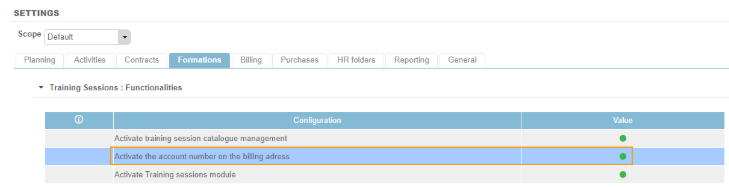
To note: For this parameter to be activated it is necessary that the parameter Activate accounting integration for billing is also activated.
Configuring Customer accounts
Go to Contracts > Customers > Customer sheet > Adresses tab, a column appears to fill in the account number associated with the address.
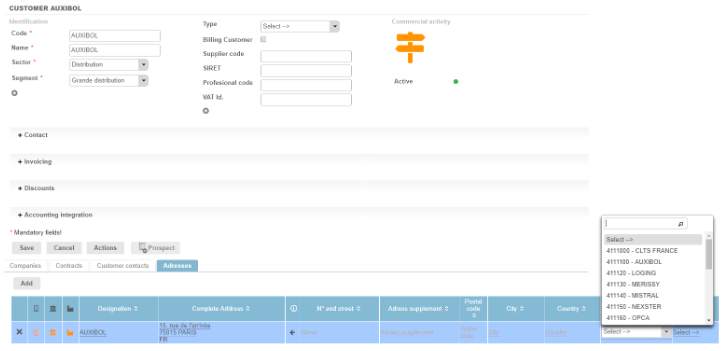
Fitnet uses the same fields as Accounting Integration: Account Number and Country Code, with the same rules and conditions, therefore the same drop-down lists.
Note: In the case of a multi-address customer, the account number associated with the billing address used on the invoice must be retrieved for the defined company.