-1.png?width=150&height=38&name=Logo_Original_Dark%20(2)-1.png)
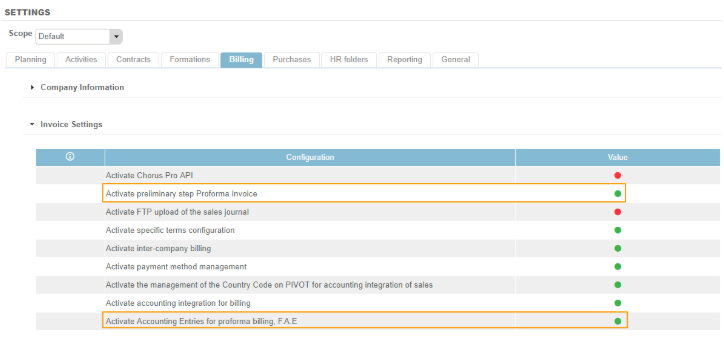
It is possible to Activate Accounting Entries for proforma billing (beforehand it is necessary to have enabled the setting "Activate Preliminary step Proforma Invoice").
Setting accounting entries F.A.E.
To do this, go to Settings > Billing tab > Invoice Settings pane:
Generating accounting entries F.A.E.
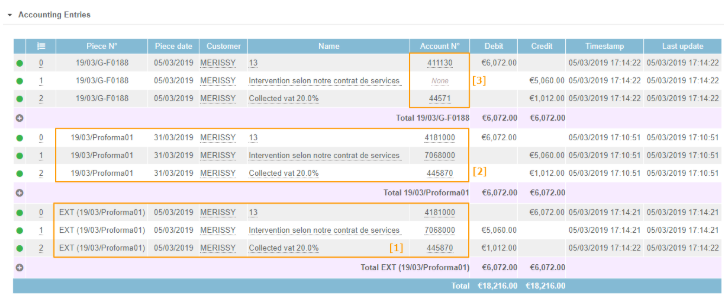
(1) When the invoice changes to the  status, the SALES accounting entries are generated. "Classic" account numbers for the breakdown of the Amount b. tax, Amount VAT and Amount w. tax will be replaced by Suspense Accounts, hence the importance of having configured them beforehand.
Then, when the invoice changes from  status to
  status, the accounting entries are reversed from the suspense accounts (2) and are entered in the Customer, Product and collected VAT accounts (3).