-1.png?width=150&height=38&name=Logo_Original_Dark%20(2)-1.png)
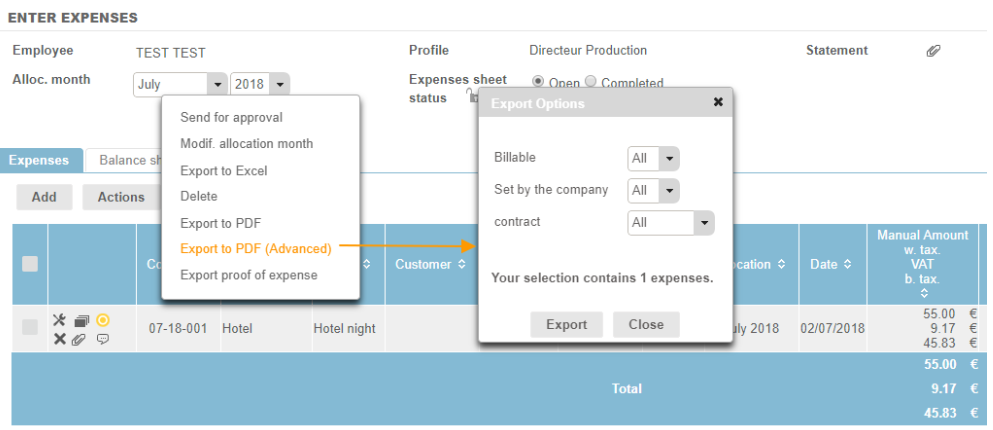
All employees can export their expense entries and statements via the Actions button.
Export to Excel
Exporting to Excel allows the selected expenses table to be exported as an .xls format file, supported with a total for each category.
Export and advanced export to PDF
Export to PDF allows you to export selected expense entries as a .pdf file.
Advanced export to PDF allows you to select whether billable expenses, or expenses that have not been paid by the company directly, should be exported with the selected entries.
Export proof of expense
When exporting statements (Actions > Export proof of expense) you can export documentation in support of the selected expense entries as a .zip file.
Statements can also be exported from the:
- Payroll Information
- All Expense Reporting