-1.png?width=150&height=38&name=Logo_Original_Dark%20(2)-1.png)
In the Timesheet module and from the calendar, the recursive entry is exclusively available via the timesheet, so it must be activated beforehand.

Recursive entry allows you to enter your times in the current month if they are recurring. Click on Recursive entry: an entry window opens, you must fill in:
- an activity
- a type of service
- a start date and an end date
- a way of defining the recursive schedule
Detailed planification mode "On"
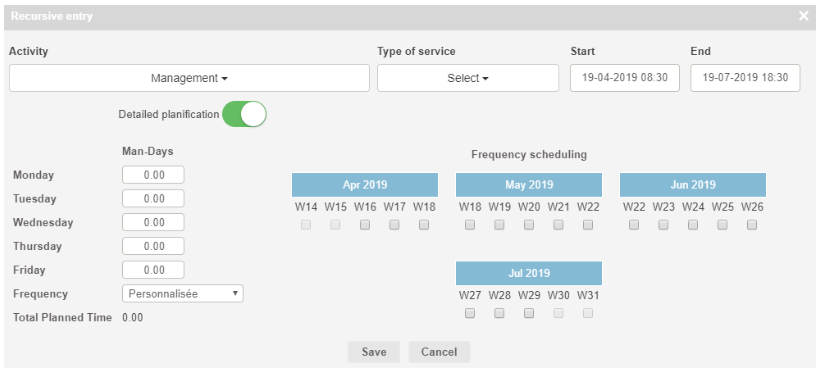
In Detailed Planning mode, you have to define in man days the time spent on the working days of the week.
You can define the recurrence manually, by choosing the relevant weeks in the Frequency scheduling of the current month or automatically by using the "Frequency" drop-down list.
Detailed planification mode "Off"
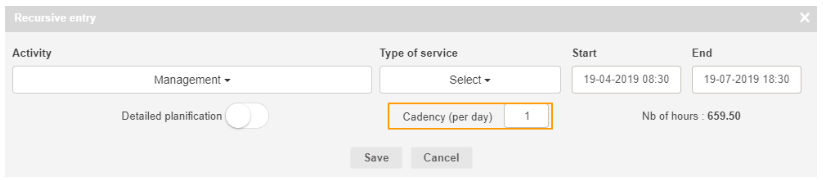
You just have to declare the cadency per days.
NB : Recursive entry is also available via the PERSONAL CALENDAR module.