-1.png?width=150&height=38&name=Logo_Original_Dark%20(2)-1.png)
In the Timesheet module, employees find a "Hourly Activity" tab that allows them to report on-call hours or overtime hours. But it is also possible to enter a hourly activity from the calendar.
They must declare their hourly activities month by month.
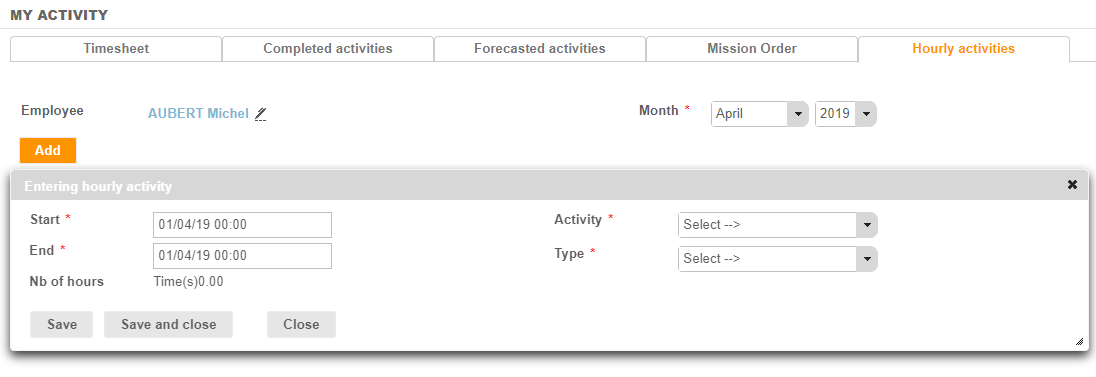
Via the Add button, the employee enters the elements that define his past hours, intervention by intervention:
- Start and End dates and hours
- The number of hours is automatically calculated
- The activity to which the hours relate (customer / project / contract)
- The type of hourly activity
The "Save" button allows you to empty the form to directly make a new entry. The "Save and Close" button closes the entry.