-1.png?width=150&height=38&name=Logo_Original_Dark%20(2)-1.png)
When an employee has submitted his training session to approval, only Admins, managers or members of the approvers group can edit the training session.
To do so, they must select the request for training in the Activities module > Requests > Requests to process or Requests already processed.
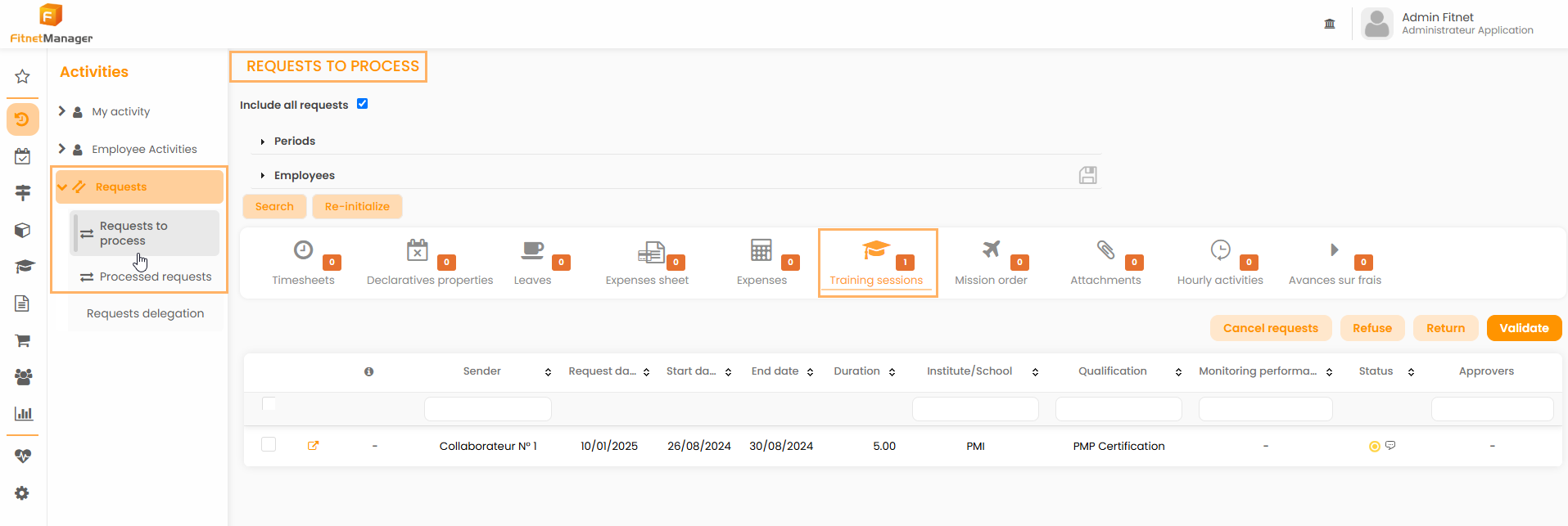
Then, they can access the request details to edit it by clicking on the  icon.
icon.

To edit a detail of the training session, they must then click on the  icon on the corresponding line.
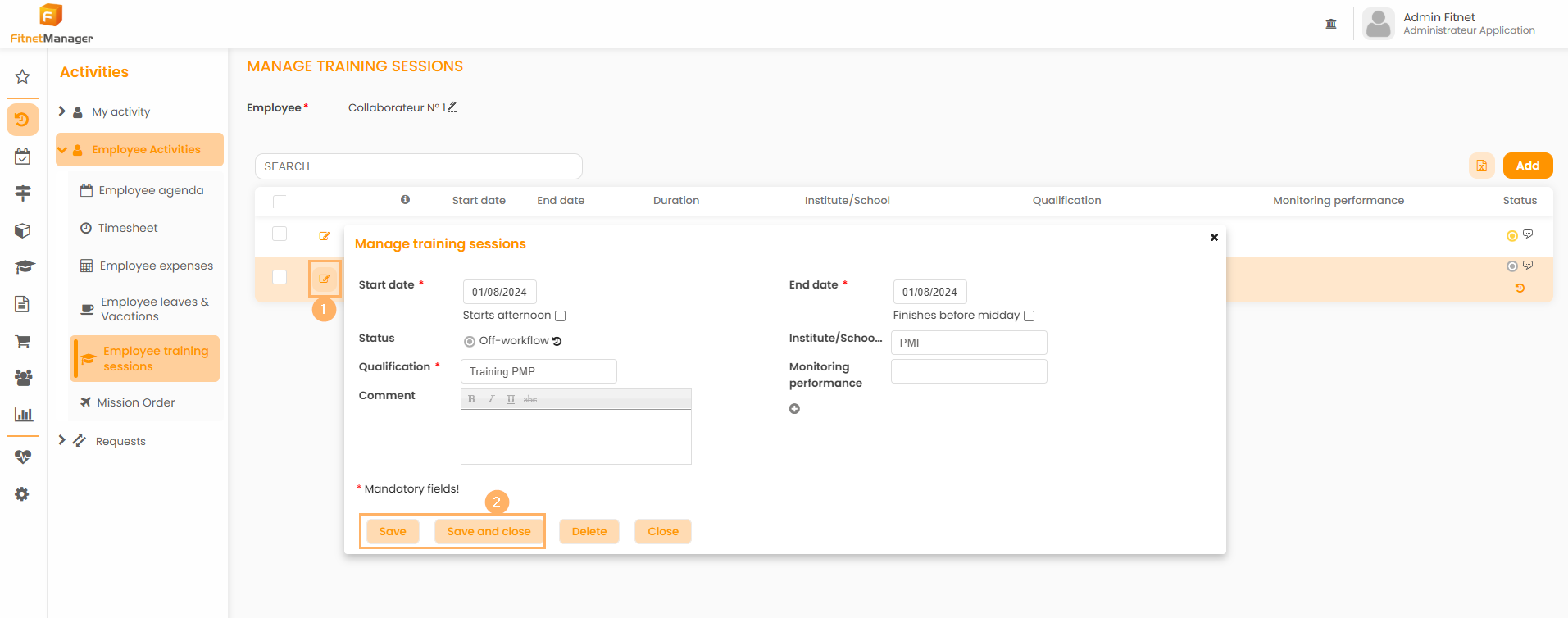
You can then edit every detail of the request for training: start/end date, qualification, comment... The only thing you can't modify is the status of the training session in the workflow.
To save your modifications and update the training session, you just have to click on the "Save" button.