-1.png?width=150&height=38&name=Logo_Original_Dark%20(2)-1.png)
To consult the history of his requests for training, the employee must access the dedicated module: Activities > Training sessions.

On this submodule, the employee will find the history of all his requests for training. He can then:
- Launch a search among his requests via the search bar
- Export to Excel the history of his requests via the "Export to Excel" button
- Add a request for training
- Edit a request for training (if it hasn't been submitted to validation yet)
- Download the proofs of the training sessions
- View the status of each request (if the worflow is active)

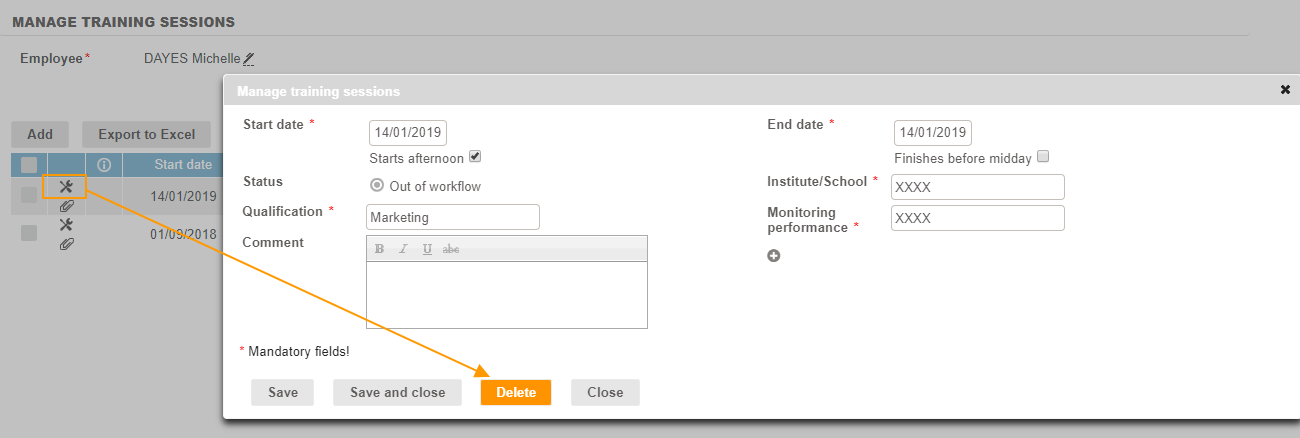
To delete a training session that has not been submitted to validation, you just have to click on the "View" button, and then on the "Delete" button in the pop up.