Deactivating a user
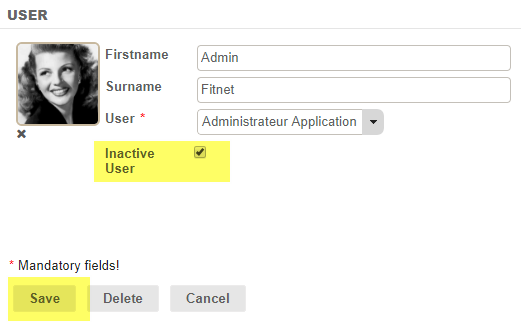
To deactivate a user, simply check the “Inactive user” box on the user screen and click on “Save”:
Deleting a user
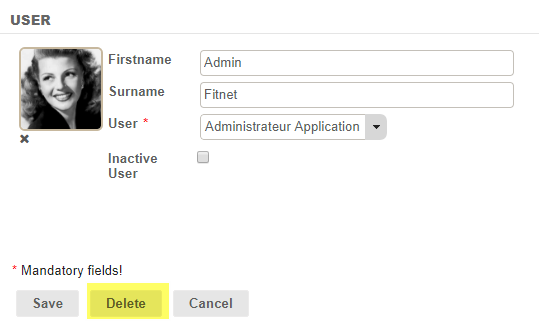
You can delete a user. To do so, go to the user screen, click on the Modify button, then Delete:
-1.png?width=150&height=38&name=Logo_Original_Dark%20(2)-1.png)
To deactivate a user, simply check the “Inactive user” box on the user screen and click on “Save”:
You can delete a user. To do so, go to the user screen, click on the Modify button, then Delete: