-1.png?width=150&height=38&name=Logo_Original_Dark%20(2)-1.png)
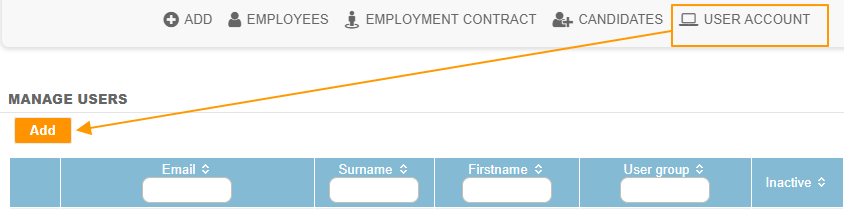
To create a user, just go to the HR Folders module > User account > Add button:
The screen for creating a user is as follows:
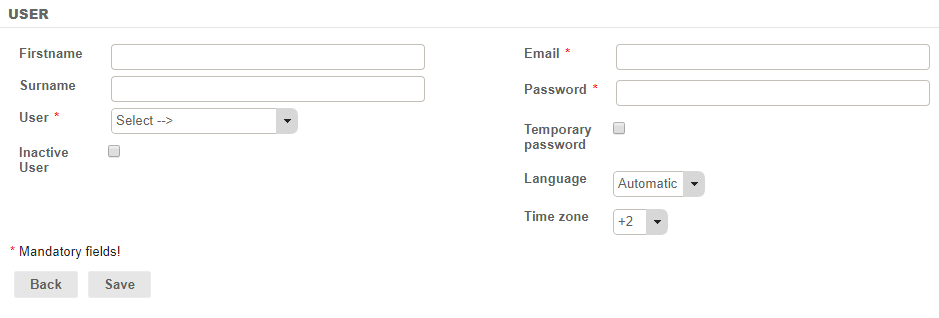
You must have the firstname and surname of the user, their login (email and password) as well as their function (User).
You can deactivate a user by checking “Inactive user". The user who tries to log in using the login of this user will be warned that the user has been deactivated and will be sent back to the login page. No email will be sent to the email address given as the user login.
You can specify a temporary password by checking “Temporary password”. The user logging in with this password will need to then change the password during the first login. If the password is forgotten, it can be recovered via the “Forgotten Password” function on the Fitnet Manager login page.
The language and time zone are automatically detected. However, you can freeze the language and the time zone by choosing one of the available languages and time zones from the corresponding lists.