-1.png?width=150&height=38&name=Logo_Original_Dark%20(2)-1.png)
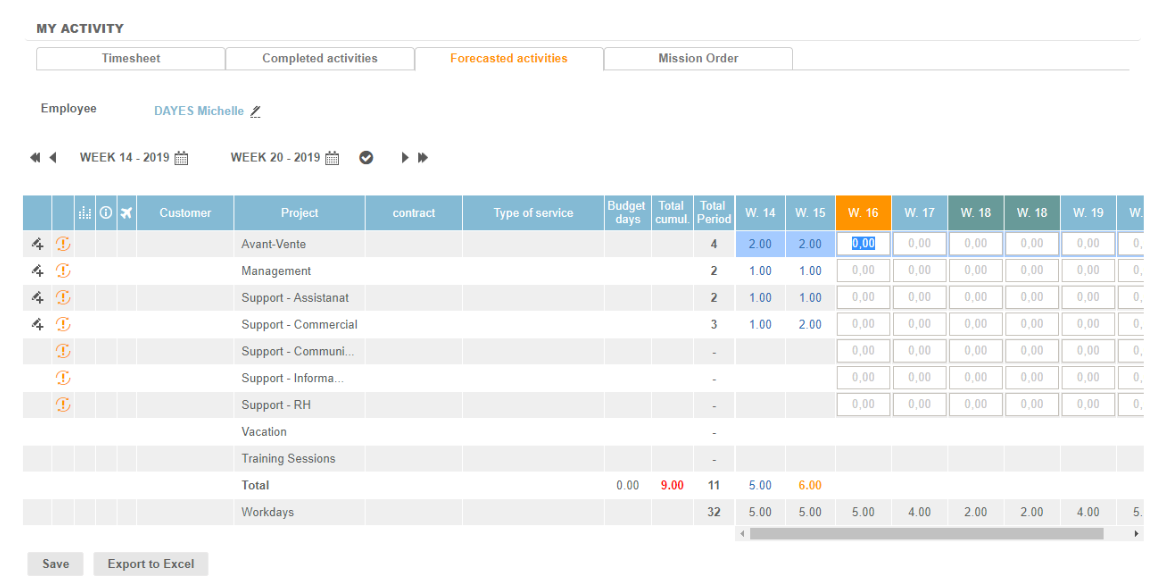
The forecasted schedule corresponds to a planning forecast, defined on the basis of an assignment cadency. It also displays the forecasts of vacation and training.
Each employee can consult his forecasted schedule via the Activities module > Timesheet > Forecasted Activities tab.
The display of the schedule, according to the choice of entry type, can be configured via the following button:

The difference between the selected weeks defines the number of columns to display. The arrows allow you to display the following weeks or earlier while respecting this gap.
The cumulative total displays the total of planned days by activity. The total period displays the number of days planned over the period defined by the chosen period.
An setting point in the timesheet allows the passage of the forecasted schedule to the past as soon as the schedule is completed.
You can request the configuration of this schedule so that it is possible:
- to authorize the employee to modify the schedule
- to block the changes - to give access only in display.
If the schedule is modifiable, the off-contract activities can be added to the table in the same way as for the table of completed activities.