-1.png?width=150&height=38&name=Logo_Original_Dark%20(2)-1.png)
To add attachments to candidates' details, click on the "Modify" icon" on the candidate line. Below the details, on the "Attachments" tab, click on "+ Add". A window opens; select the file. You can then delete the selected file by clicking on the delete icon "x", undo the operation by clicking on "undo" or upload the file by clicking on "upload".
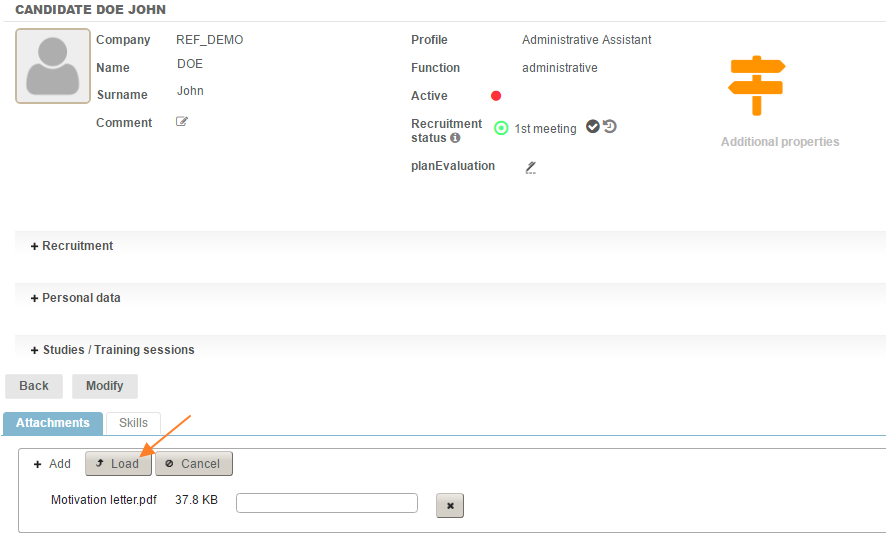
When the documents have been added, a table with the files is displayed. The icon in the first column on the left allows the document to be downloaded and/or previewed (for PDF documents). The default title can be changed, as well as the document's type.

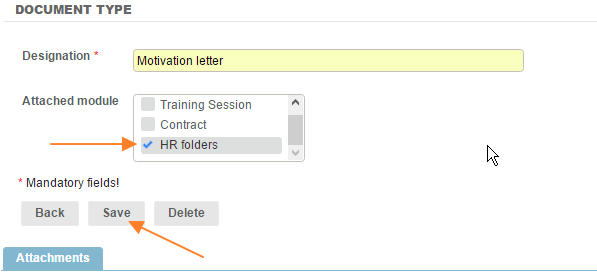
To fill out the drop-down menu , go to:
Configuration > General > Documents type > Add, attach to the "HR folders" module.