-1.png?width=150&height=38&name=Logo_Original_Dark%20(2)-1.png)
You can add a notification plan for an employee.
Once you are in an employee screen (HR Folders > Employees), click on the"Actions > Add a notification plan” button.
There is a list of proposed “HR Module” notification plans that were created prior in the Configuration, Email section, notification plans and notifications.
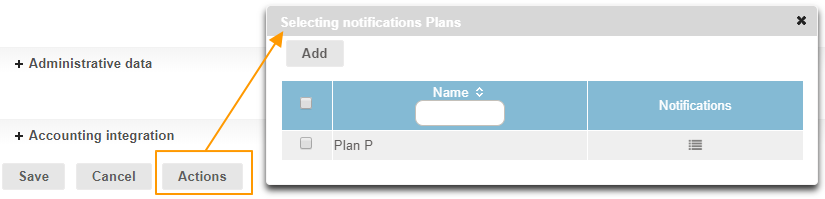
One click on the “list” icon  brings up the notifications attached to this plan.
By selecting one or more plans, and by clicking on the “Add” button, you can add those plans to the employee:
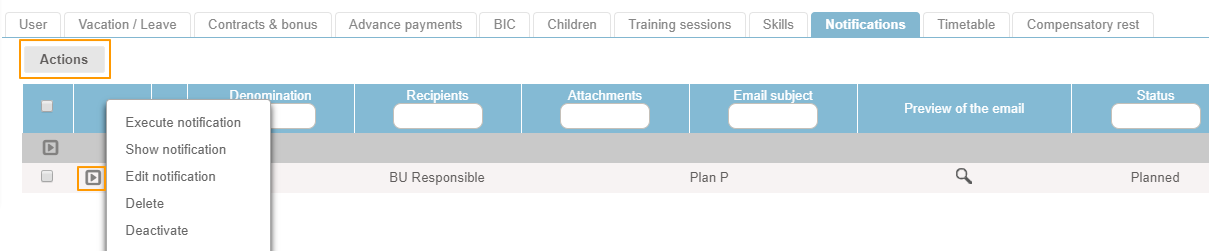
By clicking on the “Actions” button, you can mass execute the notification plans added to the employee.
By clicking on the “Play” button, you can execute, show, edit, delete or deactivate the notification plan.